DaisyOS
Products
Solutions
Support
Language / 语言
Get a Free Quote
BROWSE · MANAGE · SHARE

UPicture — Smarter Image Viewer

Multi-page browsing, format support — native on DaisyOS

Browse, organize, and share images directly from your interactive display — designed for a smooth, built-in experience on DaisyOS.

Multi-page Browse Format Support Multi-Page Mgmt Set Wallpaper

UPicture in Action

See how UPicture brings image viewing, management, and sharing together in one tool.

UPicture — Smart Image Viewer & Sharing Tool
Multi-page browsing · Format support · Wallpaper
⏱ Product demo · 1min

▶ Watch UPicture in action

Smart image browsing (multi-page, zoom, pan & thumbnail nav)

Broad format support

Multi-page & thumbnail management

Designed for Every Session

From quick browsing to shared handouts — UPicture turns every image into a manageable, shareable asset.
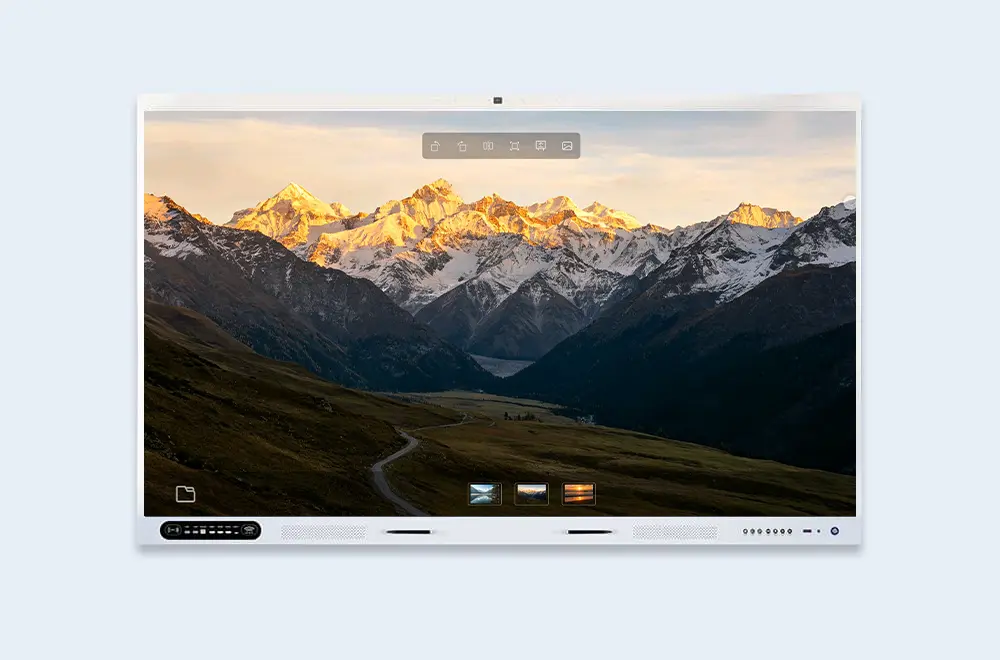
Smart image browsing
Viewing

Smart Image Browsing

Browse images with multi-page support, smooth zoom & pan. Thumbnail navigation lets you jump between images quickly.

  • Multi-page support — flip through documents naturally
  • Smooth zoom & pan — inspect every detail
  • Thumbnail navigation — jump to any image quickly
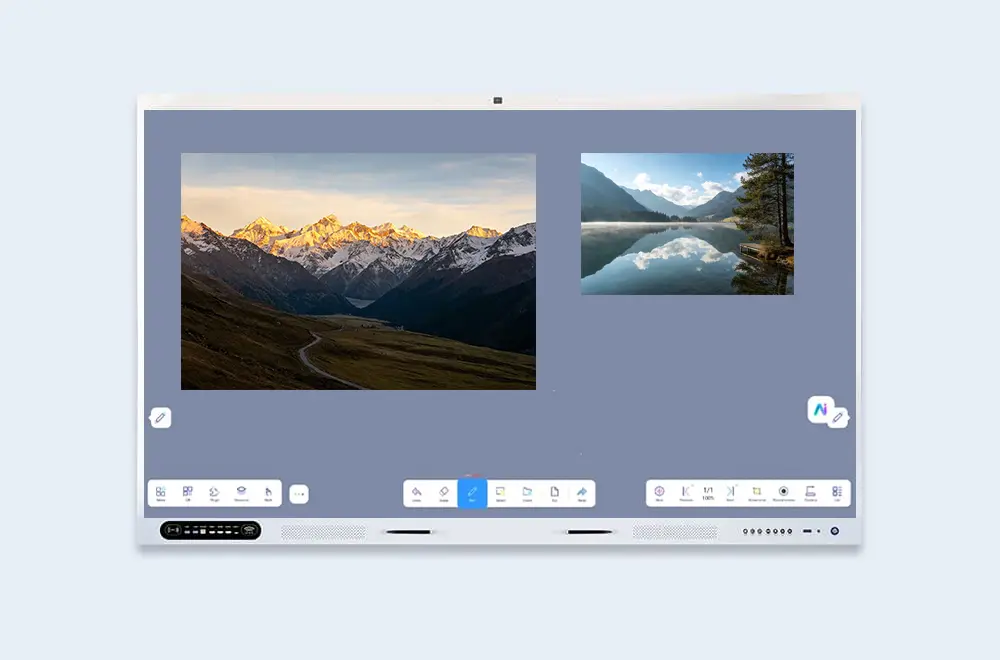
Broad image format support
Formats

Broad Image Format Support

Open PNG, JPG, BMP, and GIF documents directly — no conversion needed. UPicture works with the formats you already use.

  • Wide format coverage — PNG, JPG, BMP, GIF
  • No conversion required — open files as they are
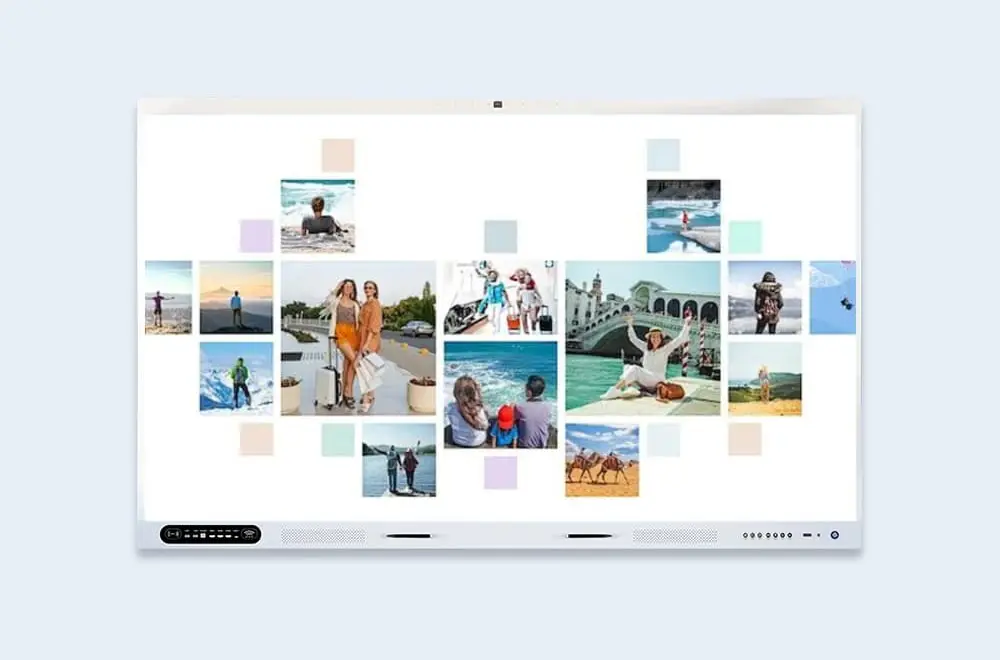
Multi-page thumbnail
Management

Multi-Page & Thumbnail Management

Manage multi-page documents with a clear thumbnail overview. Navigate large image sets and keep your workspace organized.

  • Thumbnail overview — see all pages at a glance
  • Quick navigation — jump between pages directly
  • Clean, organized layout — focused on your content
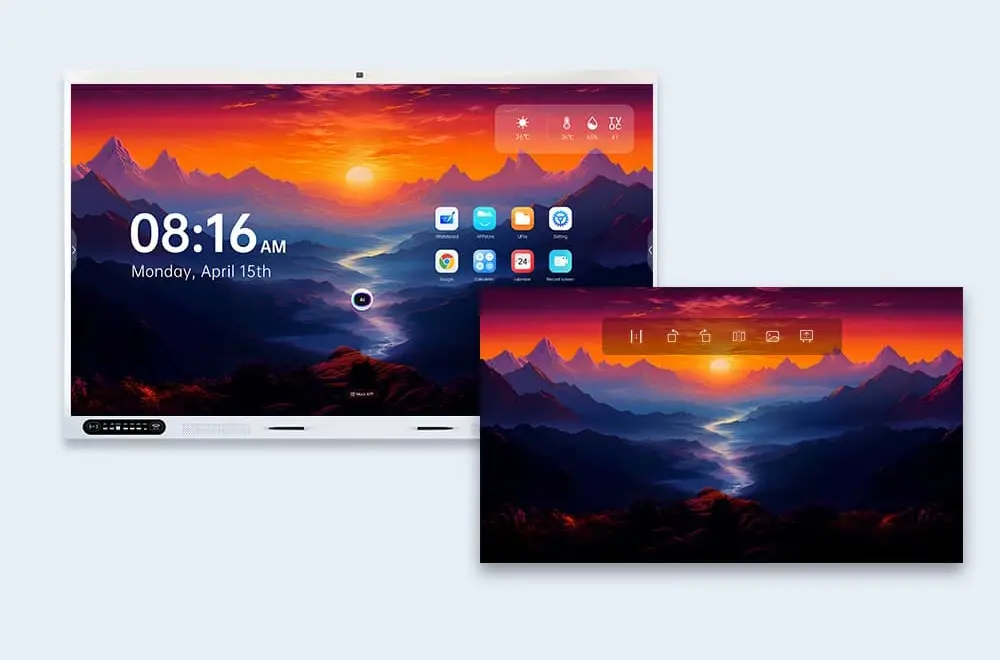
Image as wallpaper
Personalize

Set Images as Wallpaper

Turn images into your display's wallpaper with one tap. Personalize the screen or keep a reference image in view.

  • One-tap wallpaper setting — apply directly
  • Personalized display — match your brand or classroom

Built for Your Workflow

From classrooms to enterprise training rooms and creative studios — UPicture fits the way you work.

Schools

Browse lesson images and share with students — easy, paperless handouts.

Enterprise Training

Browse training materials and share key resources — new hires get consistent materials faster.

Creative Studios

Browse design drafts, toggle between versions, and share visual feedback with clients and collaborators.

Frequently Asked Questions

Quick answers to common questions about UPicture.

UPicture supports PNG, JPG, BMP, GIF, and PDF documents for multi-page viewing. Most standard image formats are supported out of the box.
Yes. UPicture handles multi-page documents including PDF and multi-page TIFF. Use the thumbnail panel to navigate between pages quickly.
Yes. Any image can be set as the display wallpaper with one tap — personalize your screen or keep a reference image always in view.
📩 Request a Quote

Need a Solution That
Fits Your Project?

Tell us what you're looking for and we'll tailor a quote to your requirements — with pricing, lead time, and expert advice.

HeadquartersRoom 201, No. 5, Chang An Zhenyuan East Road,
Dongguan, Guangdong, China
Get Your Custom Quote
Fill out the form and we'll get back to you within 12 hours.
Quick InquiryGet a quote
✓ Sent! We'll reply within 4 hours.
Chat on WhatsAppReply in minutes