I Was Drowning in Display Management Headaches—Until I Found This
\n\n
I still remember the call. 11:47 PM on a Friday. A client's flagship store in Dubai had the wrong promotion running on all 14 displays. The "Ramadan Sale" content was supposed to switch to the "Eid Collection" campaign 3 hours ago. My team had pushed the update—or so we thought. One display missed the sync, and now every screen was mirroring the wrong content across the entire chain.
\n\n
That was the night I decided: there has to be a better way.
\n\n
\n
\n
The Problem Nobody Talks About in Digital Signage
\n\n
If you manage more than 5 displays across more than 1 location, you already know the pain:
\n\n
- \n
- Content deployment takes forever. Upload to USB, walk to display, repeat. Or worse: SSH into each player one by one. \n
- "Is it actually playing?" is a question you ask yourself 20 times a day. No single dashboard tells you what's happening in real time. \n
- Your junior operator just uploaded the wrong file. With no approval workflow, mistakes hit production before anyone notices. \n
- You need 12 variations of the same campaign. One for portrait, one for landscape, one in Arabic, one with different pricing—and your designer just quit. \n
\n
Sound familiar? That was us 18 months ago. Today, I haven't received a single midnight emergency call in 6 months. Here's what changed.
\n\n
\n
\n
What We Actually Needed (and What You Should Look For)
\n\n
After that Dubai incident, I spent 3 months evaluating every digital signage CMS on the market. Most fell into two camps:
\n\n
1. Consumer-grade tools built for restaurant menu boards—fine for 1 location, useless at scale
\n2. Enterprise platforms that required a 6-figure license, a dedicated server room, and a consultant who billed by the hour
\n\n
What I needed was something in between. Here's the checklist I built—and what ultimately led us to a solution that actually worked:
\n\n
\n
\n
1. Instant Publishing—Not "Wait 5 Minutes and Hope"
\n\n
The old way: Content team exports designs → sends via WeChat to field tech → tech copies to USB → walks to each display → plugs in → waits for playback → takes a photo to confirm → texts back "done." Best case: 45 minutes per display.
\n\n
What we have now: Designer uploads directly to the CMS. Clicks "Publish." Every display in the network pulls the update within seconds. The field tech gets an automated confirmation. Nobody sends a text message.
\n\n
The number that matters: Content deployment went from 3 hours (12 displays) to under 60 seconds. Not exaggerating—the platform pushes to all endpoints simultaneously.
\n\n
\n
\n
2. Real-Time Monitoring That Actually Means "Real Time"
\n\n
Here's a test I run with every CMS I evaluate: I unplug a display from power and start a stopwatch. How long until the dashboard alerts me?
\n\n
Most platforms: 5-15 minutes. Some: "Offline" status updates once an hour. One vendor told me "you need to refresh the page manually."
\n\n
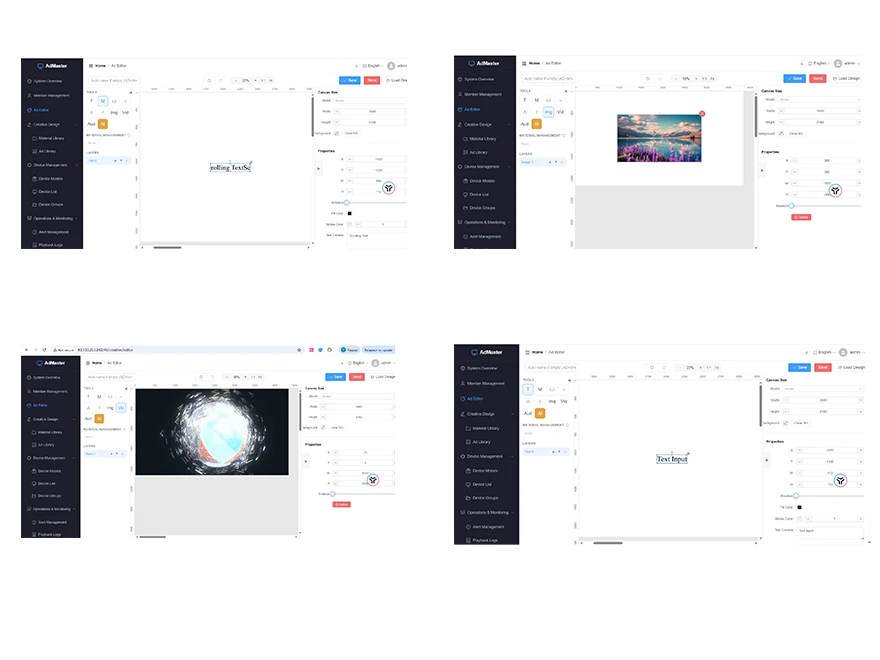
A proper system should tell you within 30 seconds. It should show you:
\n\n
- \n
- Which displays are online/offline \n
- What content is currently playing on each \n
- Screenshot previews (so you don't have to ask for photos) \n
- Historical uptime logs \n
\n
\n
The platform we landed on does all of this from a single dashboard. I check it once in the morning with coffee, scan for red flags, and move on with my day. That's the definition of "peace of mind" in this industry.
\n\n
\n
\n
3. Maintenance That Doesn't Require an IT Degree
\n\n
I'm not a sysadmin. My team isn't either. We're content people who happen to manage displays.
\n\n
The old system required knowing which port each display was on, understanding firewall rules, remembering 12 different IP addresses, and praying nobody changed the Wi-Fi password.
\n\n
The new system? Each display registers itself. You name it ("Dubai Mall - Entrance 3") and it appears in your dashboard. Firmware updates happen automatically. If a display goes down, you get a notification—not a crash course in network troubleshooting.
\n\n
The metric that matters: We used to spend 6 hours/week on "display maintenance." Now it's under 30 minutes. That's 280+ hours per year returned to actual content creation.
\n\n
\n
\n
4. AI Content Creation—Not a Gimmick, a Force Multiplier
\n\n
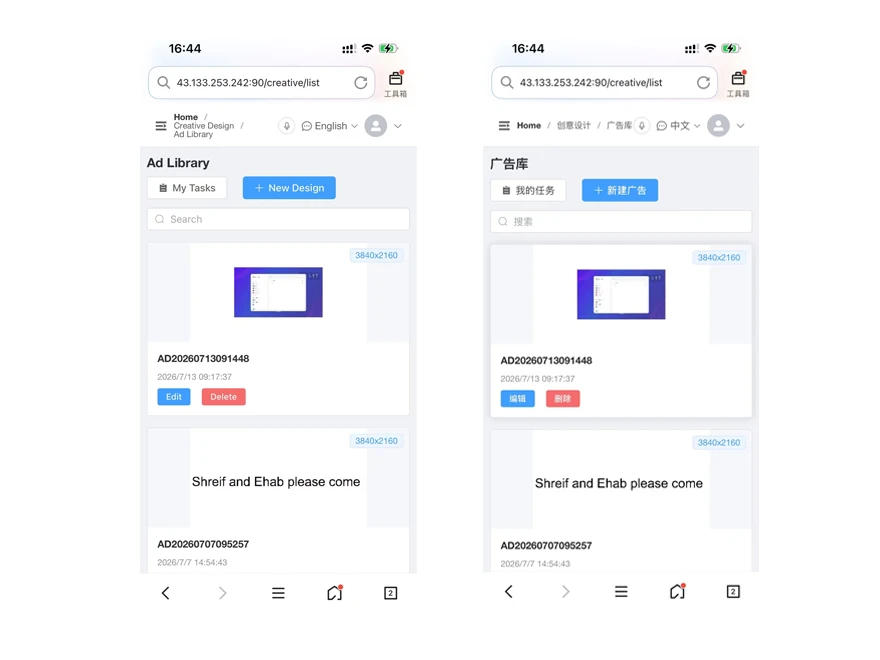
I was skeptical about "AI-powered" anything. Most of it is marketing fluff. But here's what actually works in practice:
\n\n
\n
Auto-generated multilingual copy. We operate in 6 markets. Instead of hiring translators for every campaign, the CMS generates draft copy in Arabic, Russian, Thai, and Korean directly from the English master. A native speaker reviews it (takes 5 minutes per language), and it's ready to publish.
\n\n
Smart layout adaptation. Upload one design in 16:9. The system automatically generates portrait, square, and ultra-wide versions. Our designer now spends her time on creative direction, not resizing the same banner 12 times.
\n\n
Content scheduling with intelligence. Instead of manually programming "Play Campaign A from 8 AM to 8 PM, Campaign B from 8 PM to 8 AM," the AI learns peak foot traffic patterns from display analytics and optimizes the schedule automatically.
\n\n
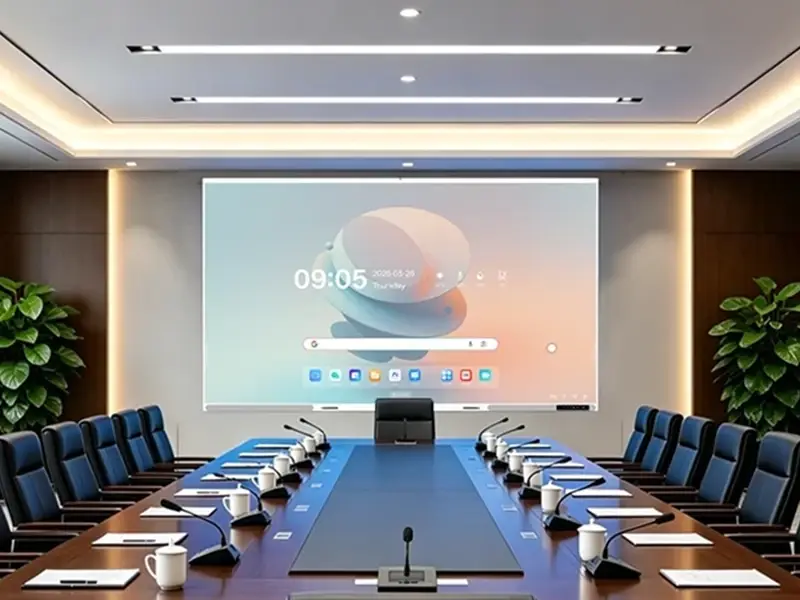
The result? Our 3-person content team now manages 47 displays across 4 countries. Before the CMS upgrade, we were struggling with 18 displays and 5 people.
\n\n
\n
\n
\n
What to Look for When You Evaluate a CMS
\n\n
If you're in the same position I was 18 months ago—frustrated, overworked, and tired of emergency calls—here's my honest advice:
\n\n
| Feature | Minimum Acceptable | What You Actually Want |
|---|---|---|
| Publishing speed | Under 5 minutes | Under 60 seconds, simultaneous push |
| Monitoring | Shows online/offline | Screenshot previews + 30-second alerts |
| User management | Admin only | Role-based access (operator can publish, intern can only view) |
| Multi-language | Manual translation per market | AI-assisted draft + human review |
| Scheduling | Time-based playlist | Smart scheduling based on audience data |
| Content adaptation | Manual resize per format | Auto-generate portrait/landscape/square |
| Emergency override | "Call the IT guy" | One-click "Emergency Shutdown" from any device |
| Audit trail | None | Every action logged with timestamp + user |
\n
\n
\n
The Bottom Line
\n\n
I'm not going to tell you this CMS is magic. It's not going to design better creative or understand your brand guidelines better than your team. What it will do is remove every operational bottleneck between your content team and your displays.
\n\n
That means:
\n\n
- \n
- Your designers design instead of resizing \n
- Your operators schedule instead of troubleshooting \n
- Your managers monitor instead of panic-calling \n
- You sleep through Friday nights instead of fielding emergency calls \n
\n
And honestly? That last one alone is worth the investment.
\n\n\n