DaisyOS
Products
Solutions
Support
Language / 语言
Get a Free Quote
FILE MANAGEMENT · AI KNOWLEDGE · CLOUD SHARING

UFile — Smart File Manager for Interactive Displays

Browse, organize, and share files across devices — native on DaisyOS

An all-in-one file manager that supports every format, cloud storage integration, AI knowledge base connection, and instant QR code sharing — purpose-built for interactive displays in education and enterprise.

16 File Operations 20+ Format Preview AI Knowledge Library Cloud Storage QR Quick Share

UFile in Action

See how UFile transforms file management on interactive displays into an intuitive, connected experience — from browsing to AI-powered knowledge retrieval.
UFile product demo video thumbnail — Smart File Manager for Interactive Displays
UFile — Smart File Manager & AI Knowledge Hub
File Browsing · Multi-Format Preview · Cloud Storage · AI Knowledge Base · QR Quick Share
⏱ Product demo · 1min

▶ Watch UFile in action

Comprehensive file browsing — all formats, search, sort & display modes

20+ file format preview — images, videos, documents, 3D models & CAD files

Cloud & external storage — Google Drive, OneDrive, Yandex Disk, USB & cloud

AI knowledge library — one-click add to AI Knowledge Base, AI analysis & Q&A

Designed for Every Workflow

From classroom resource management to enterprise document sharing — UFile gives you complete control over every file on your interactive display.

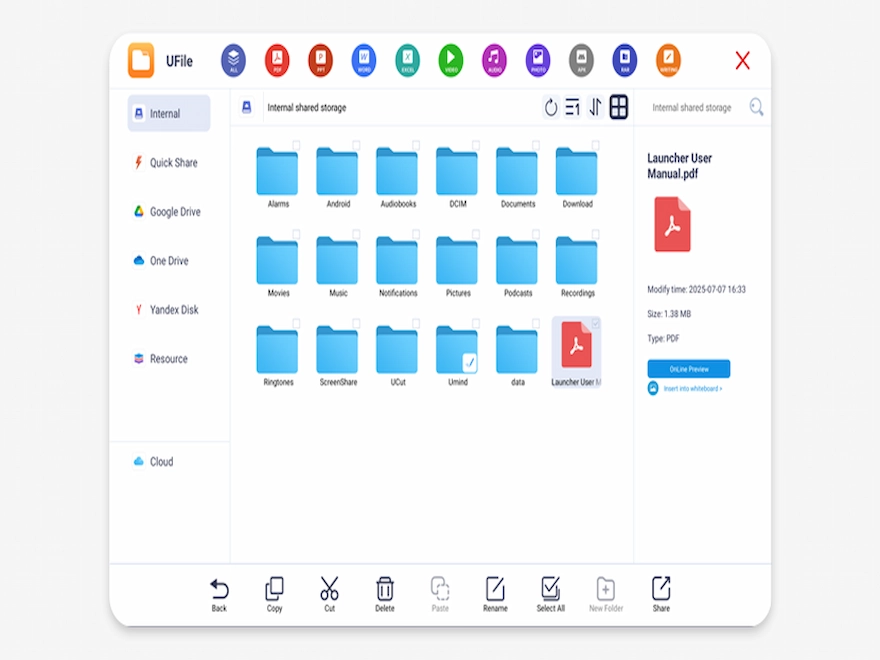
UFile file classification browse — all formats, search, sort and display modes
File Organization

Intelligent File Classification & Browsing

Browse all file types with smart classification — PDF, PPT, Word, Excel, video, audio, image, APK, and RAR. Switch between list and icon views with flexible sorting by name, time, size, or type.

  • 16 file operations — copy, cut, delete, paste, rename, select all, create folder
  • Smart search — enter keywords to instantly locate any file
  • Flexible display — refresh, sort ascending/descending, list or icon view
UFile multi-format preview engine — 20+ formats including images, videos, documents, 3D models and CAD
File Preview

Multi-Format Preview Engine

Preview 20+ file formats directly within UFile — no need to open external applications. From common office documents to professional design files, everything renders natively.

  • Images — PNG, JPG/JPEG, GIF, BMP, WEBP
  • Videos — MP4, 3GP, MKV, WEBM, AVI, MOV, WMV, FLV, HEVC
  • Documents & design — DOC, PPT, Excel, XMind, 3D models, CAD, PDF, vector graphics, Photoshop
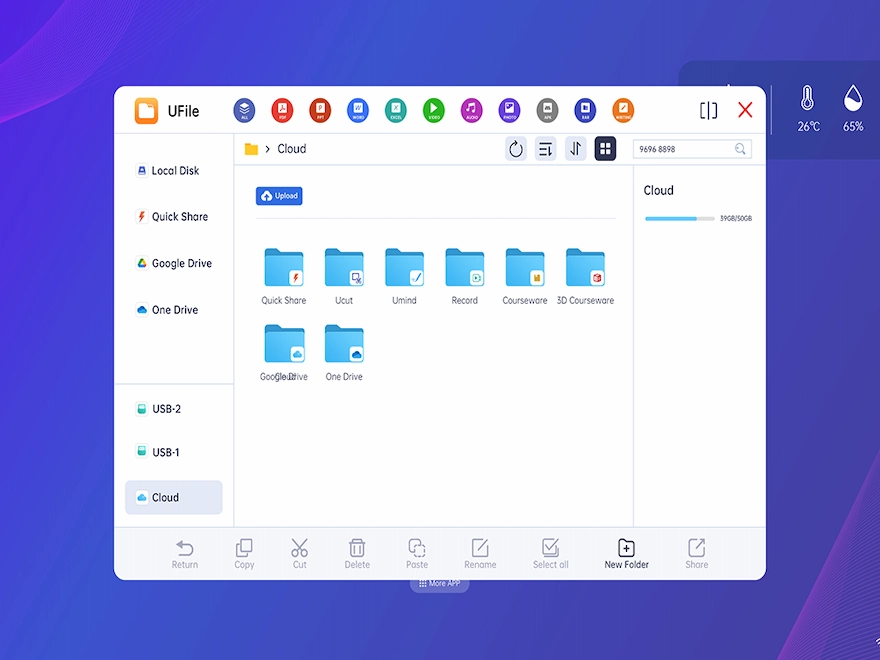
UFile cloud storage integration — Google Drive, OneDrive, Yandex Disk, USB and cloud upload
Cloud & Storage

Cloud & External Storage Integration

Seamlessly connect to Google Drive, OneDrive, and Yandex Disk. Plug in a USB drive and browse instantly. Upload files to the Riotouch cloud with one click — no login required.

  • Google Drive / OneDrive / Yandex Disk — log in and access your cloud files
  • USB external storage — plug and browse instantly
  • Cloud upload — upload local or external files, download to local cloud folder
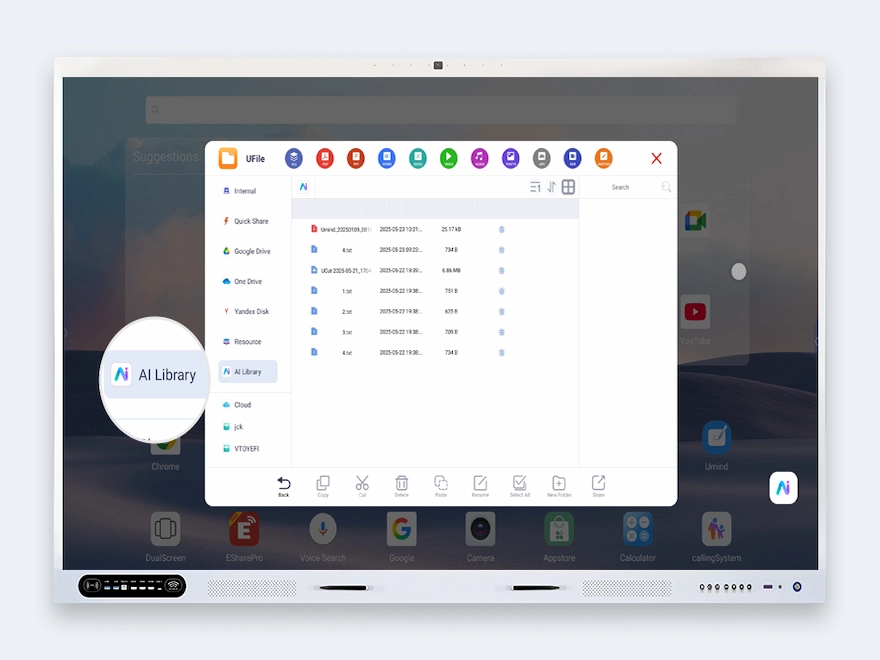
UFile AI knowledge library integration — add files to AI Knowledge Base for analysis and Q&A
AI Integration

AI Knowledge Library Integration

Add files directly to the AI Knowledge Base from UFile. The AI Assistant can analyze, interpret, and organize knowledge base content — then answer questions based on your uploaded materials with voice or text input.

  • One-click add — select files in UFile → add to AI Knowledge Base
  • AI analysis — AI Assistant reads and interprets uploaded documents
  • Knowledge Q&A — ask questions by voice or text, get answers from your own content
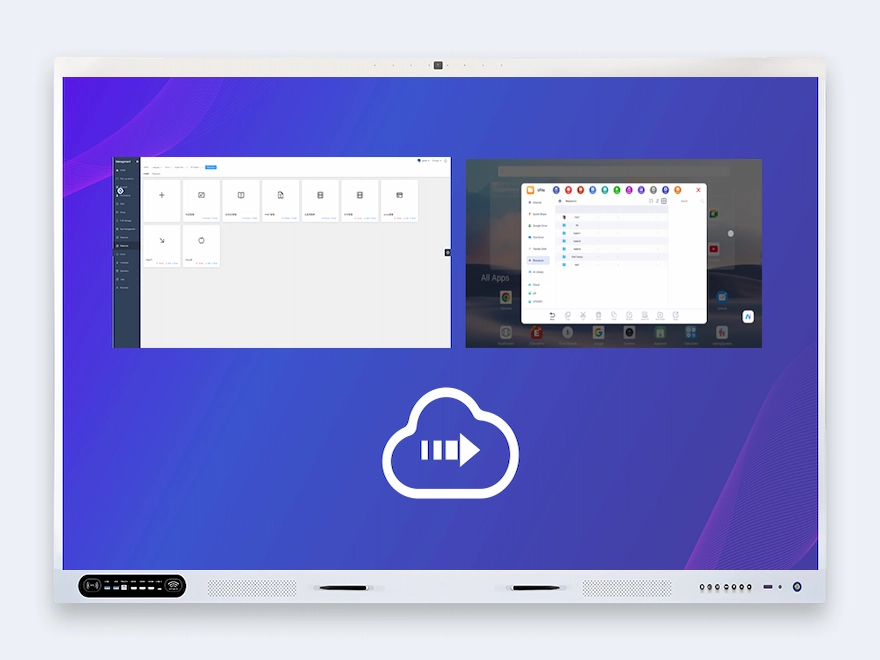
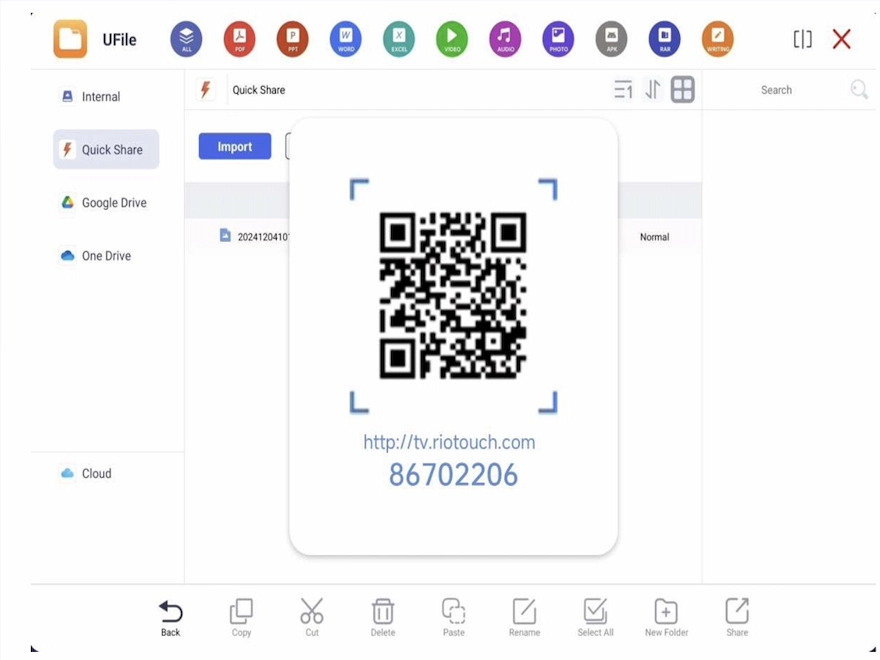
UFile QR code quick share and resource management — scan to access files, OEM resource distribution
Sharing & Resources

QR Code Quick Share & Resource Management

Share files instantly via QR code — recipients scan to access without file transfers. Manage OEM resources, teacher-uploaded materials, and public resources from a central cloud platform.

  • QR Quick Share — generate QR code for any file (max 50MB), set sharing time limits
  • Resource management — device-bound OEM resources, public resources, teacher-account resources
  • File attributes panel — view size, date, type; insert directly into UMind; set as wallpaper; AI analysis

Built for Your Environment

From K-12 classrooms to enterprise training rooms and school IT departments — UFile fits the way you manage, share, and leverage files.

K-12 Education

Teachers upload lesson resources to the AI Library via UFile, then ask questions by voice to get instant answers from their own teaching materials — right in the classroom.

Enterprise & Conference

Upload meeting documents to the AI Knowledge Base and ask questions during presentations. Share files via QR code — no USB drives, no email attachments, no confusion.

IT Administrators & Schools

Push OEM-branded resources to all devices via the cloud platform. Manage public resources with super admin accounts, control teacher access, and ensure consistency across every display.

Frequently Asked Questions

Quick answers to common questions about UFile.

UFile is a smart file manager purpose-built for Riotouch interactive displays running DaisyOS. Unlike standard Android file managers, UFile integrates directly with the UMind whiteboard, AI Knowledge Base (AI Library), cloud storage (Google Drive, OneDrive, Yandex Disk), and QR code sharing. It previews 20+ file formats including 3D models, CAD, and vector graphics — and lets you add any file to the AI Knowledge Base for instant Q&A.
Images: PNG, JPG/JPEG, GIF, BMP, WEBP. Videos: MP4, 3GP, MKV, WEBM, AVI, MOV, WMV, FLV, HEVC. Text: TXT, MD, RTF, HTML/HTM, JSON, XML. Documents & professional formats: DOC, PPT, Excel, XMind, 3D models, CAD, PDF, vector graphics, and Photoshop files. Most formats render natively without external apps.
In the UFile file display area, select any supported file (TXT, DOCX, PDF, XLSX, EPUB, MOBI, MD, CSV, or images up to 20MB) and click the AI Knowledge Base add button. The file is added to the AI Library, where the AI Assistant can analyze, interpret, and organize the content. Switch the AI chatbox to Knowledge model, enter a question, and the AI retrieves answers directly from your uploaded materials.
Yes. UFile integrates with Google Drive, OneDrive, and Yandex Disk — log in to your account to view and download uploaded files. UFile also includes a native Riotouch Cloud storage feature: click Upload to send local or USB files to the cloud (no login required), and download cloud files to the local cloud folder for offline access.
Long-press any file in UFile, click Share, set a sharing time limit, and a QR code is generated. Recipients scan the code with their phone to access the file instantly. You can also use Quick Share (max 50MB per file) via the Quick Pass interface, or share a code for another device to retrieve the file. Shared records are tracked in the Quick Share list.
📩 Request a Quote

Need a Solution That
Fits Your Project?

Tell us what you're looking for and we'll tailor a quote to your requirements — with pricing, lead time, and expert advice.

HeadquartersRoom 201, No. 5, Chang An Zhenyuan East Road,
Dongguan, Guangdong, China
Get Your Custom Quote
Fill out the form and we'll get back to you within 12 hours.
Quick InquiryGet a quote
✓ Sent! We'll reply within 4 hours.
Chat on WhatsAppReply in minutes