Riotouch Cloud Services: One Managed Stack for Device, Content, Resource and Teaching Operations
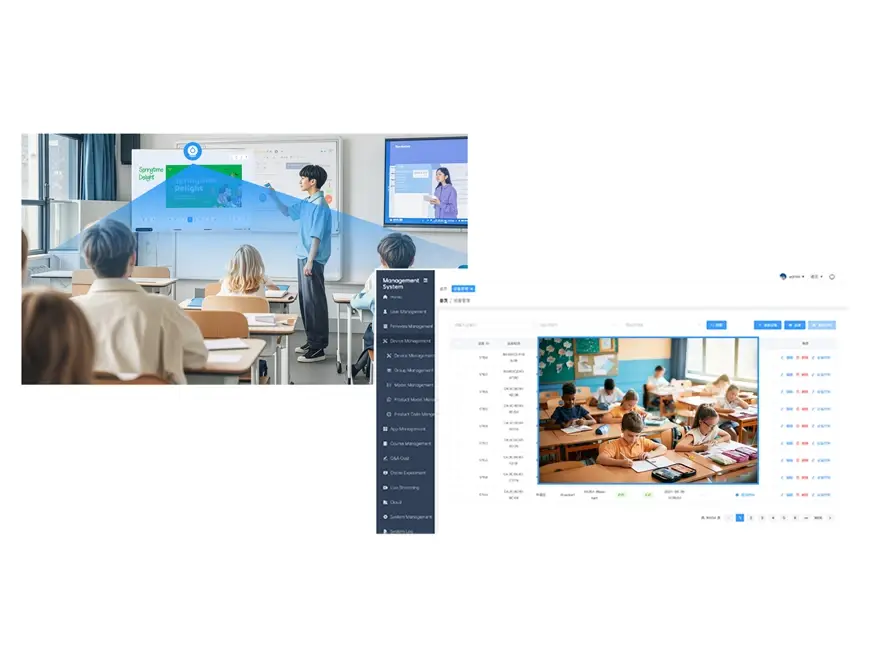
Feasibility, evidence and advantages of the cloud services layer — DMS, CMS, RMS, LMS, live streaming, the AI-Gen platform and the offline PWA.
Riotouch Cloud · Deployment series, part 3 of 4. Series: 1 On-Premise Compute · 2 Cloud Compute · 3 Cloud Services · 4 Applications.
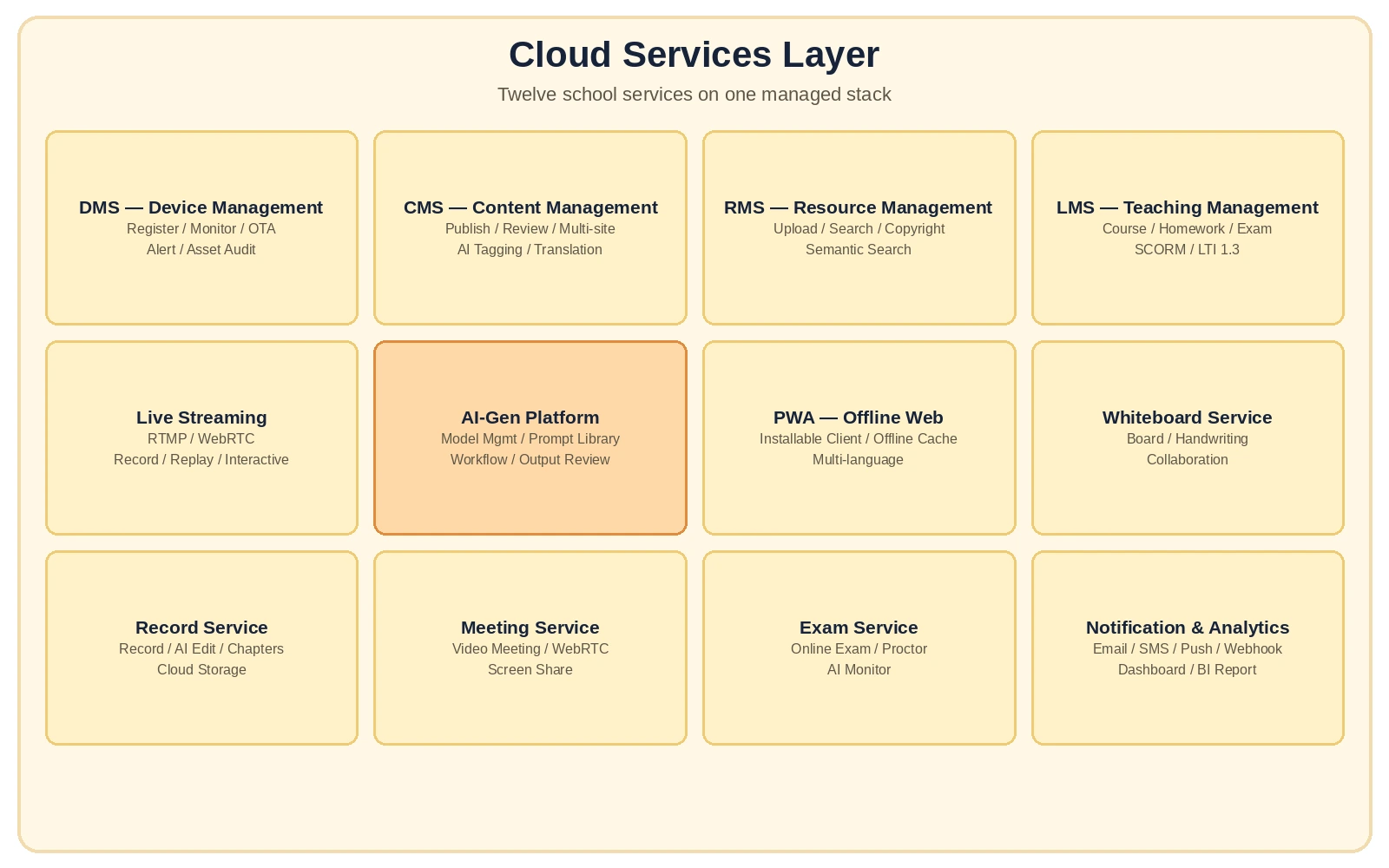
Quick answer. Underneath the panels, a school runs twelve services: device management (DMS), content management (CMS), resource management (RMS), teaching management (LMS), live streaming, the AI-Gen model platform, the offline PWA, plus whiteboard, recording, meeting, exam, notification and analytics services. Riotouch runs all twelve on the same stack, in whichever deployment mode the school chose in parts 1 and 2 — and every one of them replaces a manual process that large IT organisations, Microsoft and Google included, have already concluded does not scale by hand. This article lists what each service does, then documents the evidence for the two claims that matter: that centralised management scales, and that standards-based interoperability is what keeps a school from being locked in. The deployment modes themselves are set out in the Riotouch Cloud Solution overview.
1. The twelve services, as deployed
| Service | What it does | Why a school notices |
|---|---|---|
| DMS — device management | Registration, monitoring, OTA updates, alerting, asset audit across every panel | You stop tracking serial numbers in a spreadsheet |
| CMS — content management | Publishing and review workflow, AI tagging and translation | New content goes live per grade/subject, not per machine |
| RMS — resource management | Upload, review, storage and semantic search across school-owned assets | Teachers find the 2019 lesson video without asking anyone |
| LMS — teaching management | Courses, homework, exams; SCORM / LTI 1.3 | Existing courseware keeps working; tools plug in by standard |
| Live streaming | Low-latency streaming, recording and playback, interactive classroom topology | One lesson reaches three sites and is rewatchable |
| AI-Gen platform | Model management, prompt library, workflow and output review | AI use is governed, reviewable and reproducible |
| PWA — offline web | Installable web app, offline cache, multi-language | Teachers and admins work on any device, including offline |
| Whiteboard | Multi-user board, AI handwriting recognition, bezier ink, palm rejection | Lesson capture without a separate product |
| Record service | Mic/camera capture, recording file management, cloud storage, screen and whiteboard capture, multi-binary branching | Lecture capture and review in one workflow |
| Meeting service | Screen share, interactive course, WebRTC video meetings | Distance teaching with no third-party dependency |
| Exam service | Online exams, anti-cheat, AI proctoring, monitor mode | Exams stay inside the platform that taught the class |
| Notification + analytics | Push/SMS/email/WeChat/instant messaging via workflow; device and behaviour analytics with AI reports and dashboards | Leadership gets evidence, not anecdotes |
The point of the list is not its length — it is that these are the operational services a school is already running, usually as five or six disconnected products with five or six data silos. Running them on one stack is what makes the account, device, firmware and resource layers share one identity model instead of four.
2. Feasibility: centralised management at school scale is a solved problem
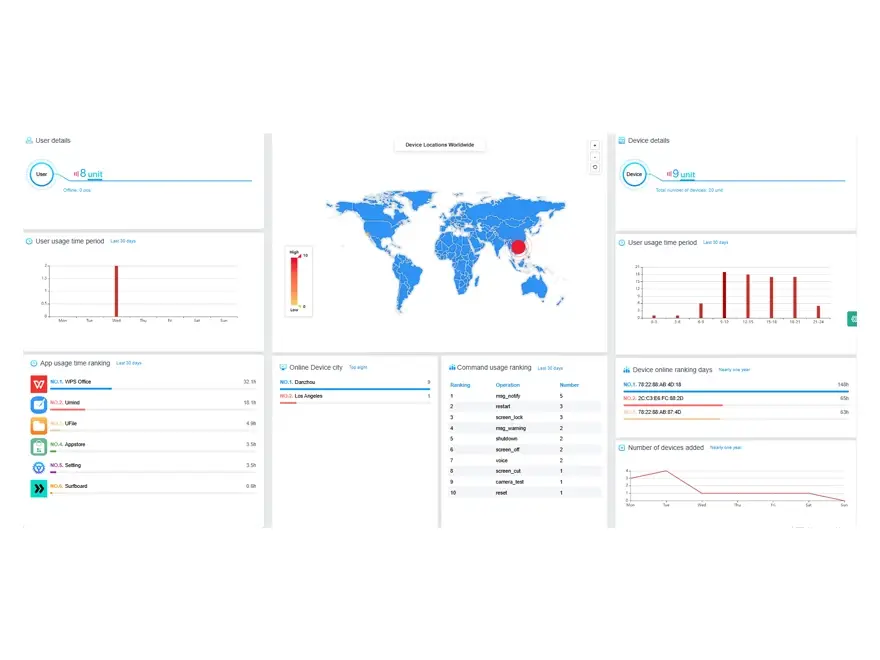
Microsoft’s own education guidance says manual device handling does not scale. Microsoft’s training material for education IT states that device management “historically relied on manual imaging, physical handling, and on-site configuration, all of which place significant strain on IT staff”, and prescribes Windows Autopilot plus Intune for Education as the replacement — including automatic enrolment into management when a device is first powered on out of the box [1][2]. That is precisely the DMS function in Riotouch’s stack: registration, monitoring, OTA and audit, executed centrally.
Google’s education stack is administered the same way. Google publishes domain best practices for Google Workspace for Education, and Chrome OS devices enrolled in a school domain are managed centrally from the admin console [3][4]. Two of the largest cloud vendors converging on “one console per fleet” is the strongest available evidence that a school-wide DMS is standard practice rather than a nice-to-have.
Interoperability has an official answer: LTI 1.3 and SCORM. 1EdTech’s Learning Tools Interoperability specification exists so that learning platforms can “integrate remote tools and content in a standard way”, and the current version 1.3 is the published core specification; SCORM remains an ISO-referenced content model [5][6]. Riotouch’s LMS implements both, which is what allows a school to keep its existing courseware and connect third-party tools without custom integration projects.
Accessibility is a published standard, not an opinion. The W3C’s Web Content Accessibility Guidelines 2.2 define the conformance levels that public-sector procurement increasingly requires; running the client stack as standards-based web (the PWA) and native apps is what makes those criteria testable [7].
Real-time teaching has a royalty-free specification. WebRTC, the W3C/IETF standard underlying Riotouch’s meeting service, is the same technology family used by Google Meet and Microsoft Teams — a school is not betting on a proprietary transport [8].
Blended and online delivery is supported by the education-research literature. The US Department of Education’s evidence review of online learning found that, on average, students in online conditions performed modestly better than those in face-to-face instruction, with the largest gains where delivery included elements of both [9]. The services layer is what makes that mode of delivery operationally possible at fleet scale.
3. Advantages of the cloud services layer — each tied to a source
| Advantage | What it means | Supporting evidence |
|---|---|---|
| One console for every panel | Registration, monitoring, OTA, alerting and asset audit in one place; no manual imaging or site visits for updates | Microsoft prescribes Autopilot + Intune over manual imaging and on-site configuration [1][2]; Google manages enrolled devices from the admin console [3][4] |
| Content operations instead of content chores | Publish/review workflow with AI tagging and translation; the same lesson is localised once, not per site | Centralised publishing is the standard model in both the Microsoft and Google education stacks [1][3] |
| No lock-in on courseware or tools | SCORM and LTI 1.3 keep existing content and third-party tools working | Published 1EdTech specifications [5][6] |
| Accessibility and procurement fit | Standards-based clients make WCAG 2.2 conformance assessable | W3C WCAG 2.2 [7] |
| Distance teaching without a third-party video dependency | WebRTC meetings, screen share and interactive courses run inside the platform | W3C WebRTC Recommendation [8] |
| Evidence for leadership | Device, behaviour and learning analytics with AI reports and dashboards | Blended/online delivery evidence base [9] |
| Offline resilience | PWA install and offline cache keep teacher and admin workflows alive on a flaky network | Complementary to the on-premise tier (part 1) |
| Governed AI | Prompt library plus workflow and output review: what the AI is asked, and what it answers, is reproducible and auditable | Riotouch gateway and AI-Gen platform design; see part 4 for application-level evidence |
4. Deployment notes
| Environment | How the services layer runs |
|---|---|
| On-premise (part 1) | All twelve services run on the local server; only update packages and licence checks reach the internet |
| Cloud (part 2) | Services run in an EU region; devices reach them over the school’s uplink |
| Hybrid | Services run local-first with cloud burst; recording, backups and heavy AI jobs may be delegated, redacted-only |
Pair the services layer with the hardware and compute tier it manages: the interactive flat panel and RK3588 smart board in the classroom, an OPS module for panel-side compute, and the Aether Orb Edge AI Box where classroom-level offload is enough. Interface and power numbers are published on the product specifications page.
Next in the series: part 4 covers the application layer — the sixteen AI classroom applications — against the peer-reviewed evidence on AI tutoring, reading fluency and classroom AI governance.
References
- Microsoft Learn — Manage devices at scale with Microsoft Intune for Education and Windows Autopilot (training module). learn.microsoft.com
- Microsoft Learn — Plan Education device enrolment (automatic enrolment via Microsoft Entra join). learn.microsoft.com
- Google — Google Workspace for Education: Domain Best Practices (PDF). services.google.com
- Google for Education. edu.google.com
- 1EdTech — Learning Tools Interoperability (LTI) Core Specification 1.3. standards.1edtech.org
- 1EdTech — LTI Implementation Guide. standards.1edtech.org
- W3C — Web Content Accessibility Guidelines (WCAG) 2.2. w3.org
- W3C — WebRTC: Real-Time Communication in Browsers (Recommendation). w3.org
- US Department of Education — Evaluation of Evidence-Based Practices in Online Learning: A Meta-Analysis and Review of Online Learning Studies (ERIC ED505824). files.eric.ed.gov
All links verified live on 2026-10-12. The service list in section 1 reflects Riotouch’s published platform architecture and is subject to change with platform releases.
Related Product
Riotouch Cloud Solution — one platform, three deployment modes for interactive flat panels. Hardware: RK3588 Smart Board · OPS modules · Aether Orb Edge AI Box.