DaisyOS
Products
Solutions
Support
Language / 语言
Get a Free Quote
Quick InquiryGet a quote
✓ Sent! We'll reply within 4 hours.
Chat on WhatsAppReply in minutes
AI-POWERED · REAL-TIME · MULTILINGUAL

PolyVoice — Speak Any Language, Everyone Understands

Real-time AI translation for international meetings and classrooms

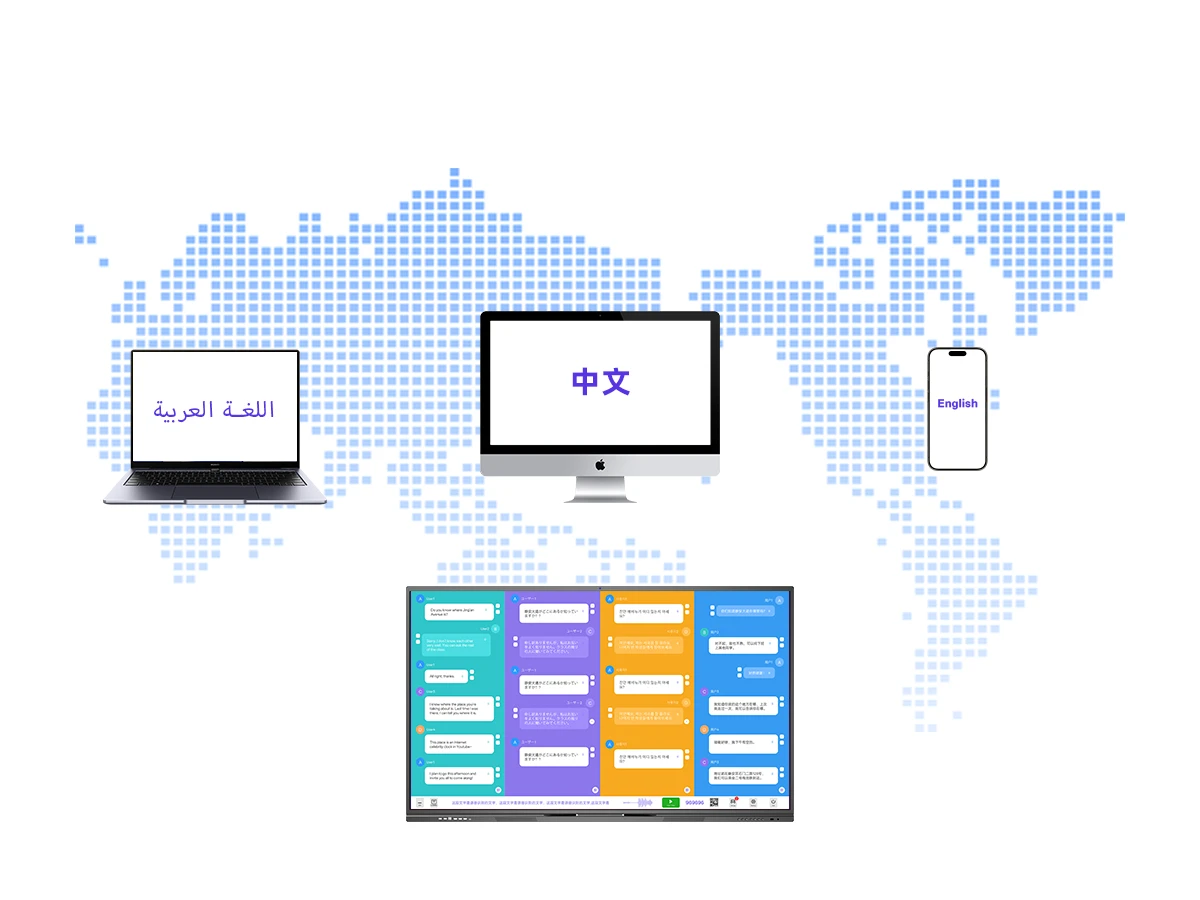
Break language barriers instantly. PolyVoice captures speech in four languages simultaneously, translates in real time, and streams synchronized subtitles to every device — whether in the conference room or joining remotely.

4-Language Simultaneous Real-time Subtitles Remote QR Join Meeting Minutes DaisyOS Native

PolyVoice in Action

See how PolyVoice transforms multilingual meetings and classrooms with instant cross-language communication.

Four-language simultaneous speech recognition and real-time translation

Remote device access via QR code scanning for synchronized subtitles and audio

Real-time translated subtitles streaming on connected devices during meetings

One-click QR code sharing of complete meeting minutes after every session

Designed for Every Conversation

From four-way simultaneous translation to instant meeting minutes — PolyVoice makes every multilingual interaction seamless and productive.
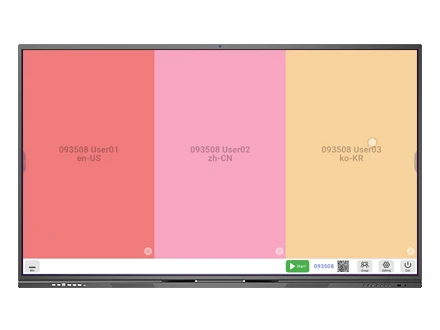
PolyVoice 4-Language Simultaneous Translation Screen
Real-time Translation

4-Language Simultaneous Translation

PolyVoice performs simultaneous four-language speech recognition and real-time translation, effectively overcoming multilingual communication barriers in international meetings. Simply select a language and click Start to begin.

  • 4 languages at once — speak and translate simultaneously across four language channels
  • Real-time speech recognition — powered by AI, captures every word with low latency
  • One-click Start — select language, click Start, and translation begins instantly
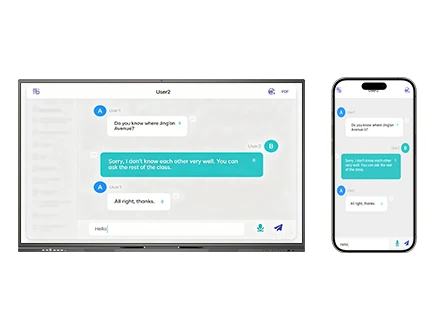
PolyVoice Remote QR Code Join — Synchronized Subtitles on Mobile and IFPD
Remote Access

Remote Device Access & Synchronized Streaming

Remote participants scan a QR code to join the translation room. Once connected, they can view translated subtitles and listen to synchronized audio in real time on their own devices — no special software required.

  • QR code room join — scan to connect, no app installation needed
  • Synchronized subtitles — translated text streams in real time to all devices
  • Synchronized audio — listen to the translated speech with minimal delay

PolyVoice AI Subtitles and Face Capture in Conference Room
AI Subtitles

AI Subtitles & Real-time Display

AI-powered face capture identifies active speakers and overlays real-time translated subtitles on-screen. Whether in a conference room or smart classroom, every participant sees the conversation in their own language — breaking down language barriers across teams.

  • AI Face Capture — extracts attendee faces from meeting video streams
  • Visual Recognition — identifies all participants accurately for proper attribution
  • Structured profiles — generates organized attendee profiles with translation context
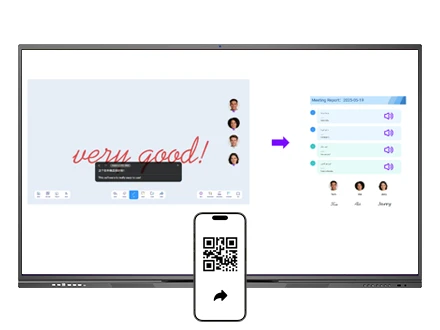
PolyVoice Meeting Minutes QR Code Sharing
Meeting Minutes

Instant Meeting Minutes Sharing

After every session, PolyVoice generates complete meeting minutes with translated transcripts. Click the QR code in the bottom-right corner to share — participants scan and receive the full record instantly, no file transfers or email attachments needed.

  • Auto-generated minutes — complete multilingual transcripts after each session
  • QR code sharing — one scan, instant access to the full meeting record
  • Multi-user collaboration — support for group conversations across languages
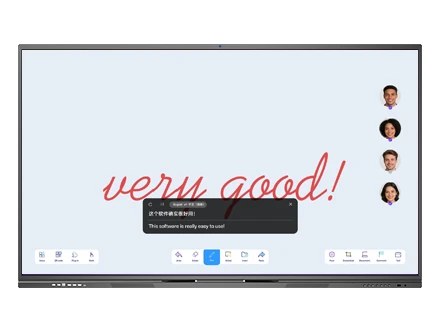
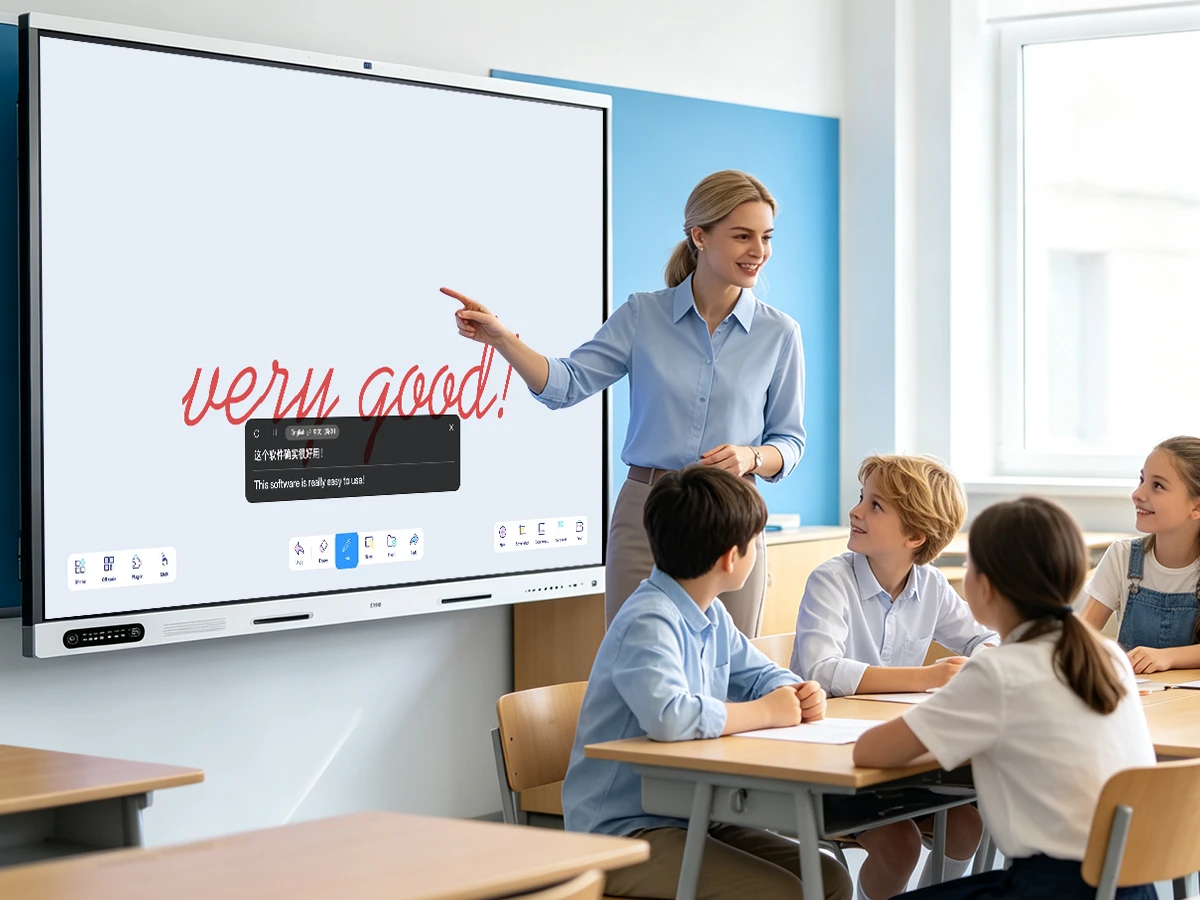
PolyVoice AI Translation Function in Smart Classroom
Smart Classroom

AI-Powered Classroom Translation

PolyVoice extends beyond meetings into the smart classroom. AI-powered whiteboard translation, instant read-aloud in multiple languages, flashcard generation, and document upload for building multilingual teaching resource libraries — all integrated into DaisyOS.

  • Whiteboard translation — click to translate any content on the interactive whiteboard
  • Instant read-aloud — hear translated text in the target language with natural pronunciation
  • Flashcard & courseware generation — auto-generate teaching materials from translated content

Built for Your Environment

From international boardrooms to multilingual classrooms and distributed remote teams — PolyVoice bridges every language gap.

International Conferences

Seamlessly host cross-border meetings with four-language simultaneous translation. Remote attendees join via QR code with real-time subtitles and audio.

Smart Classrooms

Enable students and teachers to communicate across languages with whiteboard translation, instant read-aloud, and auto-generated multilingual courseware.

Remote Teams

Distributed cross-language teams stay aligned. Everyone speaks their native language while PolyVoice handles real-time translation and meeting records.

Frequently Asked Questions

Quick answers to common questions about PolyVoice AI translation.

PolyVoice is an AI-powered cross-language communication tool natively integrated into Riotouch's DaisyOS interactive flat panels. It captures speech in up to four languages simultaneously, translates in real time, and streams synchronized subtitles and audio to both in-room displays and remote devices. Simply select a language, click Start, and everyone understands — instantly.
PolyVoice supports four languages simultaneously — the system captures speech in all four language channels and translates in real time. Supported languages include en-US, zh-CN, zh-JP, and additional language packages are available for download via the cloud platform.
Yes. Remote participants scan a QR code displayed on the main screen to join the session room. Once connected, they can view translated subtitles and listen to synchronized audio in real time on their own devices — no additional software or app installation required.
PolyVoice runs on Riotouch interactive flat panels (IFPD) powered by DaisyOS, including the RK3588 series such as the 110-inch model. It is positioned as a native DaisyOS application alongside UMind, UFile, UFlowClip, and VisionRoll — delivering a complete AI translation solution on the IFPD platform.
Yes, PolyVoice requires an active internet connection for real-time cloud-based translation processing. This ensures high accuracy and low latency. The connected devices also need network access to receive synchronized subtitles and audio.
After each session, PolyVoice generates complete multilingual meeting minutes. Share them via a QR code in the bottom-right corner of the interface — participants scan and receive the full record instantly. All translation data is processed through Riotouch's secure cloud infrastructure with end-to-end encryption.
📩 Request a Quote

Need a Solution That
Fits Your Project?

Tell us what you're looking for and we'll tailor a quote to your requirements — with pricing, lead time, and expert advice.

HeadquartersRoom 201, No. 5, Chang An Zhenyuan East Road,
Dongguan, Guangdong, China
Get Your Custom Quote
Fill out the form and we'll get back to you within 12 hours.