DaisyOS
Products
Solutions
Support
Language / 语言
Get a Free Quote
Quick InquiryGet a quote
✓ Sent! We'll reply within 4 hours.
Chat on WhatsAppReply in minutes
ATTENDANCE · Q&A · ANALYTICS

VisionRoll — AI Attendance & Smart Q&A

Face recognition sign-in for classrooms and meetings, built into DaisyOS

Upload face data once, then track attendance automatically. Real-time statistics by class, grade, or school. Unrecognized faces can be registered online on the spot without interrupting the session.

Face Recognition Sign-in Real-time Statistics Online Registration Video + Photo Mode QR Export

VisionRoll in Action

See how VisionRoll automates attendance tracking and online face registration for classrooms and enterprise meetings.

VisionRoll — AI Attendance & Online Face Registration
Facial Recognition · Real-time Stats · Online Registration · Abnormal Alerts
⏱ Product demo · 1min

▶ Click to play product demo

Face recognition attendance for classrooms and meeting rooms

Dual-mode: real-time video attendance + offline photo upload

Real-time statistics by class, grade, school, or department

Online face registration — add unrecognized faces on the fly

Built for Every Classroom & Meeting

From taking attendance to registering new faces online — VisionRoll automates the repetitive so you can focus on what matters.
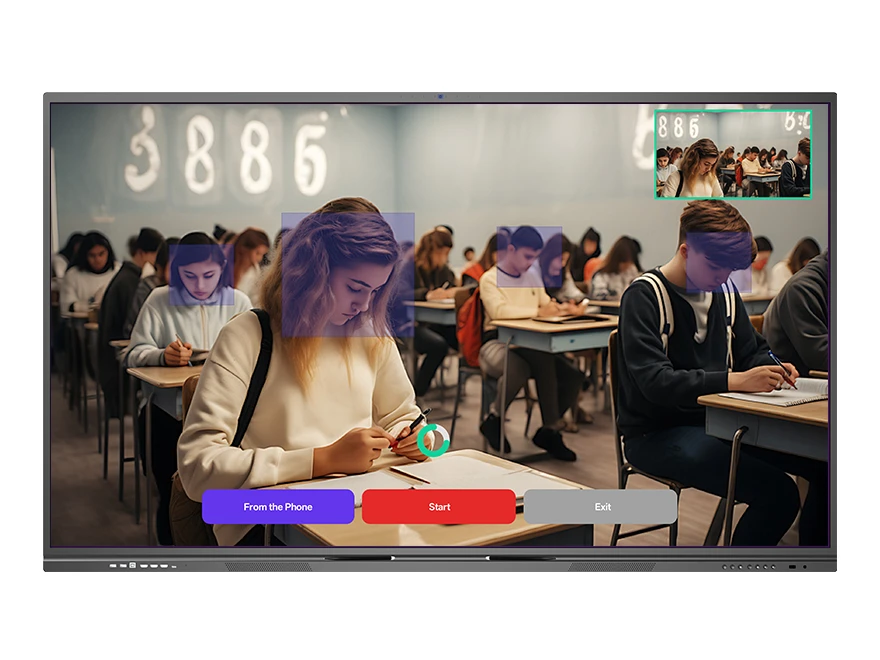
VisionRoll facial recognition attendance sign-in with detected face boxes overlay
Face Recognition

Facial Recognition Sign-in

Automatically identify students or meeting participants using facial recognition. Face data is entered once on the cloud platform, and VisionRoll handles the rest — no roll calls, no sign-in sheets.

  • Auto-detection — recognizes faces in real time as people enter
  • Cloud-synced face data — pre-loaded for instant matching
  • Unrecognized face entry — register new faces on the fly
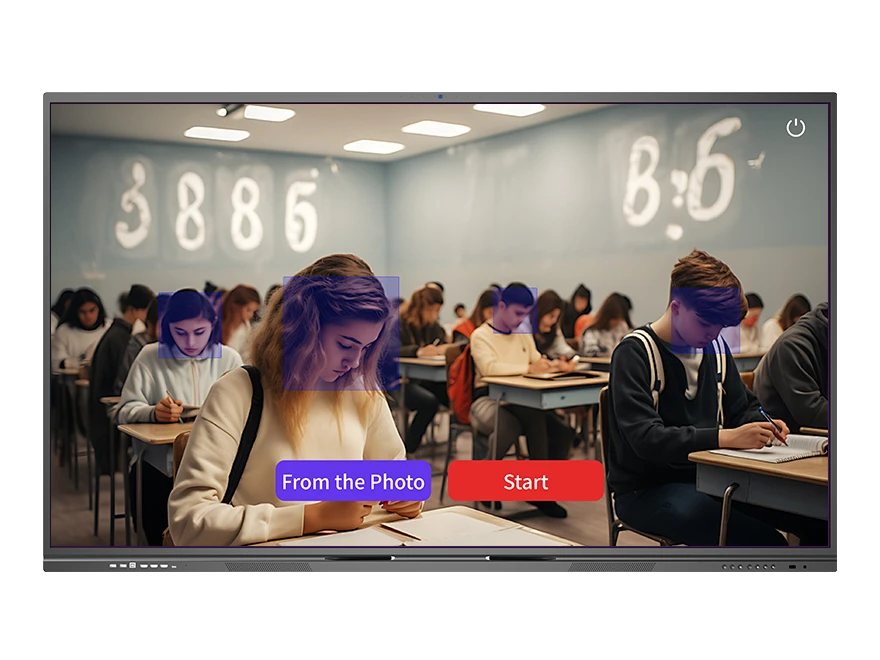
VisionRoll video attendance with face detection boxes on students in classroom
Dual-Mode

Video & Photo Attendance

VisionRoll supports both real-time video-based attendance recording and offline photo upload. No internet? No problem — take a photo, upload it later, and VisionRoll processes it when connected.

  • Real-time video mode — tracks attendance as the session runs
  • Offline photo mode — upload photos for batch processing
  • One-click start — no complex setup or calibration needed
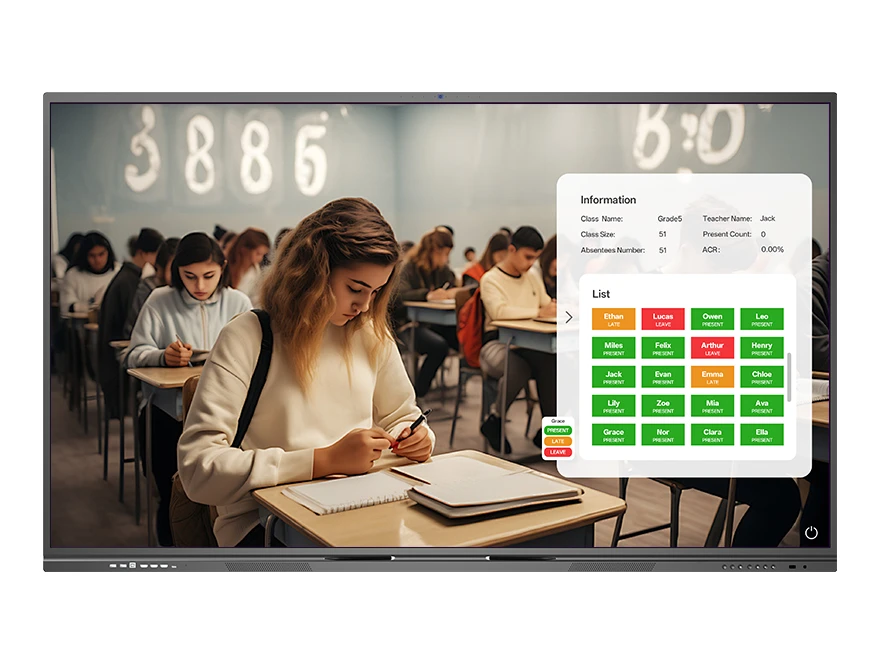
VisionRoll real-time attendance dashboard showing class roster with Present/Late status indicators
Statistics

Real-time Dashboard & Alerts

View attendance data instantly during or after the session. Track presence by class, grade, school, or department. Abnormal absence triggers immediate alerts so you can follow up right away.

  • Multi-level tracking — class / grade / school hierarchy
  • Live presence statistics — see who's in and who's out
  • Attendance overview — complete class roster with presence status
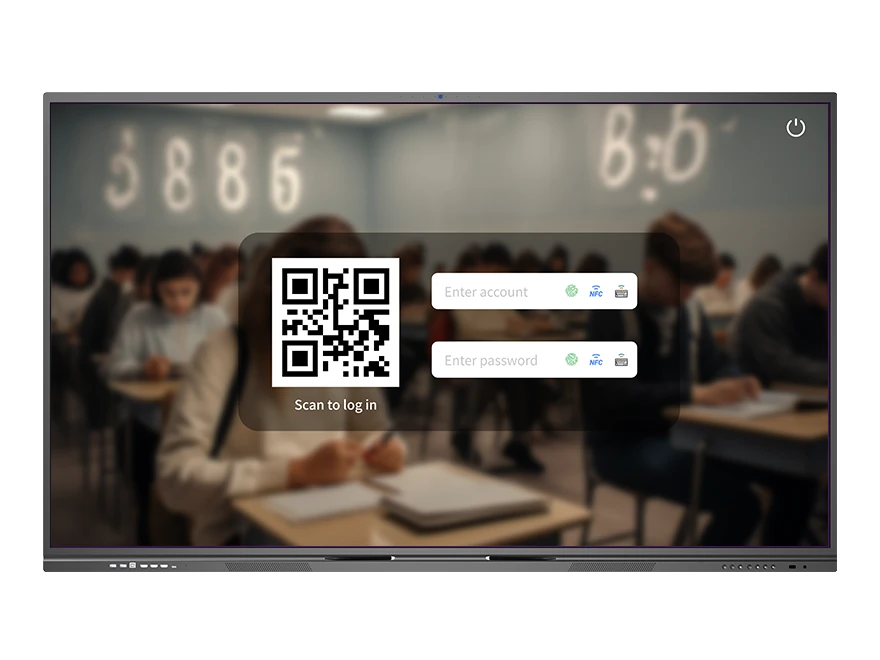
VisionRoll online face registration with QR scan login for adding new faces to the system
On-the-Fly

Online Face Registration

Unrecognized faces during attendance? No need to stop and restart. VisionRoll lets you register new faces online on the spot — enter the person's info, and they're added to the system immediately without interrupting the session.

  • Instant registration — add unrecognized faces during live attendance
  • No session interruption — keep attendance running while registering
  • Synced to cloud — new face data saved for future sessions automatically
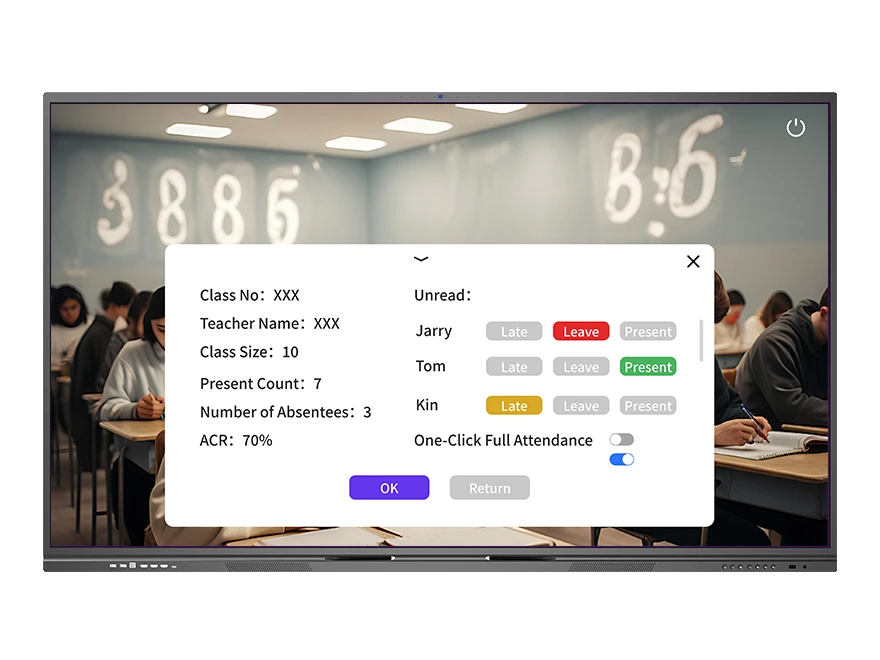
VisionRoll abnormal alert dashboard showing Present/Late/Leave status tags for each student
Alert

Abnormal Attendance Alerts

VisionRoll automatically detects anomalies and sends real-time alerts. Unrecognized faces, unexpected absences, or irregular attendance patterns are flagged immediately — so you can follow up before it becomes a problem.

  • Auto-detection — flags unrecognized faces and absent students automatically
  • Real-time notifications — alerts sent as anomalies are detected
  • Multi-level escalation — class / grade / school tiered alerting
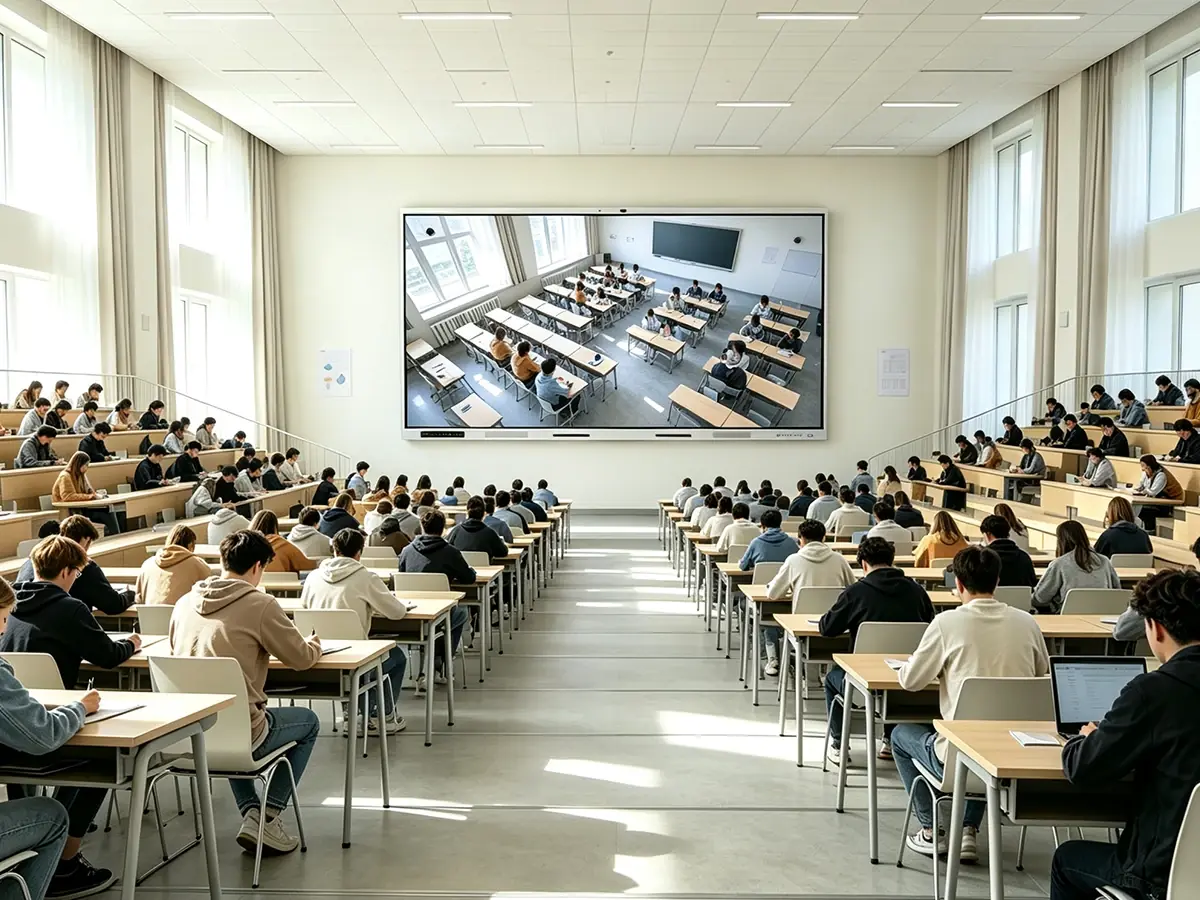
Built for Your Environment

From K-12 classrooms to university lecture halls and corporate meeting rooms — VisionRoll fits wherever attendance tracking matters.

K-12 Schools

Automate daily classroom attendance. Track by class, grade, and school. Teachers save 5+ minutes per period — time that goes back to teaching.

Higher Education

Handle large lecture halls effortlessly. Face recognition identifies hundreds of students in minutes. Export reports for academic compliance.

Enterprise Conference

Face recognition sign-in for meetings. Real-time attendance tracking with abnormal alerts — know who's present and who's not in seconds.

Frequently Asked Questions

Quick answers to common questions about VisionRoll.

VisionRoll is DaisyOS's built-in AI attendance management tool. It uses facial recognition to automatically identify and track participants. Face data is entered on the cloud platform in advance. Click "Start" to begin attendance — the system supports both real-time video and offline photo upload modes. After attendance, you can view data, add unrecognized faces online, and track abnormal alerts.
VisionRoll works with the built-in 48MP AI camera on Riotouch interactive flat panels (RK3588 series), as well as compatible external USB cameras. For best results, we recommend using Riotouch-certified camera hardware to ensure optimal face detection accuracy.
Yes — VisionRoll supports offline photo attendance mode. You can upload photos for batch attendance processing without internet. Real-time video-based attendance recording and cloud data sync require network connectivity. Face data must be pre-loaded on the device for offline use.
VisionRoll uses advanced computer vision algorithms optimized for classroom and meeting room environments. Recognition accuracy is over 98% under normal lighting conditions. Side angles and partial face visibility are supported. For unrecognized faces, manual online entry is available during or after attendance.
VisionRoll automatically detects attendance anomalies such as unrecognized faces, unexpected absences, or irregular patterns. When an anomaly is detected, real-time alerts are sent — by class, grade, or school level — so you can follow up immediately and take corrective action during or after the session.
Yes. VisionRoll supports online face registration — unrecognized faces can be entered on the spot during live attendance without restarting or interrupting the session. Simply fill in the person's information, and the new face data is instantly synced to the cloud platform for all future sessions.
📩 Request a Quote

Need a Solution That
Fits Your Project?

Tell us what you're looking for and we'll tailor a quote to your requirements — with pricing, lead time, and expert advice.

HeadquartersRoom 201, No. 5, Chang An Zhenyuan East Road,
Dongguan, Guangdong, China
Get Your Custom Quote
Fill out the form and we'll get back to you within 12 hours.