Interactive Kiosk Displays: 32", 49" & 55" — Android or Windows, With Full CMS Software
Choosing the right size, OS, and CMS setup for museums, malls, hotels, and public kiosks.
If you're researching an interactive kiosk for a lobby, exhibition space, or service counter, the three decisions that matter most are: what size fits the space, whether to run Android or Windows, and how you'll actually manage the content once it's installed. Here's a straightforward breakdown of all three.
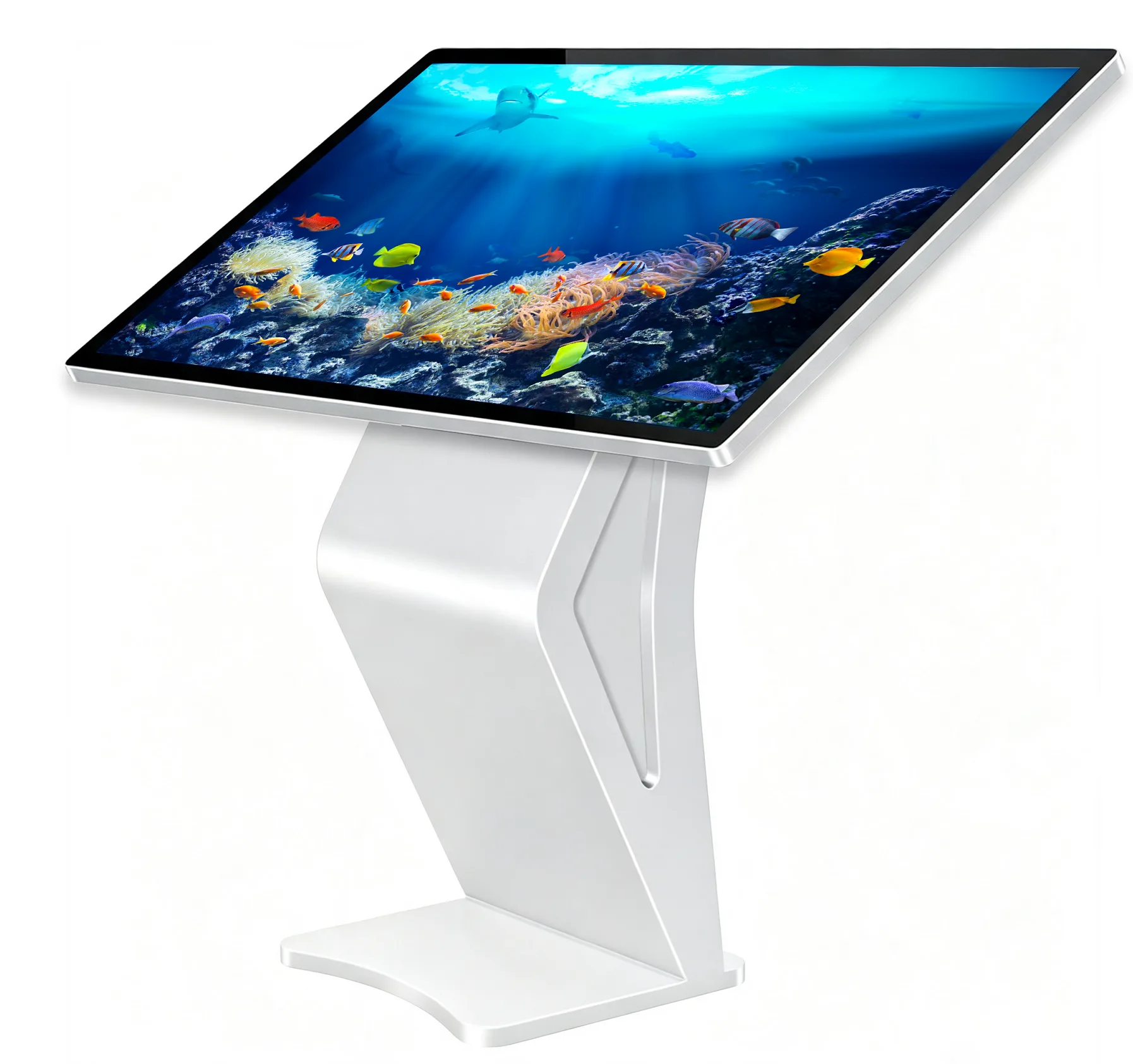
What This Kiosk Is Built For
This is a freestanding, floor-mounted interactive kiosk with an angled touch display — designed so users can comfortably view and interact with the screen while standing, without leaning over a flat horizontal surface. The pedestal base keeps the unit stable and self-contained, so it can be placed anywhere without wall mounting.
Choosing a Size: 32" vs 49" vs 55"
The right size depends mostly on how close visitors will typically stand, and how much floor space you're working with:
| Size | Best For | Typical Placement |
| 32" | Compact, single-user interactions | Service counters, small booths, hotel concierge points, information desks |
| 49" | Balanced visibility and footprint | Retail store lobbies, hotel lobbies, government service centers, corporate reception |
| 55" | Maximum visual impact and readability from a distance | Museums, exhibition halls, shopping mall atriums, large lobbies |
Android or Windows: Which One Do You Need?
Both operating systems are available on the same kiosk hardware — the right choice comes down to what the kiosk actually needs to run:
| Android System | Windows System | |
| Best for | Digital signage, wayfinding, content playback, simple touch interaction | Custom interactive software, POS-style applications, complex multi-window programs |
| Content management | Built-in CMS platform (see below) for remote content and device management | Managed like a standard PC — install and run Windows software directly |
| Setup complexity | Simpler — content pushed remotely, minimal on-site IT needed | More flexible, but typically needs an IT-managed setup like a standard PC deployment |
| Typical buyers | Retail chains, hospitality groups, government offices running standard signage/wayfinding content | Businesses running custom kiosk software, interactive catalogs, or specialized applications |
If you're not sure which fits your use case, a simple rule of thumb: if the kiosk mainly displays and rotates content (promotions, wayfinding, product info, exhibition media), Android with CMS is usually simpler and more cost-effective. If it needs to run a specific piece of Windows software you already use, Windows is the safer choice.
For Android Kiosks: What the Built-In CMS Software Does
Android units come with a cloud-based content management system (CMS), so you can manage content and devices remotely instead of updating each kiosk on-site. The CMS covers:
- Equipment Management — monitor and control every connected kiosk from one dashboard, useful for multi-location deployments.
- Program Management — build, schedule, and push playlists or content updates to one kiosk or many at once.
- Task Management — assign and schedule content or maintenance tasks across your device fleet.
- Material Management — a central media library for images, videos, and other content assets used across your kiosks.
- System Settings — remotely configure device settings without needing to physically access each unit.
- Customer Management — organize kiosks and content by client or site, useful for resellers or businesses managing kiosks across multiple locations.
- Server Connection Management — keep kiosks synced and online with the central management server.
- Dual-Screen Program Production — author and schedule content for kiosks running two displays.
- Screen Mirroring Production — push the same content across multiple kiosks simultaneously, useful for consistent branding across a chain or campus.
Where These Kiosks Get Used
- Museums & Exhibition Halls — interactive exhibits, multimedia displays, and visitor information points.
- Shopping Malls & Retail — wayfinding, directories, and promotional content in high-traffic common areas.
- Hotels — concierge information, local guides, and check-in support in lobbies.
- Government & Public Service Centers — self-service information points and wayfinding for visitors.
- Corporate Offices — visitor information, wayfinding, or company showcases in reception areas.
Related Product

WhatsApp: +86 151 1229 1751
Sales Team · Riotouch Technology