AI Box or New Panels? The Honest Cost Comparison
Every year, schools and enterprises replace working interactive displays because they lack one thing: intelligence. The screen is fine. The speakers work. The touch layer is accurate. What is missing is AI — real-time translation, lesson generation, on-device assistance.
There are two ways to fix that. This article compares them honestly, including the case where replacing the panel is the right answer.
The Two Paths
| Path A — Replace the panels | Path B — Add an AI Box |
|---|---|
| Full new interactive display, per room | AI OPS module only, per room |
| De-installation of the existing unit | No de-installation — slot-in upgrade |
| Re-mounting, re-cabling, re-commissioning | No re-cabling — the panel stays mounted |
| Disposal or warehousing of a working unit | Existing panel keeps serving until it truly ages out |
| Classroom / meeting-room downtime: hours to days | Downtime measured in minutes |
| Users retrained on a new interface per room | Interface identical across all rooms |
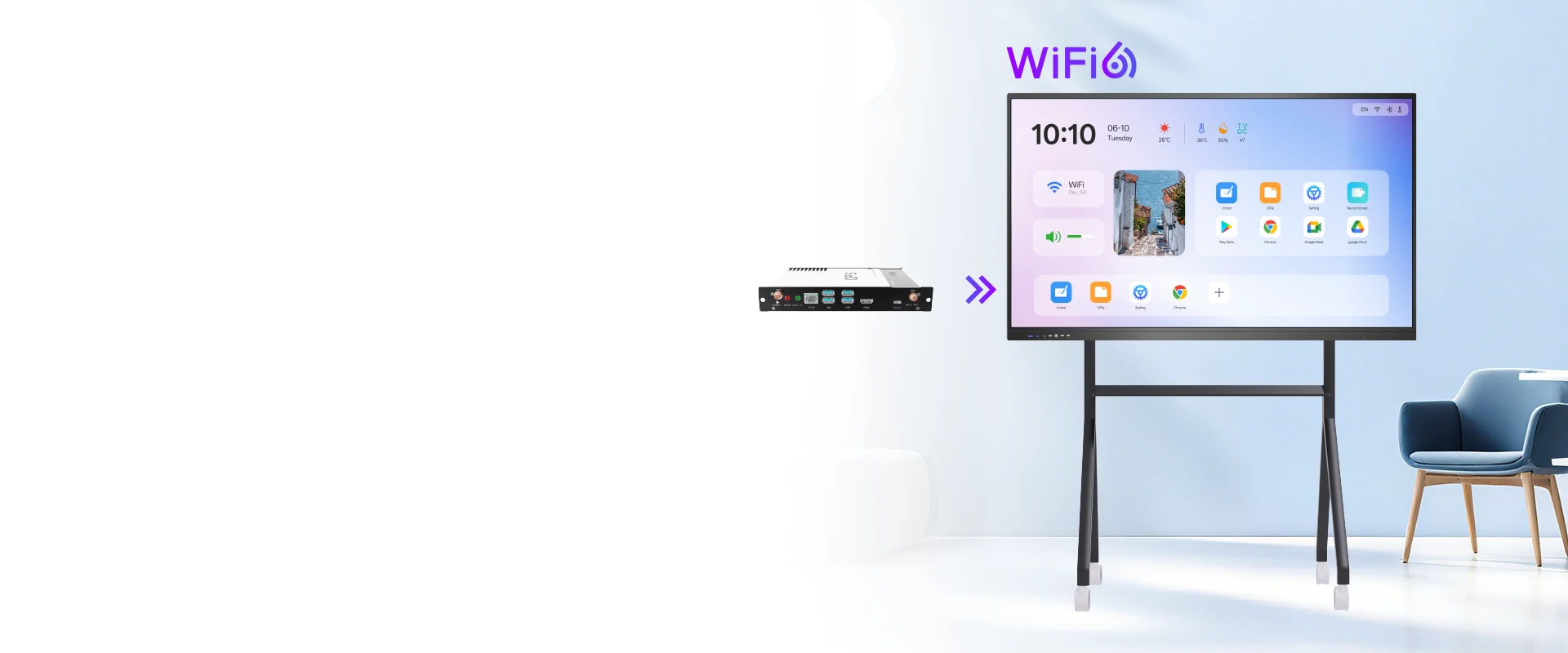
The structural difference: replacing panels is a facilities and logistics project. Adding an AI Box is an IT parts swap — it slots into the standard 80-pin OPS bay the panel already has.
Where the Money Actually Goes
Most budget comparisons stop at the unit price. That is where they go wrong — the purchase price is often the smaller half of a fleet replacement.
| Cost line | Replace panels | Add AI Box |
|---|---|---|
| Hardware per room | Full interactive display (55″–110″) | AI OPS module only |
| Labour | Installation crew, brackets, cable runs | Single technician, per room |
| Downtime | Hours to days per room | Minutes |
| The old unit | Disposal cost or dead stock | Keeps working |
| Scaling to N rooms | Linear in panel price | Linear in module price |
| Future upgrades | Whole panel again | Swap the module |
Absolute figures depend on panel size, market and quantity — we work them out per project rather than quoting a generic number. The structural point holds regardless: Path B removes the labour, downtime and disposal lines entirely.
Scenario: Rolling Out AI Across a Fleet
Consider an institution with 40 rooms already fitted with working interactive panels, needing AI translation, lesson generation and central device management.
| Factor | Replace all 40 panels | Add AI Box to all 40 panels |
|---|---|---|
| Procurement | 40 × full display price | 40 × module price |
| Installation visits | 40 × 2 (remove + install) | Slot-in, existing mount retained |
| Old units | 40 units disposed or stored | All 40 remain in service |
| Room downtime | Days per room | Minutes per room |
| Hardware spend | Full fleet | Functionally equivalent coverage at a fraction of the hardware cost |
Why we do not print a headline percentage: the saving depends on your existing panel’s size, age and condition, the module configuration you choose, and local labour rates. A vendor that quotes a fixed saving figure before asking those questions is guessing. We model your actual fleet instead.
When Replacing the Panel Is the Right Call
An AI Box is not the answer for every situation. Replace the panel if:
| Situation | Why replacement wins |
|---|---|
| The panel has no OPS slot | Cheap consumer panels often omit the 80-pin bay. Without it, there is nothing to plug into. |
| The screen itself has failed | Panel, backlight or touch layer dead — intelligence is irrelevant if the glass does not work. |
| Resolution or size is now wrong | Moving from 65″ to 86″, or to 4K, is a physical change no module can make. |
| Touch performance is inadequate | An old 10-point IR layer cannot be upgraded from the OPS bay. |
| Certification is required end-to-end | Tenders demanding Google EDLA or specific safety marks on the whole display unit may require replacement. |
The rule of thumb: if the glass, touch and mounting are sound, upgrade the brain — not the panel. If the physical display is the problem, replace it. Most fleets under five years old fall into the first group.
What You Gain Beyond the Saving
| Benefit | Why it matters operationally |
|---|---|
| Uniform experience | Every room runs the same Android version and interface — support calls drop sharply. |
| Rolling upgrade path | The next AI generation means swapping the module, not 40 panels. |
| No e-waste event | No disposal paperwork, no sustainability reporting exposure. |
| Phased rollout | Deploy to five rooms, validate, then scale — a panel replacement project rarely allows this. |
| Budget fit | Module spend usually sits inside an operating budget; panel replacement typically needs capital approval. |
The AI Box Side: What an OPS AI Module Delivers
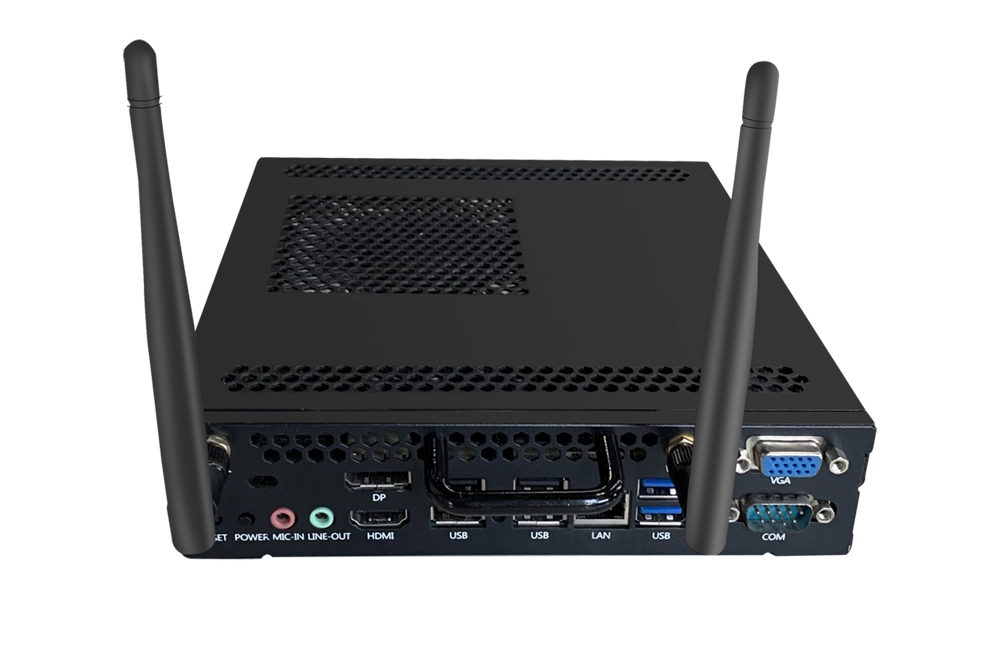
The comparison only matters if the module actually closes the capability gap. Riotouch’s Aether Orb AI OPS module covers the functions that drive the upgrade decision in the first place:
- Real-time AI translation across 16+ languages, in presentation, discussion and group-chat modes
- AI lesson and session generation — interactive courses, Q&A sets and gamified challenges
- AI knowledge library and smart Q&A built from your own curriculum or policy documents
- AI content analysis — screen recording review and dialogue insights
- 16+ device wireless screen sharing and universal file transfer
- Centralised cloud management (DMS / MDM) for fleet-level control
- Google EDLA certified, Android 15/16, Wi-Fi 6, on an 80-pin OPS form factor
Full specifications are on the OPS module page and in the Aether Orb datasheet.
The Decision Checklist
Five questions settle it in a single meeting:
- Does every panel in scope have an 80-pin OPS slot? (No → replacement path)
- Are the screens, touch layers and mounts in good condition? (No → replacement path)
- Is the requirement intelligence, or physical capability? (Intelligence → AI Box)
- How is the budget structured — capex or opex? (Opex-friendly → AI Box)
- How fast does the rollout need to happen? (Weeks, not quarters → AI Box)
Frequently Asked Questions
Does an AI Box work with panels from other brands?
Yes. OPS is an industry standard — the module fits any panel with a compliant 80-pin bay, regardless of manufacturer.
What if the panel already has built-in Android?
The AI module takes over the OPS slot and delivers a newer Android base plus AI capability. Built-in Android can remain as a fallback on dual-system panels.
Can we keep Windows functionality?
On panels with two OPS bays, both can be populated. Otherwise the AI Box occupies the bay and Windows runs from an external PC over HDMI. Confirm your panel’s bay count before ordering.
Does the AI need a subscription?
Core AI functions — including translation, knowledge base and lesson generation — run on-device. Cloud device management (DMS/MDM) is included; there is no per-seat licence for the standard stack.
What is the certification position?
The Aether Orb module carries Google EDLA, CE, FCC, RoHS and ISO 9001. If a tender requires the entire display to be certified as a single unit, replacement may be required — we will say so rather than sell past it.
Model Your Actual Fleet
Send us your room count, panel sizes and panel age, and we will come back with a room-by-room comparison — including the cases where replacing the panel is cheaper. Download the Aether Orb datasheet or see the module.
Related Product
Related Articles
Allison Yuan
Sales Manager · Riotouch Technology
Email: Allison@riotouch.com
WhatsApp: +86 198 6155 3660