Interactive Whiteboard for Business Meetings: A Complete Guide
Meetings have changed. Teams now expect to sketch ideas, annotate documents, share screens and join video calls - all on one display. An interactive whiteboard (interactive flat panel) is the tool that replaces the projector, the flip chart and the separate video conferencing screen in one device. This guide explains what to look for when choosing an interactive whiteboard for business meeting rooms, with practical criteria and honest trade-offs.
Why Businesses Are Switching to Interactive Whiteboards
The traditional meeting room setup - projector, whiteboard, flip chart, separate conferencing camera - has three problems: cables everywhere, poor visibility, and no way to save what was written. An interactive whiteboard solves all three on a single 4K display. Teams can brainstorm on the touch screen, save the session as a PDF, and share it instantly. For hybrid teams, the same board doubles as the video conferencing display.
- One device, multiple uses: whiteboard, presentation screen, video call display.
- Digital notes: everything written is saved, exported and shared - no photos of flip charts.
- Hybrid-ready: remote participants see the same content as the room.
- Lower total cost: replaces projector + screen + flip chart + separate conferencing setup.
Size: Match the Board to the Room
Meeting room whiteboards range from 55" to 110". The right size depends on room depth and how many people need a clear view.
| Room Type | Typical Size | Best Viewing Distance |
|---|---|---|
| Small huddle room (2-4 people) | 55" - 65" | 1.5 - 2.5 m |
| Standard meeting room (5-10 people) | 65" - 75" | 2 - 3.5 m |
| Large conference room (10-20 people) | 86" - 98" | 3 - 5 m |
| Boardroom / auditorium | 98" - 110" | 4 m+ |
A common mistake is buying a board that looks fine in the showroom but is too small for the room depth. Measure the viewing distance first, then choose the size.
Touch Points and Response
For business use, look for at least 20 touch points (IR touch). More touch points mean multiple people can write or interact at the same time - important for collaborative sessions. IR touch also works with fingers, pens, and even a stylus with palm rejection. Riotouch panels support up to 40-point IR touch, which is more than enough for even the largest collaborative groups.
Operating System: Android, EDLA or Windows via OPS
The operating system determines which apps you can run directly on the board.
- Android (standard): built-in whiteboard apps, screen mirroring, app store access (depending on certification).
- Android with Google EDLA: full Google Play access, Google Meet and Google Workspace run natively - recommended if your team is on Google.
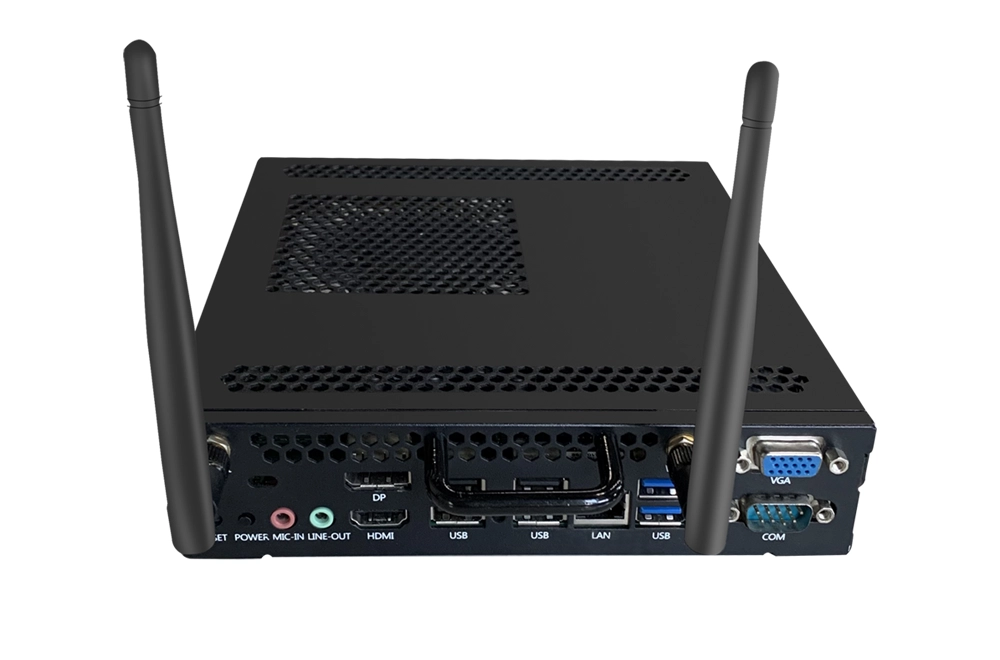
- Windows via OPS module: full PC compatibility - run Microsoft Teams, PowerPoint, Zoom and any Windows software on the same screen.
For most business teams, an EDLA-certified Android board (or one with an optional OPS module for Windows) covers every meeting scenario without a separate PC.
Video Conferencing: Built-in or BYOD?
Hybrid meetings need a camera, microphone and conferencing software. Two approaches:
- Built-in: some boards include a 48MP camera, microphone array and pre-installed conferencing apps - ready out of the box.
- BYOD (bring your own device): plug in your laptop via USB-C/HDMI and use your existing Teams/Zoom setup on the big screen.
If video calling is a core use case, choose a board with an integrated camera and microphone (or plan to add them). Check the camera angle and microphone pickup range for your room size.
Software That Matters for Business
The whiteboard software is what your team uses every day. Look for:
- Screen annotation - write over any application or document.
- Screen mirroring - cast from phones, tablets and laptops (AirPlay, Miracast, Google Cast).
- Cloud export - save boards as PDF/images to Google Drive, OneDrive or email.
- Split-screen multitasking - whiteboard and video call side by side.
- AI features - real-time translation, meeting minutes, smart drawing (increasingly standard on 2026 models).
Durability and Support for Daily Office Use
Business boards run 8+ hours a day. Check tempered glass (Mohs 7 anti-glare), panel life (50,000+ hours), and warranty terms (typical: 1 year full, 3 years touch components). For multi-site rollouts, confirm local support and spare parts availability in your region.
Budget: What You Really Pay For
Pricing for business interactive whiteboards varies widely by brand, size and features. Entry 65" models start at a few hundred dollars (factory-direct), while premium brands with built-in cameras and EDLA certification cost significantly more. The key factors that move price: screen size, touch technology, OS certification, camera/mic integration, and warranty. For a transparent quote at your required size and volume, contact Riotouch directly - as a factory-direct manufacturer we provide pricing for single units, small batches and full rollouts.
Our Recommendation by Use Case
- Small huddle rooms: 55-65" Android board with screen mirroring.
- Standard meeting rooms: 65-75" EDLA-certified board with built-in camera (hybrid-ready).
- Boardrooms: 86" with OPS module for Windows and Microsoft Teams.
- Executive / large conference: 98-110" for maximum impact.
Riotouch covers the full 55-110" range with 40-point touch, Android 16 with EDLA certification, optional OPS modules, and built-in AI meeting tools - designed for businesses that want factory-direct value without compromising on features.
Final Verdict
The best interactive whiteboard for business is the one that matches your room size, supports your conferencing tools, and has software your team will actually use. Prioritize: correct size for the room, 20+ touch points, EDLA or OPS for app compatibility, and a camera/mic setup for hybrid meetings. Factory-direct suppliers like Riotouch offer the same core hardware as premium brands at a fraction of the price - worth evaluating before your next rollout.
Related Product
Related Articles
Factory-Direct Manufacturer · www.riotouch.com
Sales Team · Riotouch Technology