PhET Interactive Simulations Now Built into Riotouch UMind Smart Whiteboard
Integrating interactive visual tools into K–12 and higher education can transform complex theoretical concepts into hands-on learning experiences. A key driver of this shift is PhET Interactive Simulations — a globally renowned open-source science and math library — and its integration into the Riotouch UMind whiteboard ecosystem.
The integration of PhET within Riotouch’s software suite allows schools to deploy immersive interactive science and math labs completely free of charge.
What is PhET Simulation?
Founded in 2002 by Nobel Laureate Carl Wieman at the University of Colorado Boulder, PhET creates research-based, game-like simulations for STEM subjects:
- Physics & Chemistry: Build electric circuits, explore wave interference, simulate molecular structures, and manage chemical reactions.
- Biology & Earth Science: Analyze natural selection, cell division, greenhouse effects, and plate tectonics.
- Mathematics: Explore fractions, graphing lines, vectors, and area models in real time.
PhET empowers students to learn through inquiry, manipulating variables — like temperature, gravity, and resistance — to instantly observe outcomes.
How Riotouch Integrates PhET into UMind
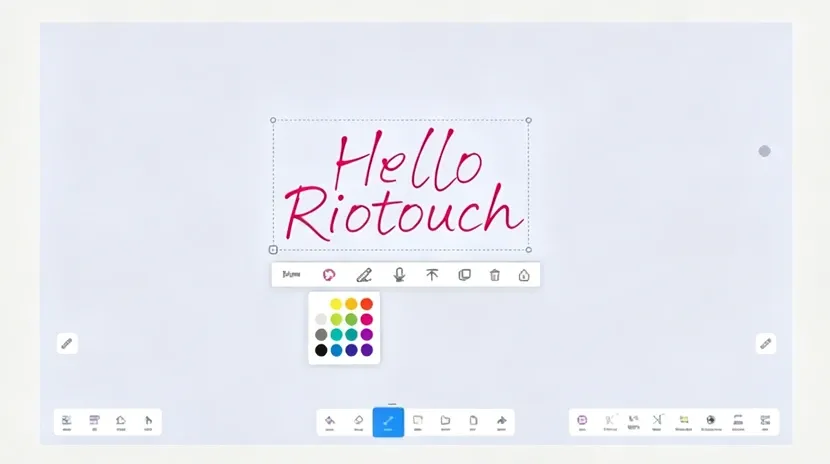
UMind is Riotouch’s native smart whiteboard software built for interactive flat panels. Rather than requiring teachers to switch to external browsers or download separate applications, Riotouch embeds the PhET interactive library directly into the Ucourse Teaching Plugin inside UMind.
Key Integration Features
- Native Touch Optimization: PhET’s HTML5 simulations respond directly to multi-touch gestures on Riotouch screens, allowing students to drag circuit components or adjust sliders using multi-point touch.
- Canvas Co-existence & Annotation: Teachers can run a PhET experiment on one side of the screen while annotating equations or taking notes on the UMind canvas on the other side.
- Instant Screenshots via UCut: Capture snapshot states of an ongoing experiment (e.g., peak voltage or chemical equilibrium) and paste them directly onto the whiteboard or share them with students via QR code.
Step-by-Step Guide: Accessing PhET on Riotouch UMind
Riotouch includes UMind and the embedded PhET suite free of charge with its interactive displays. No paid subscriptions, hidden licenses, or external web setup are required.
- Step 1: Open the UMind Software — On your Riotouch interactive display (running DaisyOS or Android), launch the UMind app from the home screen.
- Step 2: Access the Tool/Resource Menu — Tap the Tools / Resources icon on the bottom toolbar to open the embedded teaching toolbox.
- Step 3: Select the PhET Simulation Library — Navigate to the Ucourse / Resource Center section and select PhET Simulations. Browse by subject category (Physics, Chemistry, Biology, Earth Science, or Math) or search for a specific lesson topic.
- Step 4: Drag and Drop to Launch — Tap the desired simulation to launch it directly inside your UMind canvas session.
- Step 5: Interact and Annotate — Manipulate sliders, toggles, and objects on the interactive display. Use UMark or the built-in annotation tool to draw over the live simulation. Use UCut to snapshot key experimental results, or generate a QR code for students to scan and review from their personal devices.
Benefits for Schools and Educators
- Zero Software Licensing Costs: Riotouch bundles UMind and its entire resource suite — including PhET — at no extra cost, removing ongoing software overhead for schools.
- Zero-Risk Virtual Labs: Students safely perform experiments involving high voltage, dangerous chemical reactions, or astrophysics without physical laboratory hazards or equipment costs.
- No Network Bottlenecks: Integrated pre-cached and lightweight HTML5 resources keep classroom instruction smooth even in low-bandwidth environments.
Related Product
WhatsApp: +86 137 1299 3879
Sales Team · Riotouch Technology