Smart Whiteboard vs Interactive Flat Panel: Which to Choose in 2026
Two Popular Technologies, One Question
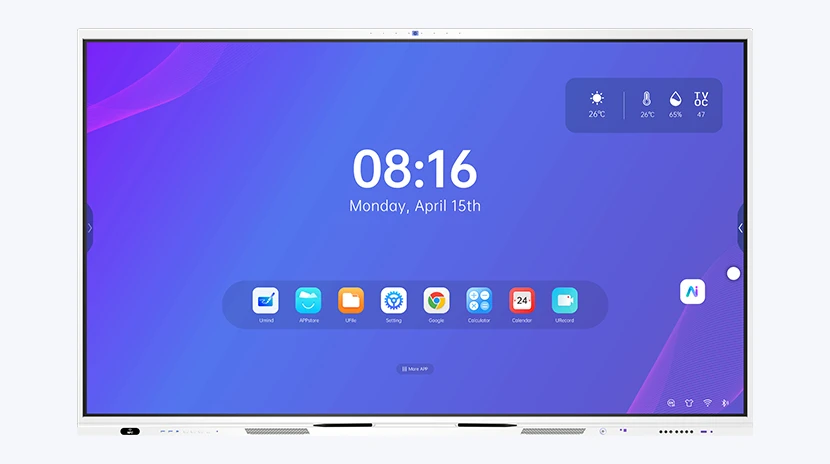
Walk into any classroom or meeting-room project in 2026 and the shortlist usually comes down to two display technologies: an interactive flat panel (IFP) — a large touchscreen LCD that works like an oversized tablet — or a smart whiteboard, a display designed around familiar dry-erase writing with digital capture and annotation layered on top. Both support touch; both are sold as "interactive." The right choice depends on how the room is actually used.
What Is an Interactive Flat Panel?
An interactive flat panel is a self-contained touch display, typically 55 to 110 inches, with a built-in Android (or Windows via OPS) computer. Popular 2026 models run Android 13-16 with Google EDLA certification, 4K UHD, and 40-point touch, running apps like Zoom, Microsoft Teams and whiteboarding software directly on the panel. Teachers and presenters connect laptops wirelessly, annotate over any content, and run interactive lessons without a separate PC.
What Is a Smart Whiteboard?
A smart whiteboard keeps the traditional whiteboard form factor — a wall-mounted writing surface — and adds digital capability: pen detection, handwriting capture, one-tap note sharing by QR code, and increasingly AI features such as lesson generation and real-time translation. Because the writing surface is the hero, teachers who are comfortable with markers transition with almost no retraining.
Key Differences at a Glance
| Dimension | Interactive Flat Panel | Smart Whiteboard |
|---|---|---|
| Screen size | 55" - 110" | Typically 65" - 86" |
| Writing input | Finger / stylus on glass | Marker pen on ceramic surface |
| Built-in system | Android 13-16 (EDLA), OPS option | Android + whiteboard software |
| App ecosystem | Full Google Play access | Core teaching apps |
| Primary use | Apps, video, collaboration hub | Writing-first teaching |
| Relative cost | Higher | More affordable |
When to Choose an Interactive Flat Panel
- Your teaching relies on apps, video, and live web content every day
- You want one device to replace projector, TV and whiteboard
- Wireless screen sharing from student and teacher devices is planned
- You need a premium all-in-one hub and the budget supports it
When to Choose a Smart Whiteboard
- Teachers primarily write and explain, and handwritten notes matter
- You want the most budget-friendly route to digital teaching
- Minimal teacher retraining is a priority
- You are equipping many rooms and per-room cost drives the decision
Hybrid Deployments Are Common
Many schools standardize on interactive flat panels for core classrooms and use smart whiteboards in training rooms, specialist rooms or later budget phases. Because both run Android and share accessories, a mixed fleet keeps training and IT management simple while matching each room's teaching style.
Frequently Asked Questions
Is a smart whiteboard the same as an interactive flat panel?
Not exactly. An interactive flat panel is a large touchscreen display; a smart whiteboard is a writing surface with digital capture and interactivity. Many IFPs include whiteboarding apps, which blurs the line — but the writing surface and primary use case differ.
Can an interactive flat panel replace a whiteboard?
Yes. IFPs run whiteboard software and support pen or finger annotation, so they replace traditional whiteboards while adding apps, video and connectivity.
Do I need an OPS module with an interactive panel?
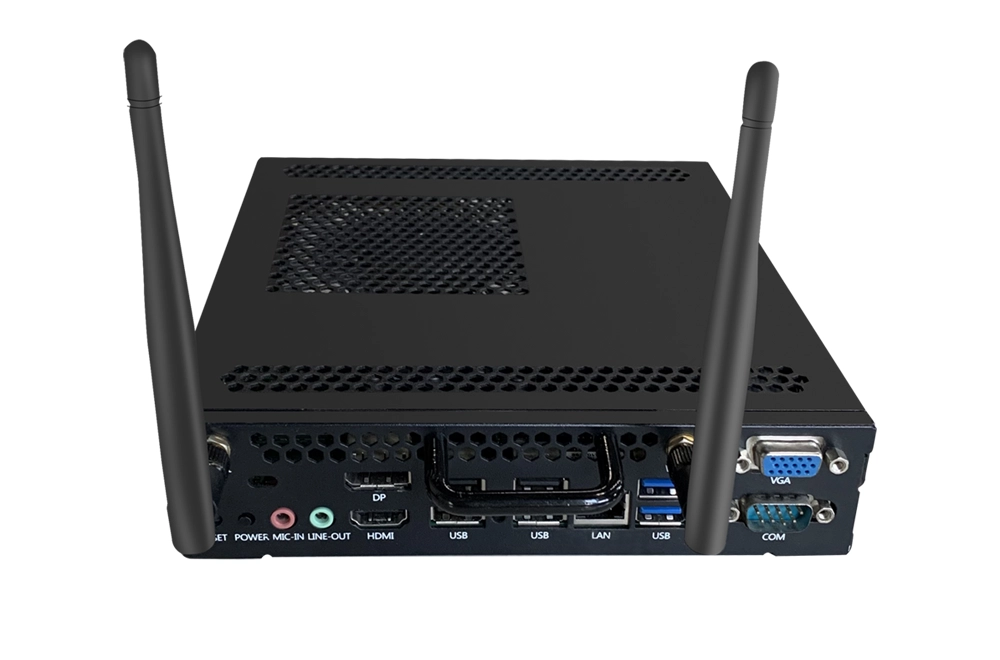
Only if you need Windows. Android panels run most education apps natively; an OPS module adds a Windows PC inside the panel. Manufacturers such as Riotouch offer both Android panels and Intel OPS modules, so the choice can be made per project.
How do I choose for a government or school tender?
Tenders specify either IFP or whiteboard requirements. Compare screen size, touch points, Android version and certifications such as EDLA, and confirm factory-direct OEM/ODM support if customization is needed.
Conclusion
There is no universal "better" option — only the right fit for each room. Interactive flat panels are the strongest all-in-one choice for app-driven modern classrooms; smart whiteboards are the practical, budget-friendly upgrade for writing-centric teaching. Choosing between the two matters less than choosing the configuration that matches how your teachers actually work.
For specification sheets, configuration advice or project quotations, contact hello@riotouch.com or WhatsApp +86 138 2910 5761.