Riotouch DMS: What a School or an OEM Can Actually Control on a Display Fleet
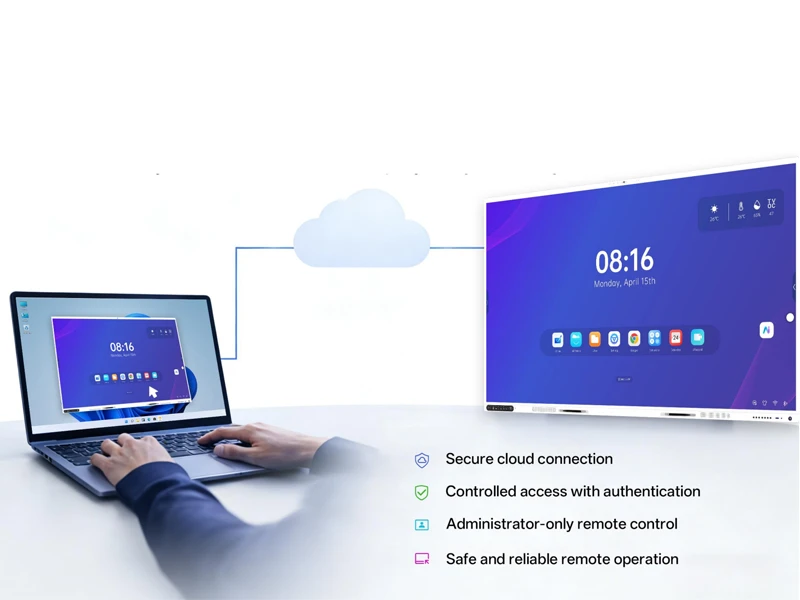
A school with two hundred panels and an OEM shipping panels into forty dealer networks hit the same wall: every change means somebody standing in front of a screen. Riotouch DMS is the cloud layer that removes that trip. This article walks the platform module by module, using the feature specification of the current release. It is a capability overview, not a price or configuration guide.
1. Four roles, one console
DMS is built around a role hierarchy rather than a single administrator login. Each level sees the objects it owns and nothing above it.
| Level | Role | Scope | Typical operations |
|---|---|---|---|
| 1 | OEM / Distributor | Device management, firmware and OTA, app store | White-label deployment, bulk firmware upgrade, application distribution |
| 2 | School administrator | Resource upload, device control, notification | Courseware upload, screen lock, scheduled power, group announcements |
| 3 | Teacher | Courseware, quizzes, file transfer | Upload courseware, generate questions with AI, push files to class devices |
| 4 | Students / Parents | Classroom video review, exam access (read-only) | Class replay, online quizzes |
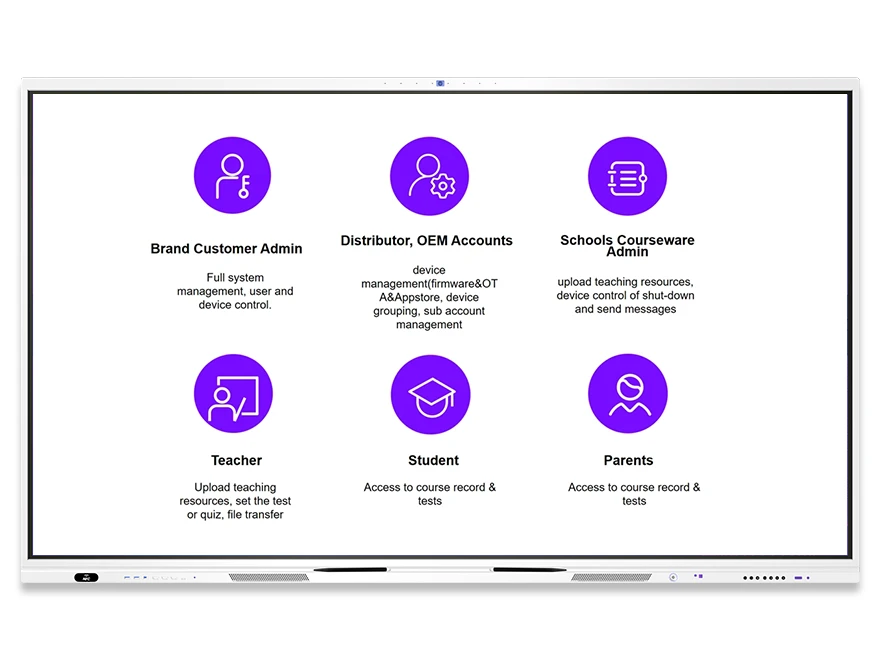
The practical effect: an OEM can push firmware and publish applications without touching school courseware, while a teacher can publish a quiz without being able to lock a screen across a campus.
2. Getting devices into the console
A panel is registered with its MAC address together with the OEM, model, region and device type. Once registered, it appears in the cloud console. Individual units can be located by MAC address, and a whole model line can be filtered in one query.
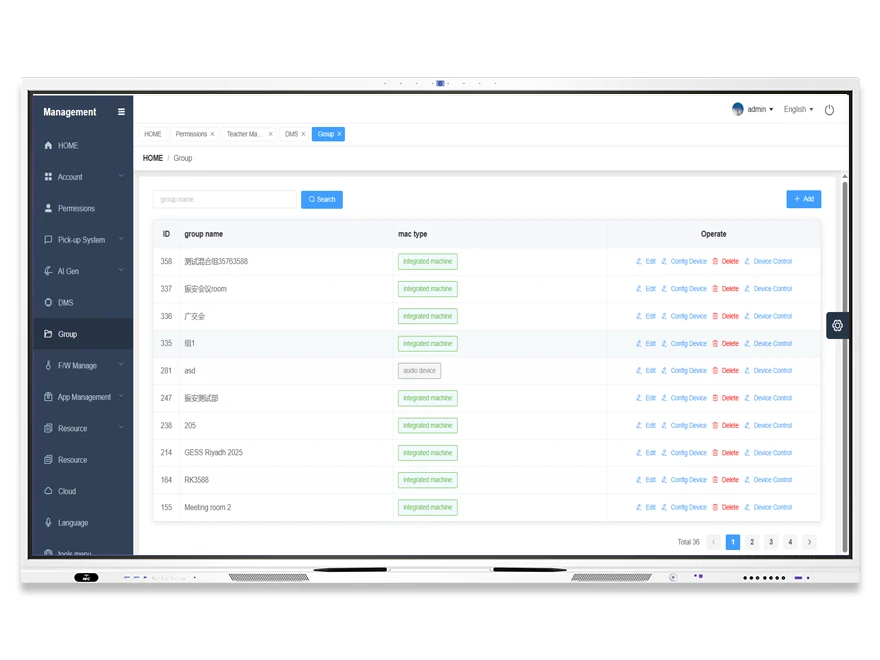
Grouping is where the platform earns its keep. Devices can be arranged by city, school or grade, or nested the way a campus is actually organised: campus, then building, then grade, then class. Each group shows the live status of its members, so an operator can see a single dead panel in a building of sixty before a teacher reports it. Nine batch command types cover the operations a technician would otherwise walk room to room for.
3. Ten controls that replace a site visit
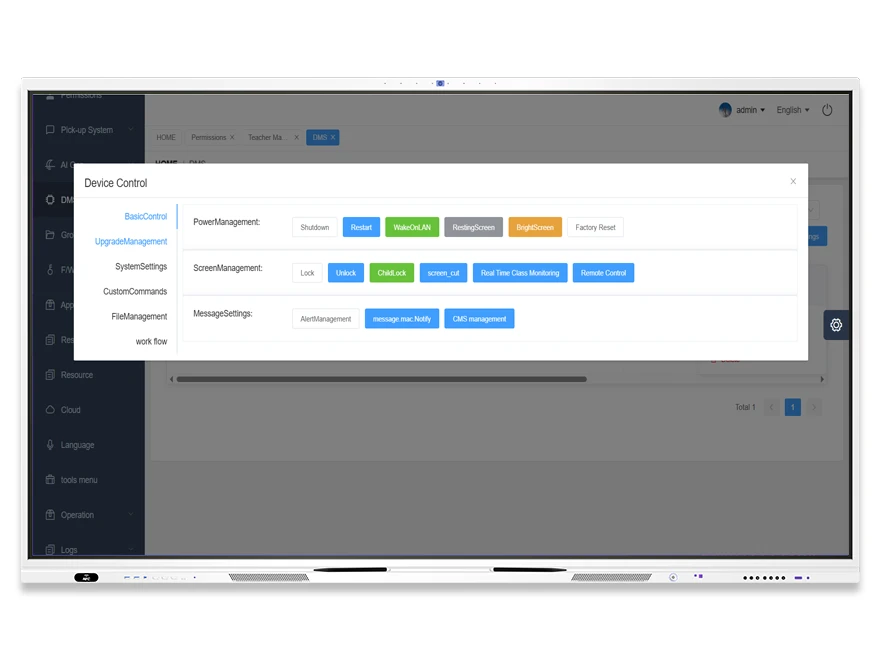
- Power off a single panel or an entire group.
- Lock and unlock screens, for example so a room cannot be used during an exam window, plus a child lock that blocks unauthorised operation on a panel in a public space.
- Capture the current screen for evidence or troubleshooting.
- Run an online inspection across a batch of devices and read back status.
- Adjust backlight and volume remotely, which is the most common call-out in a bright classroom.
- Switch the active signal source between HDMI, OPS and the built-in source.
- Set scheduled power on and off, which cuts standby consumption and extends panel life.
- Set the interface language of the device.
- Send a message, alert or announcement to every device in a group.
- Group devices for bulk control across cities and campuses, in the hundreds rather than the dozens.
| Job | Without DMS | With DMS |
|---|---|---|
| Change a setting on 200 panels | A technician visits each room | One group command, applied to the whole group |
| Update firmware | Download to USB, walk the building, repeat | Upload once, push to a device category, devices install themselves |
| Find one faulty panel | Wait for a teacher to report it | Online inspection and status board show it first |
| Run an exam session | Manual checks room by room | Lock screens for a group, unlock after the window |
| Roll out a new application | Install locally on every device | Publish to the app store, push by group, installs automatically |
4. Monitoring what is really on screen
Four monitoring tools sit behind the administrator and school-administrator roles: a real-time view of what each panel is displaying (thin stream), a camera snapshot for walkthroughs and teaching evaluation, a live classroom audio stream, and a central online or offline status board.
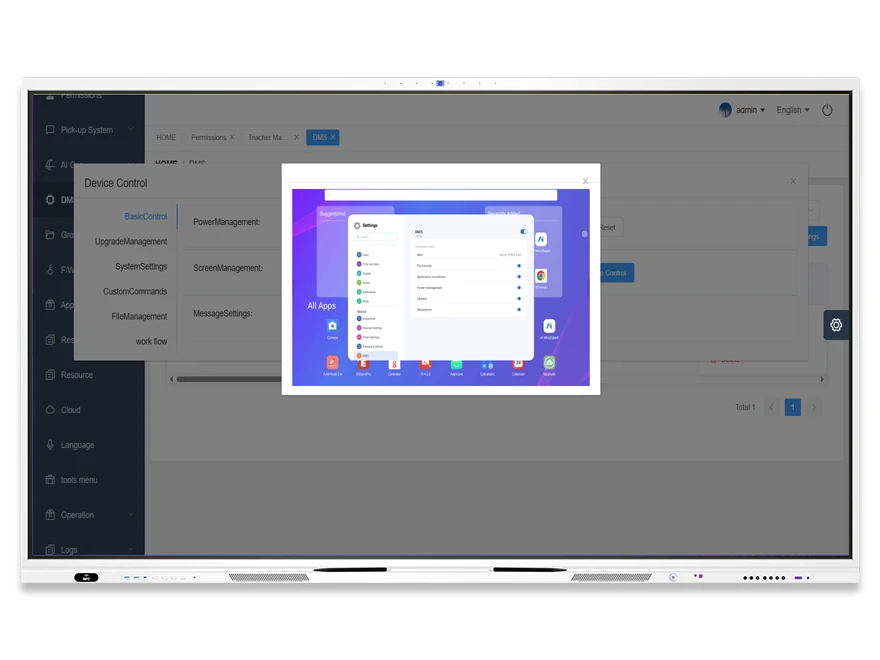
These are operator tools, not surveillance defaults. A school should decide before rollout who may use the camera and audio views, and in which rooms, because the platform does exactly what it is told.
5. Content, applications and firmware
File and application distribution works at three levels. Files, meaning video, audio and images, can be pushed to a designated device. An installation package can be pushed and installed remotely, including on hardware the operator cannot physically reach. Applications can also be distributed by device, group or category from an app store managed by the OEM or distributor role. Because the receiving device completes the installation itself, no one has to stand at the wall.
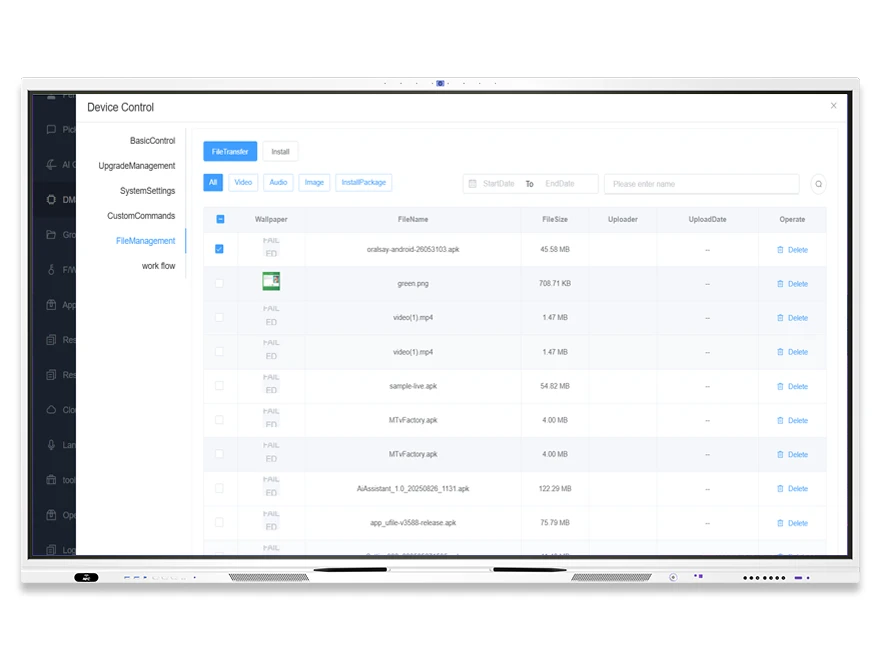
Firmware follows the same logic. A package is uploaded once to the cloud, then pushed to a device, a group or a whole category. Each package record carries the model, name, version, update type, upgrade type and time added, which is what lets a fleet reach one version without a spreadsheet of serial numbers. Batch deployment covers the fleet in one operation and no longer needs an engineer on site.
6. Automation and the teaching layer
Workflow automation turns a maintenance routine into a single action. Multiple instructions can be arranged into a sequence of up to nine preset steps and executed automatically: power off, send an alarm, send a notification, lock or unlock the screen, adjust backlight, adjust volume, switch signal source. Repetitive daily tasks collapse into one click, or into a scheduled run.
On the teaching side, resources are organised into subject and grade archives, and a teacher decides whether an upload is public or private. The courseware editor adds interactive hotspots to a page: images, video, links, audio and questions. Three-dimensional courseware is displayed through the Umind environment, with OBJ and other supported formats archived by subject and grade, alongside built-in resources such as PhET simulations and a periodic table.
Generation is also covered. A teacher configures subject, grade level, teaching standard, learning objectives, course structure, language, page count and teaching duration, and the platform generates a lesson. Quizzes are generated from subject, grade, language and question count; word cards from theme, language and quantity.
7. The dashboard as a planning tool
Six views answer six questions: user activity across administrators, teachers and students; the split of online, offline and malfunctioning devices; long-term trends in device and feature usage; usage per application; a ranking of online devices that surfaces the ones that matter; and the growth curve of device connections, the number to bring to a budget meeting.
8. Before you roll it out
- Decide who holds the OEM or distributor account. That role owns firmware and the app store, and it should not be a temporary login.
- Map the org tree before registering anything. Re-grouping three hundred devices after the fact is the most common cause of a failed pilot.
- Agree a camera and audio monitoring policy with the school, in writing, before the first classroom goes live.
- Freeze the naming of device type and region fields at registration. Batch filters and OTA targeting are built on them.
- Test one OTA package on one grade before pushing a version to a whole district.
- Decide what counts as public courseware, and who may see a student-facing quiz.
9. Frequently asked questions
Is DMS only for panels from one brand?
The platform is organised around an OEM or distributor account that owns firmware and the app store, which is what a white-label deployment needs. Confirm the model coverage of your current account with your Riotouch contact before planning a mixed fleet.
Can we lock every screen in the building during an exam?
Yes. Lock and unlock is a remote control action, and it can be issued to a group rather than device by device. A child lock is available separately for panels in public spaces.
What does a firmware update require on site?
Nothing. The package is uploaded to the cloud and pushed to the target devices, which install it themselves.
Can a teacher send a file to the panels in their own classroom?
Yes. File transfer is available to the teacher role for the class devices, while campus-wide distribution stays with the school administrator.
Can we see which applications are actually being used?
Yes. Application usage statistics show installation and usage per application, alongside long-term usage trends.