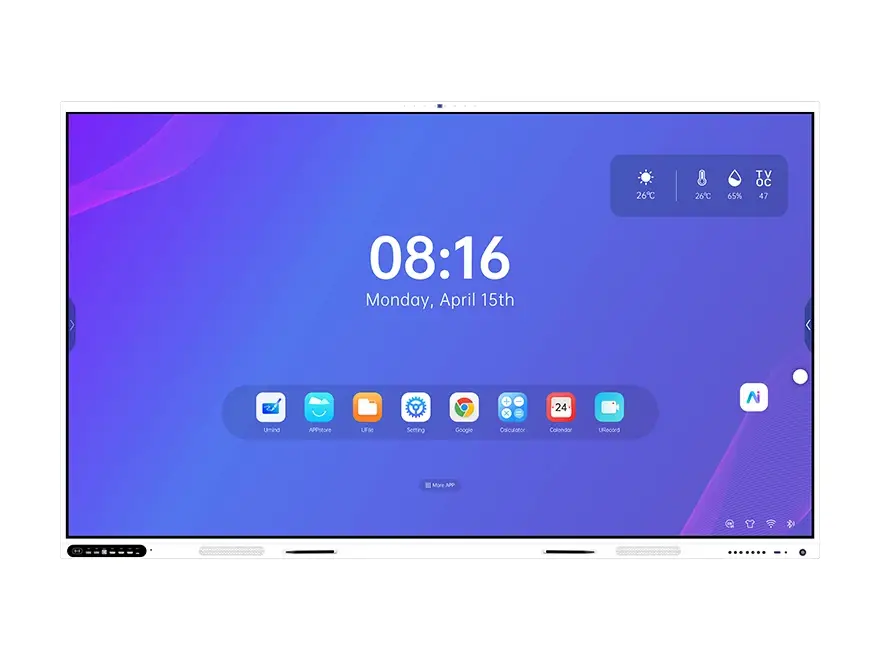
How to Choose an Interactive Flat Panel: A 2026 Buyer’s Guide
An interactive flat panel is now the default display in classrooms, meeting rooms and training centres — but the market makes it easy to buy the wrong one. Two panels with the same 65-inch screen and the same price can differ by four Android generations, by whether they carry Google EDLA certification, by whether they support 20 or 40 touch points, and by whether a Windows OPS module will even fit inside.
This guide is the checklist we use with schools, integrators and government buyers before a tender or a purchase order: what to decide first, which specifications actually change daily use, and what to insist on in writing.
1. Start with the room, not the datasheet
Buyers usually start by comparing panels. Start with the room instead, because the room dictates size, mounting and audio far more than the panel does. Write down four numbers before you look at any product:
- Furthest viewing distance (from the last row to the screen)
- Seats, or standing capacity
- Ceiling height and mounting method (wall bracket, mobile stand, recessed)
- Ambient light (windows facing the screen? blinds?)
Everything else in this article is downstream of those four answers.
2. Panel size: use the one-sixth rule
A workable starting point is that the screen diagonal should be roughly one-sixth of the distance from the screen to the furthest viewer. In practice:
| Room | Seats | Furthest distance | Typical size |
|---|---|---|---|
| Small classroom / huddle room | 15–30 | 5–7 m | 65″ |
| Standard classroom / meeting room | 25–45 | 7–9 m | 75″ |
| Large classroom / training centre | 40–80 | 9–12 m | 86″ |
| Lecture hall / auditorium | 100+ | 12–20 m | 98″–110″, or an LED wall |
For classroom and training-room deployments, our education solution pairs the right panel size with mounting and audio.
Two rules of thumb that prevent painful installs: the bottom edge of the screen should sit around 0.9–1.0 m from the floor for seated audiences, and where different users need different heights, specify a height-adjustable mobile stand rather than a fixed bracket.
3. Touch technology: infrared vs capacitive — and how many points you actually need
Almost every large-format panel uses infrared (IR) touch; capacitive is used mainly on smaller, consumer-style units. IR wins in education and public spaces because it survives pens, styluses, gloves and 40 pairs of hands. What to check:
- Touch points — 20 simultaneous points is a reasonable floor for collaborative rooms; many panels support 40. If a tender asks for more, the number has to be verifiable.
- Response time — look for first-point under 2 ms and continuation under 8 ms. Panels quoting 9 ms single-point feel noticeably laggier when several people write at once.
- Object detection — the panel should switch automatically between pen, finger, eraser and palm, so a resting palm does not draw a line.
- Glass — fully tempered and anti-glare. Mohs 7 hardness is standard; 9H coatings appear on some models. Anti-glare matters more than hardness in bright rooms.
4. Android built-in, an OPS slot, or both?
Most buyers end up needing both, and this is where cheap panels fail.
Built-in Android gives you a standalone system: whiteboard, browser, casting and apps, with no PC to manage. Compare the Android version (14 or 15 today), the chipset and the memory — not just the storage figure. 8 GB RAM with a modern eight-core SoC behaves very differently from a 4 GB panel.
An OPS slot lets you slide in a Windows 11 module later and use the panel as a giant PC display, which is what corporate and government users usually need. Insist on a standard 80-pin OPS slot at a defined height — proprietary modules lock you into one supplier forever.
Memory and storage are the specifications that move fastest in price. If a quotation looks too cheap, this is usually where it was cut.
5. Google EDLA: when it is mandatory
If your institution needs Google services (Play Store apps, Drive, Classroom) running natively on the panel, the panel must carry Google EDLA certification — an official, verifiable certificate. A non-certified Android panel can still sideload an APK, but it cannot offer the Google ecosystem, and it will not satisfy a tender that specifies EDLA. Check that the certificate covers the exact size you are buying, not just the brand.
6. The display specifications that change what people see
- Resolution: native UHD 4K (3840 × 2160) at 60 Hz. Avoid panels that only accept 4K input but display fewer pixels.
- Contrast: 1200:1 static is a common threshold in public tenders. Dynamic contrast figures are marketing numbers; static contrast is the one that matters.
- Brightness: 350–400 cd/m² is normal indoors. More is not automatically better if it washes out colour.
- Colour: 1.07 billion colours (10-bit) and at least 90% sRGB / 80% NTSC. Ask for the measured figure in writing if your tender specifies a percentage.
- Viewing angle: 178° both ways, so the side rows see the same image.
- Panel life: 50,000 hours is now standard.
7. Audio, microphones and camera: the features used every day
Speakers matter more than buyers expect, because hybrid lessons live and die by intelligibility.
- Speakers: a 2 + 1 configuration (two speakers plus a subwoofer) rated 40 W RMS or more fills a classroom. Panels without a subwoofer sound thin at the back of the room.
- Microphone array: an 8-microphone array with 8–12 m pickup, noise reduction and echo cancellation is what makes video calls work when the teacher walks around.
- Camera: 48 MP-class AI cameras with automatic framing and speaker tracking are now common. If hybrid teaching is a requirement, specify it — retrofitting a camera afterwards is rarely tidy.
8. Connectors and cables: the boring list that decides whether install day works
| Connector | Why it matters in 2026 |
|---|---|
| HDMI in × 2+ (HDMI 2.1 preferred) | Two laptops, no adaptor swapping |
| USB Type-B touch × 1–2 | Touch input from a connected PC |
| USB 3.0 × 2+ | Peripherals, storage, document camera |
| USB Type-C with power delivery | One-cable laptops: 4K video plus charging |
| RJ-45 Gigabit Ethernet | Wired networks in new builds |
| VGA (analog video in) | Still specified by government tenders for legacy equipment |
| Analog audio out | Connection to existing ceiling audio systems |
| Wi-Fi 6 and Bluetooth 5.2 | Wireless casting and pens without dongles |
| 80-pin OPS slot | Windows module, now or later |
Ask the supplier to include power, HDMI and USB cables in the required lengths (typically a 2.4 m power lead, 3–5 m HDMI and USB), and two pencils or styluses. Cables are the most common cause of an install that cannot be commissioned on day one.
9. Software, wireless casting and fleet management
The panel is a fleet device, so check three things:
- Wireless casting software, included at no extra cost, that works from Windows, macOS, Android and iOS and supports multiple devices at once — see our software suite.
- Central management / CMS to push content, schedules and emergency notices to many panels, plus OTA firmware updates — see CMS & fleet management.
- Licensing — ask explicitly whether the casting app, the CMS and management licences are included for the life of the device or sold per year.
10. Certifications, warranty and after-sales
Put these in the contract, not in an email:
- Safety and EMC: CE (EMC + LVD), FCC, RoHS, and depending on the market CCC or REACH. Some tenders require UL specifically; confirm before bidding.
- EDLA certificate if Google services are required.
- Warranty: our standard is one year on the whole unit with three years on the touch components. Ask what the touch warranty is — touch failure is the most common fault.
- Spare parts and response time: who supplies a replacement board, and how fast? For multi-site deployments, request a spare-parts list with prices.
11. Total cost of ownership: flat panel vs projector vs LED wall
For a hall where the furthest seat is beyond 15 m, the honest answer is that no 65- or 86-inch panel will be readable — that room needs a 108-inch-class LED wall or multiple panels.
| Projector | Interactive flat panel | COB LED wall | |
|---|---|---|---|
| Image in ambient light | Washes out | Good (350–400 cd/m²) | Excellent (600+ cd/m²) |
| Lamp / filter / wheel | Replaced regularly | None | None |
| Visible from row 20 | Often not | Yes | Yes |
| Touch / interactivity | Not applicable | Up to 20–40 points | Optional |
| Typical life | 3–5 years of lamps | 50,000 h panel, 5–10 years of service | 100,000 h |
| Best for | Budget rooms, occasional use | Classrooms, meeting rooms, training | Halls, auditoriums, lobbies |
12. The checklist to sign off before you order
| # | Item | Threshold |
|---|---|---|
| 1 | Screen size vs furthest viewing distance | Roughly diagonal = 1/6 of distance |
| 2 | Native resolution | 4K UHD 3840 × 2160 @ 60 Hz |
| 3 | Touch points | 20 minimum, 40 typical |
| 4 | Response time | First point ≤ 2 ms, continuation ≤ 8 ms |
| 5 | Glass | Tempered, anti-glare, Mohs 7 or better |
| 6 | Android version | 14 or higher, 8 GB RAM or more |
| 7 | OPS slot | Standard 80-pin, Windows 11 compatible |
| 8 | EDLA | Certificate for the exact size offered |
| 9 | Speakers | 2 + 1, ≥ 40 W RMS |
| 10 | Connectors | HDMI 2.1 × 2, USB-C PD, VGA, RJ-45, BT 5.2, Wi-Fi 6 |
| 11 | Cables and pens included | To the lengths your tender specifies |
| 12 | Warranty and spare parts | 1 year unit + 3 years touch, with a parts list |
13. Six mistakes buyers make
| Mistake | Consequence | How to avoid it |
|---|---|---|
| Buying on price per inch alone | Weaker SoC, 4 GB RAM, no OPS slot | Compare the SoC, RAM and slot in writing |
| Assuming Android 14 | Panel ships with an older build | Put the version and RAM in the purchase order |
| Skipping the EDLA check | No Play Store, fails the tender | Ask for the certificate with the model number |
| Ignoring the cables | Install cannot be commissioned | List cables and lengths in the contract |
| No spare-parts plan | Weeks of downtime per failure | Request a parts list with prices |
| Undersizing the screen | Back rows cannot read it | Apply the 1/6 rule, or specify LED |
14. Frequently asked questions
65 or 75 inch — which should I buy?
For a standard classroom with the furthest seat around 8 m, 75 inch. Under 6 m, 65 inch is enough. Beyond 10 m, go to 86 inch or more.
Do I need the OPS module on day one?
No. Order the panel with the 80-pin slot and add the Windows module when a teacher needs it. Confirm the module’s CPU, RAM and Windows version now, so you know what you will be able to install later.
Is Google EDLA worth the premium?
If your users need Google apps natively, yes. If the panel is used mainly as a display and a whiteboard, a non-EDLA Android panel is usually enough.
How many touch points do I really need?
20 simultaneous points covers essentially all collaborative teaching. 40 gives comfortable headroom for four or five writers plus palms.
Will an LED wall replace flat panels?
Above roughly 100 inches, LED becomes better value for image quality — but it is not interactive by default and needs more installation work. Most campuses end up with panels in classrooms and LED in halls and lobbies.
What should be in the purchase order?
Model and size, Android version, SoC and RAM, storage, touch points and response time, speaker power, connector list, cables and pens, certifications including EDLA, warranty and delivery terms.
15. Talk to Riotouch
Riotouch manufactures interactive flat panels from 65 to 110 inches in its own factory, with Android 14 and Android 15 platforms, optional EDLA certification, standard 80-pin OPS support, height-adjustable mobile stands and a COB LED range from 108 to 163 inches for larger halls.
Send us the room — seats, furthest viewing distance, ceiling height and mounting method — and we will recommend the size and configuration, with a quotation that lists every specification above so you can check it line by line. Full interface and signal details are published in our product specifications.
Contact our sales engineers or write to terry@riotouch.com.
Related Product
Related Articles
Dong Guan RioTouch Technology Co., Ltd.
📧 Email: terry@riotouch.com
📱 Tel / WeChat / WhatsApp: +86 186 6403 3548