How to Install a Custom Boot-Up Logo on Your Riotouch RK3588 Screen
Want to brand your Riotouch interactive display with your own welcome logo? Whether you're a school, company, or reseller, customizing the startup logo makes every boot feel professional. Here's a simple step-by-step guide to upgrading the welcome logo on RK3588-powered screens - all you need is a USB pen drive and the remote control.
Preparation
Prepare a USB pen drive. Download the logo upgrade package and unzip it to the ROOT directory of the pen drive. Make sure the files are directly on the drive, not inside a subfolder.
Step 1: Plug in the USB Pen Drive
Plug the USB pen drive into one of the USB ports on the touch screen.
Step 2: Enter the Service Menu via Remote Control
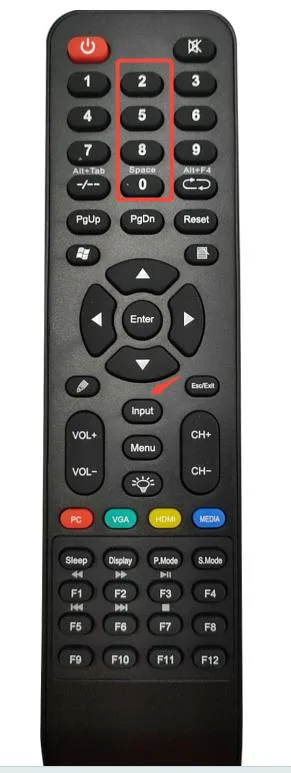
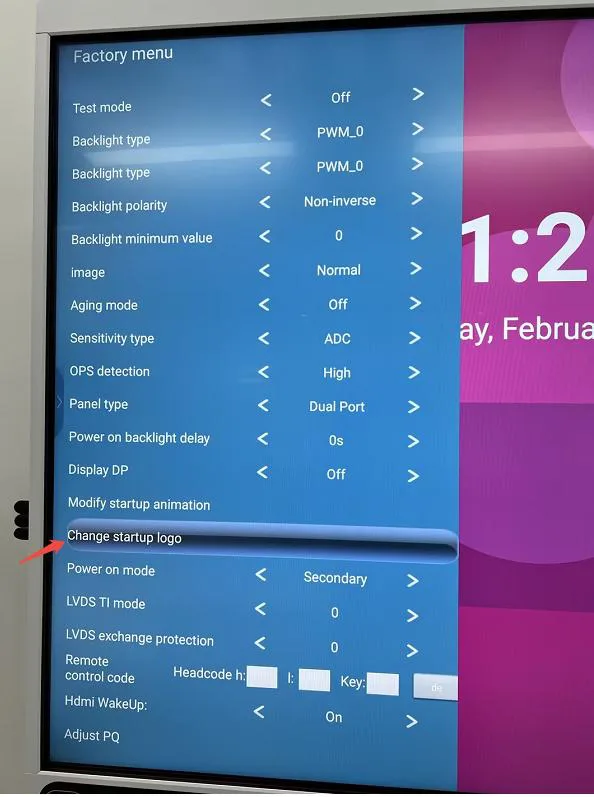
Using the remote control, press: INPUT → 2580. Then select "Change startup logo" and press "Enter".
Step 3-4: Navigate the Startup Logo Menu
The service menu will show the startup logo options. Navigate to the logo upgrade section as shown.
Step 5: Select the USB Pen Drive
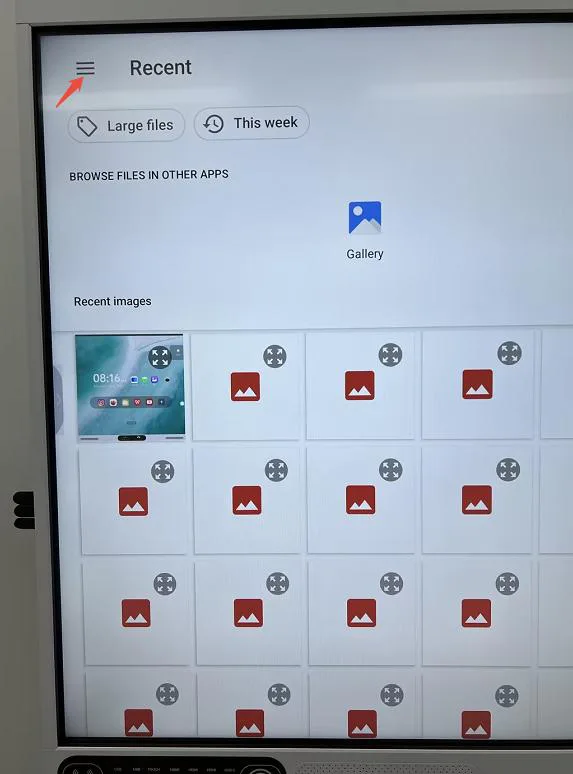
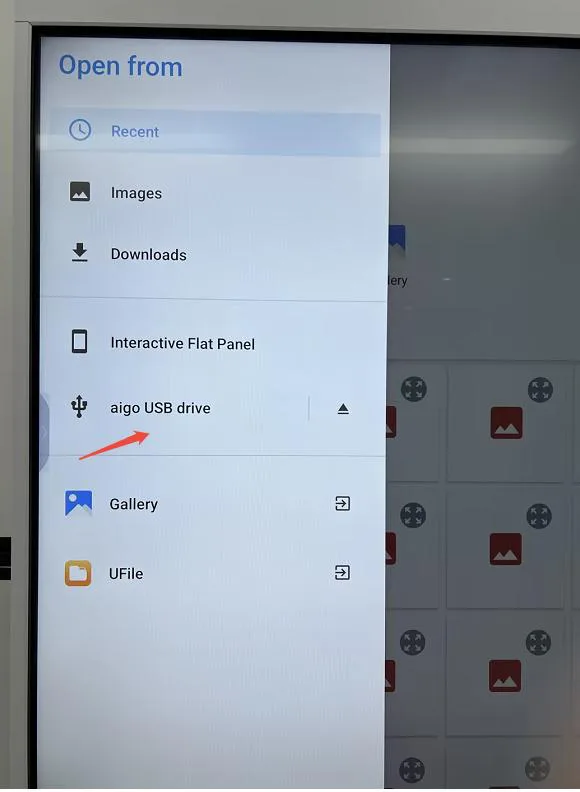
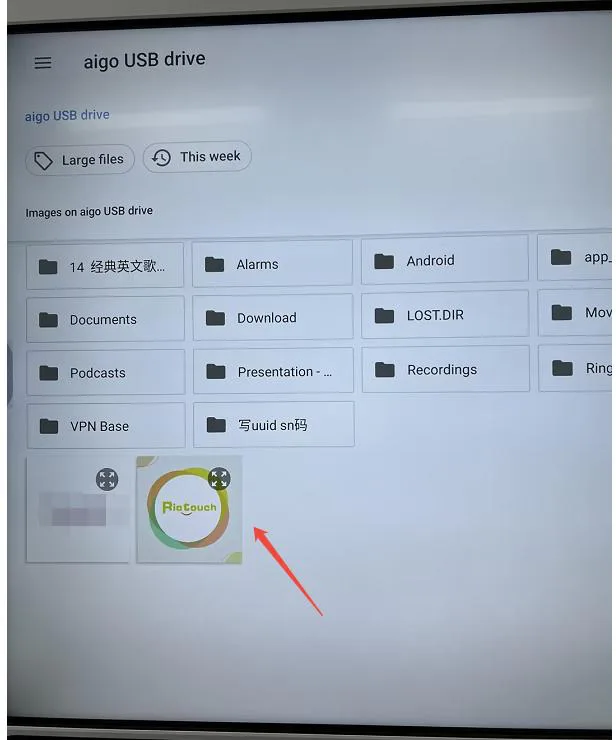
Click the menu as shown in the picture, then select the USB pen drive from the list of available storage devices.
Step 6: Select Your Logo File and Confirm
Select your welcome logo file from the USB drive. Once you see the word "SUCCEED" on the screen, the welcome logo has been updated successfully!
Step 7: Restart and Verify
Use the remote control to turn the smart board off and on again. Your new startup logo will now appear on every boot!
Tips for Best Results
- Use the correct logo file format and resolution as specified in the upgrade package
- Keep the USB drive formatted in FAT32 for best compatibility
- If the upgrade fails, re-download the package and ensure the file is at the drive root
- Contact Riotouch support if you need the logo package or have any questions
Related Product
Related Articles
WhatsApp: +86 137 1299 3879
Sales Team · Riotouch Technology