How to Upload Courseware to Riotouch Cloud: A Step-by-Step Guide
Riotouch Cloud, powered by DaisyOS, makes it easy for schools and educators to manage digital courseware in one central place. Whether you're uploading new lessons, organizing subjects and grades, or publishing interactive content to your interactive flat panels, this guide walks you through every step — from logging in to publishing your first courseware.

Step 1: Log In to the Cloud Platform
Open your browser and go to https://cloud.daisyos.ai/. Use your school username and password to log in. Once logged in, navigate to Resource → Subject Management, where you can organize your digital content.
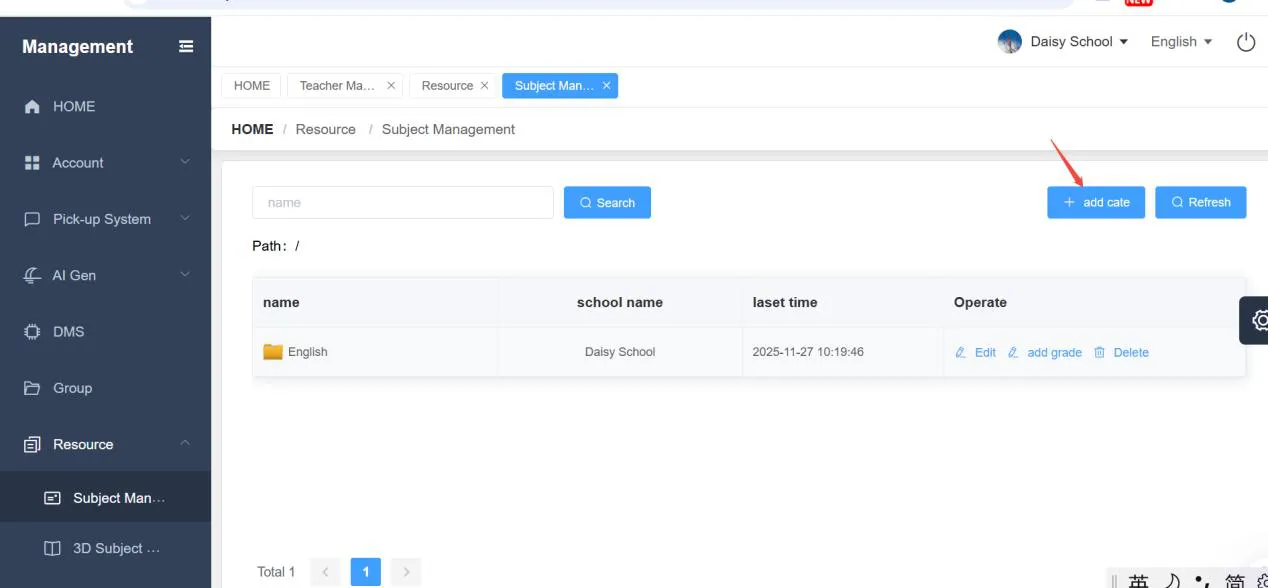
Step 2: Add a Subject
Click the "Add Cate" (Add Category) button to create a new subject. Fill in the necessary information, such as the subject name (e.g., English, Math, Science), and save. This creates the top-level folder for all courseware related to that subject.
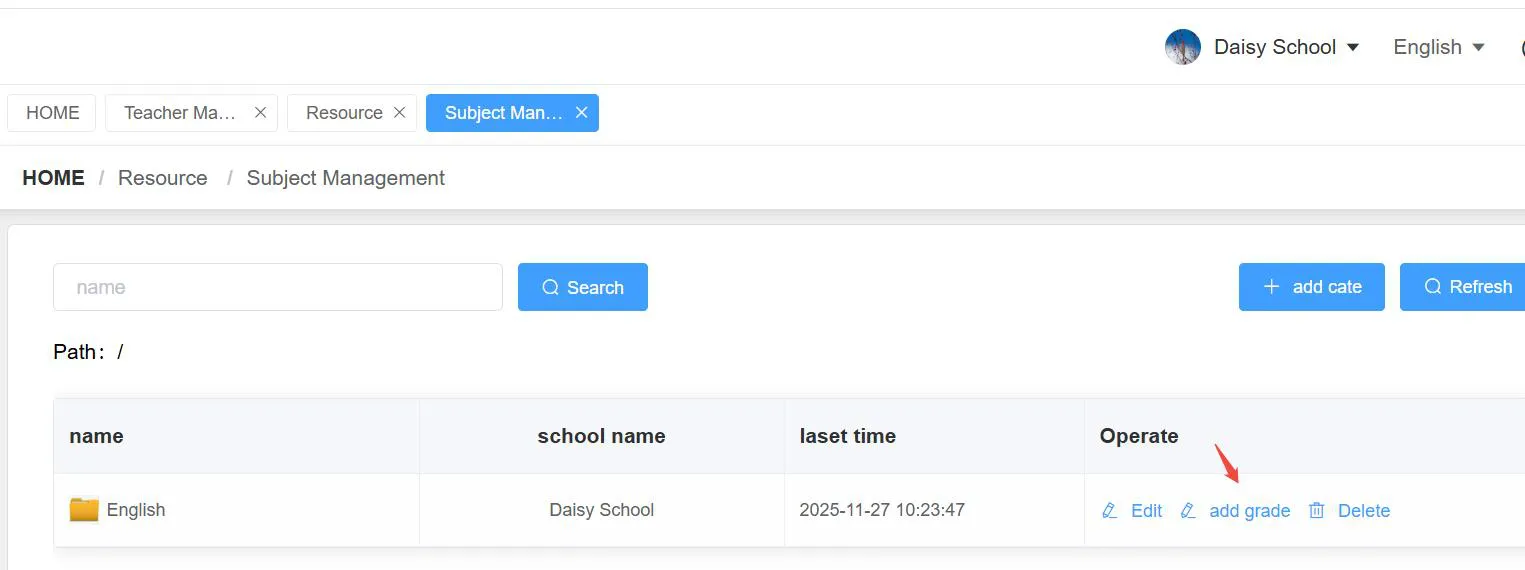
Step 3: Add a Grade
Next, add a grade level under the subject. Insert the grade name and a sort number, then click Confirm. The sort number (1, 2, 3, 4...) controls the display order of grades in your list.
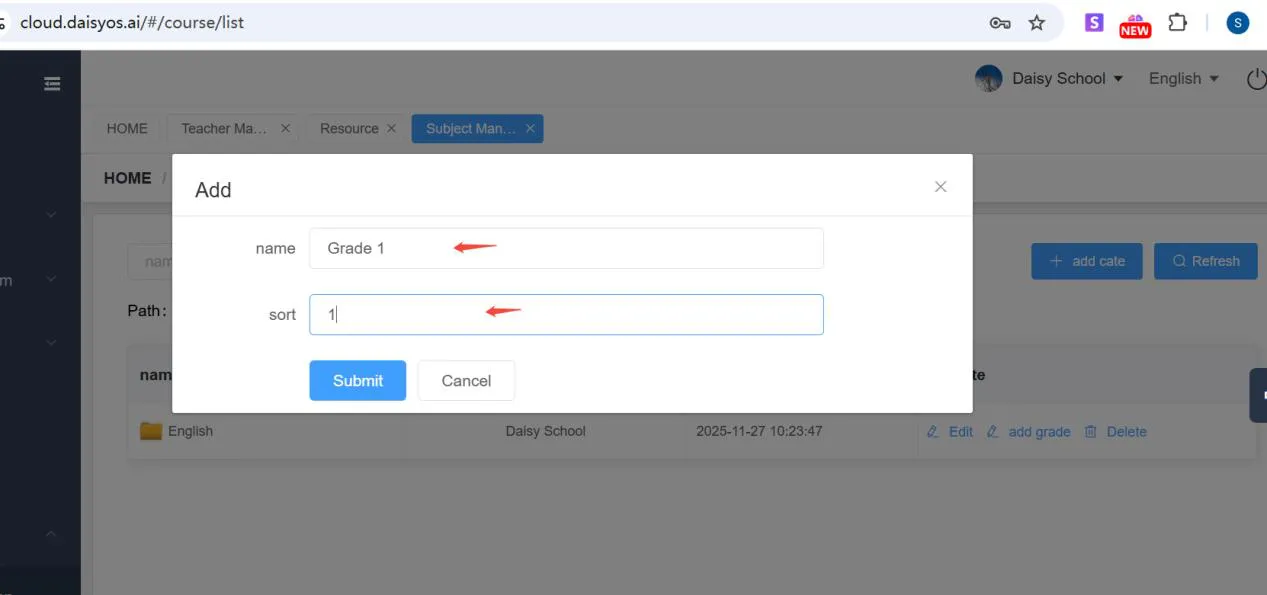
Step 4: Add Courseware
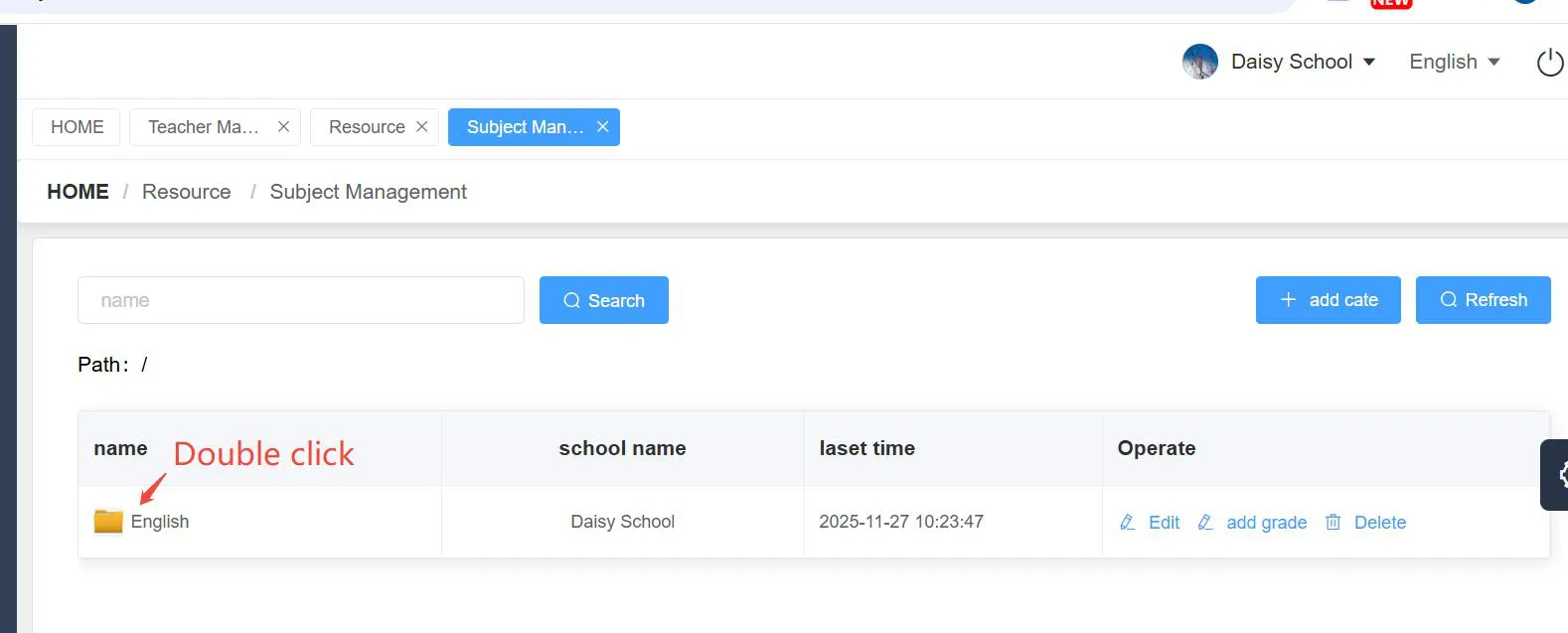
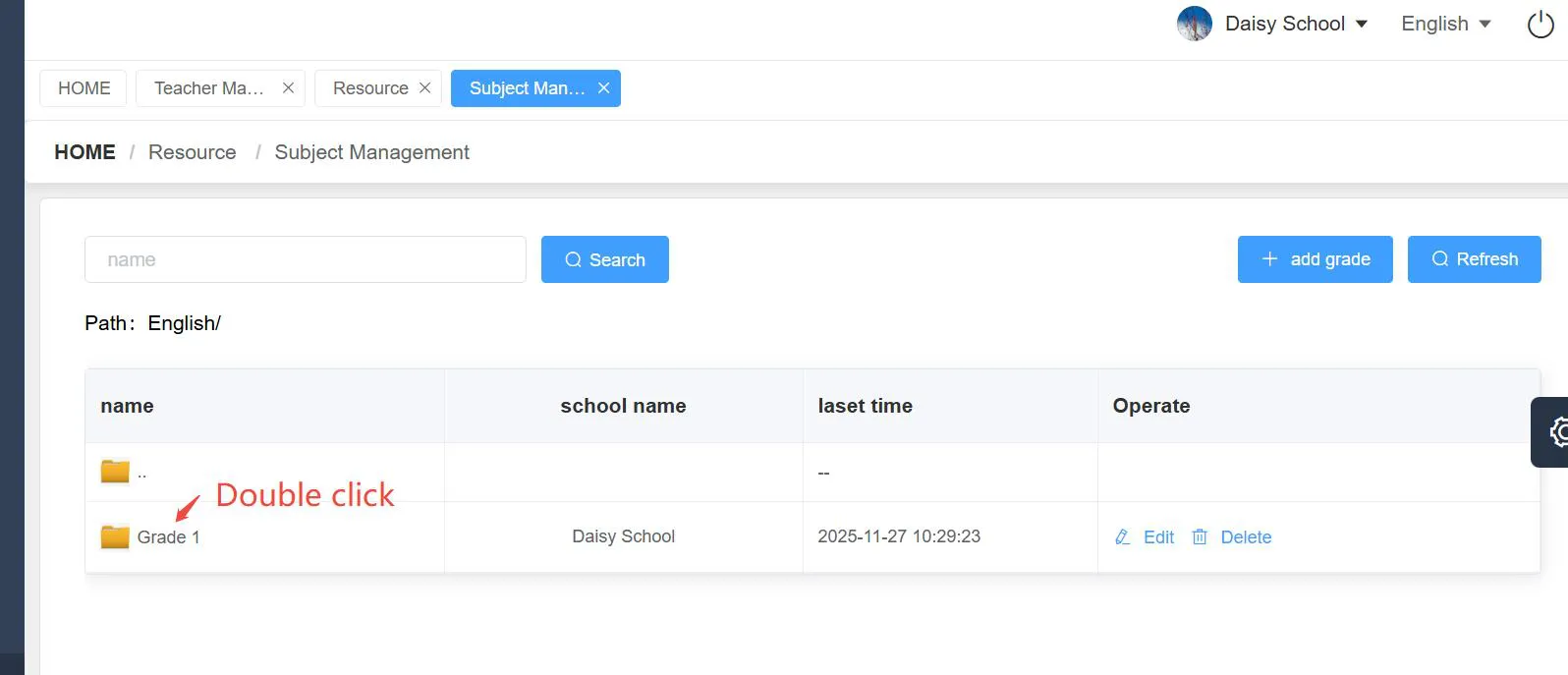
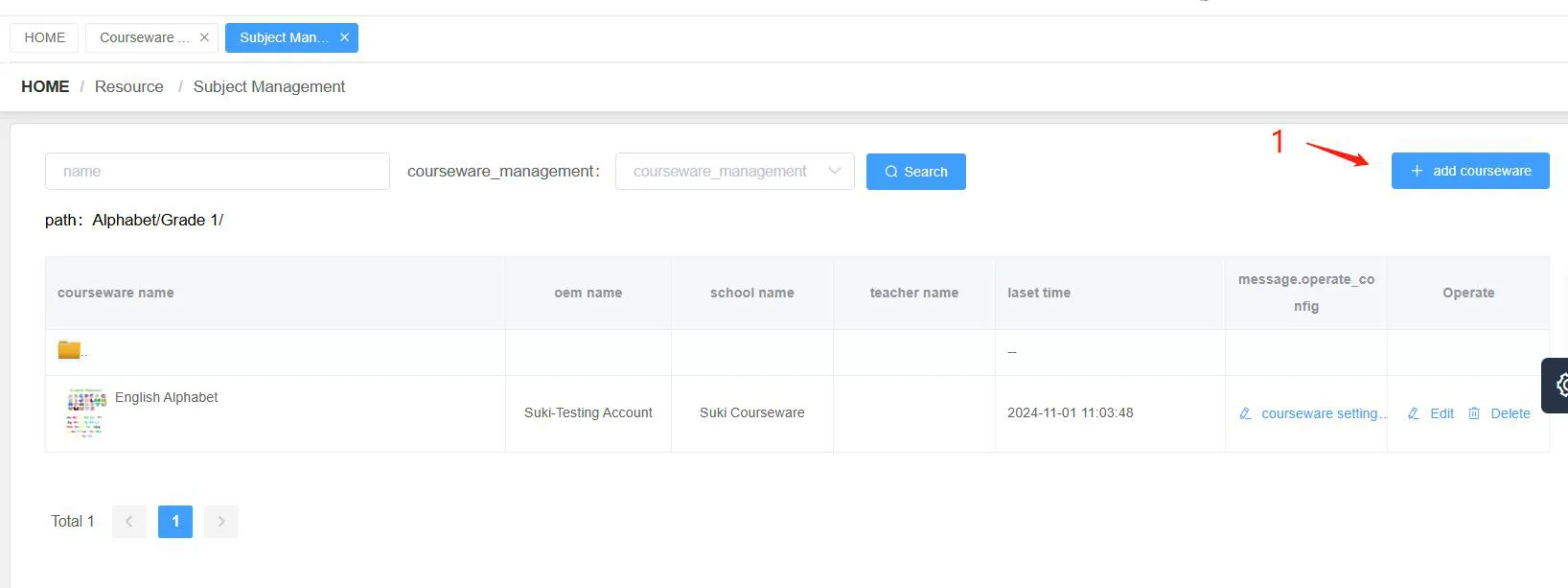
Double-click the subject name icon (e.g., "English") to enter the grade list, then double-click the "Grade" to open it and start adding courseware. To add a new courseware file:
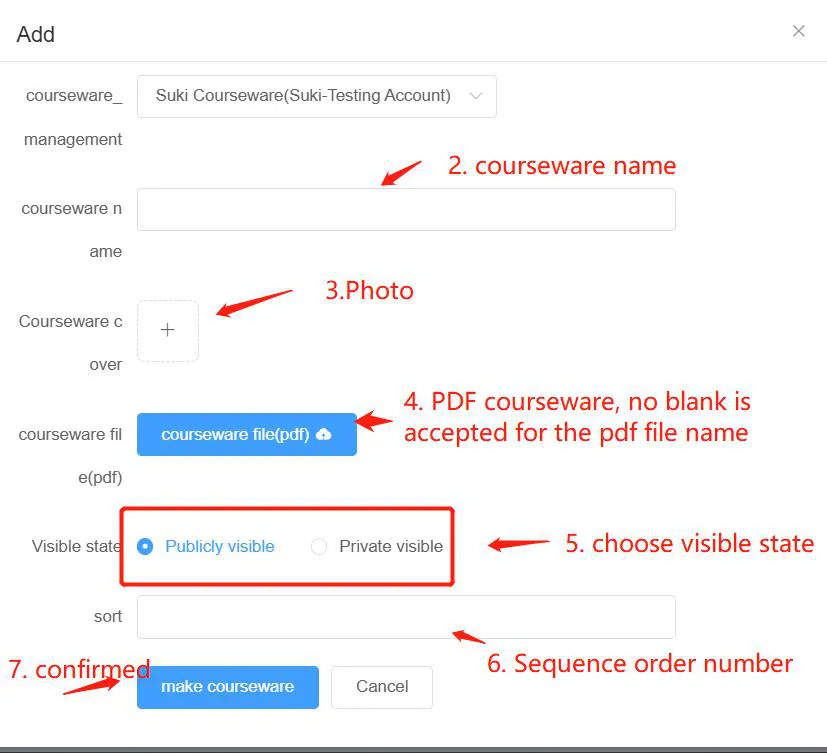
- Click "Add Courseware" to begin.
- Fill in the courseware name.
- Add a photo cover for the courseware (JPG format).
- Upload the courseware file in PDF format. Important: the file name must NOT contain blank spaces. For example, "English-Alphabet.pdf" is correct, while "English Alphabet.pdf" is not.
- Choose the visible state: "Public visible" means the courseware is published and visible to other users when they log in; "Private visible" means it stays in the system as a draft and cannot be seen by others.
- Click "Make Courseware" to confirm and create your courseware.
Step 5: Edit Courseware — Add Interactive Elements
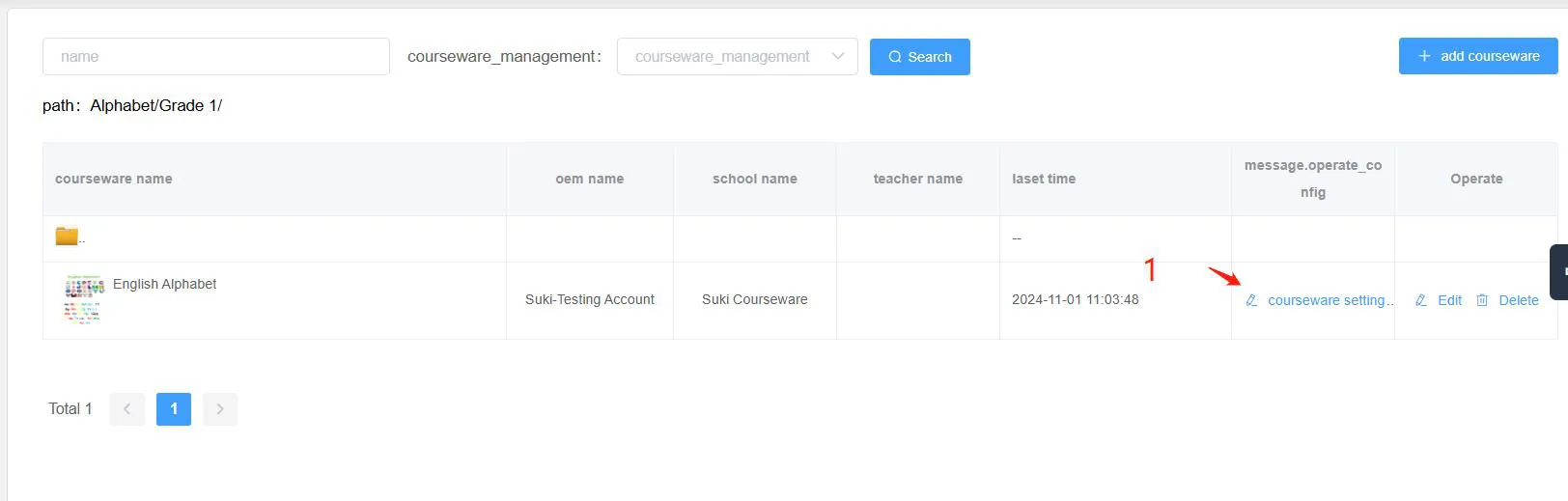
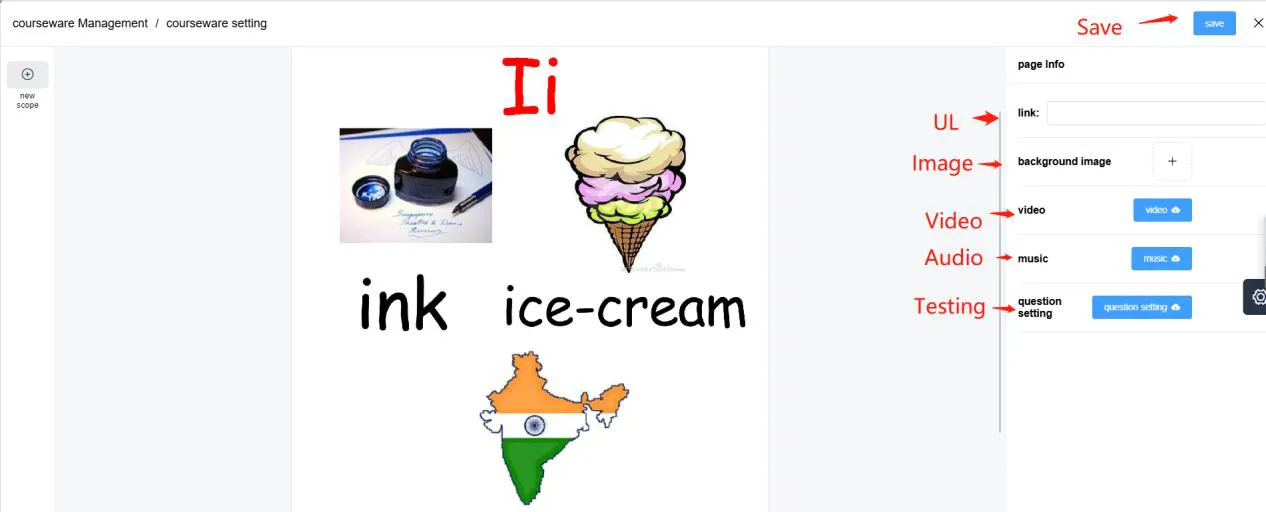
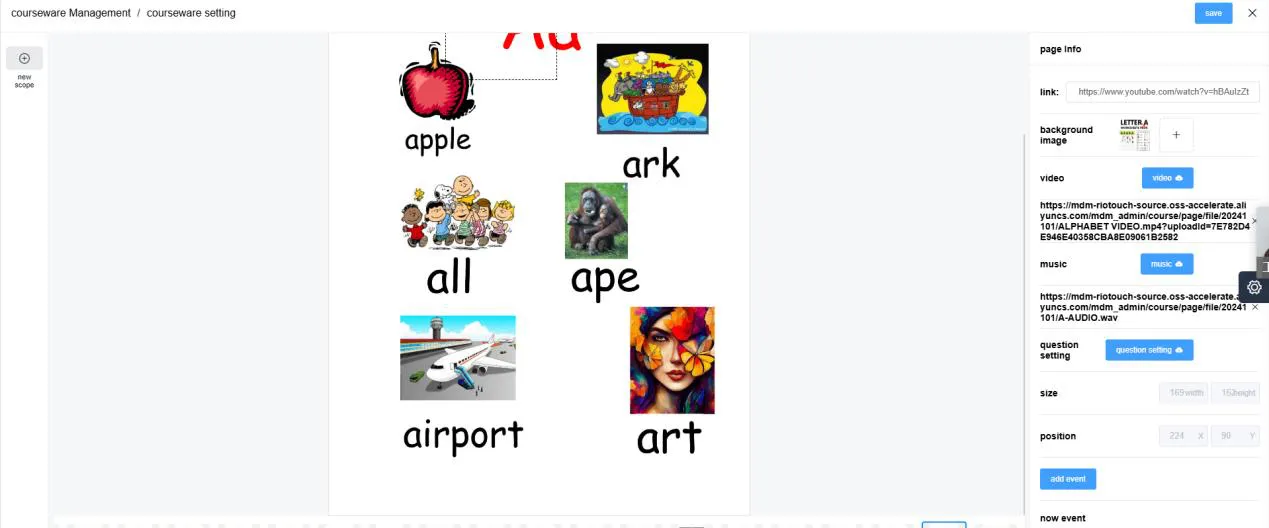
After creating the courseware, you can enrich it with interactive elements: pop-up pictures, videos, audio, and quizzes. Click the courseware settings icon to enter the editing page. From here you can edit the main page and add elements to make your lesson truly engaging.
Add Hotspots for Interactive Content
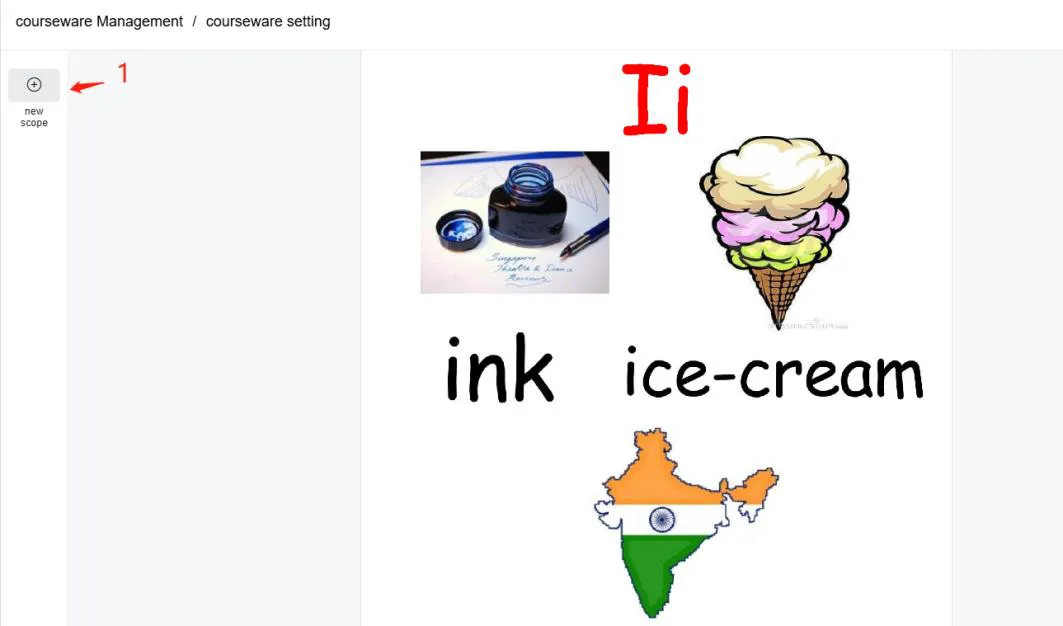
Hotspots let you link any area of the page to rich media. To add one:
- Click "Add Scope".
- Select the hotspot area with the pop-up frame, and adjust its size and position.
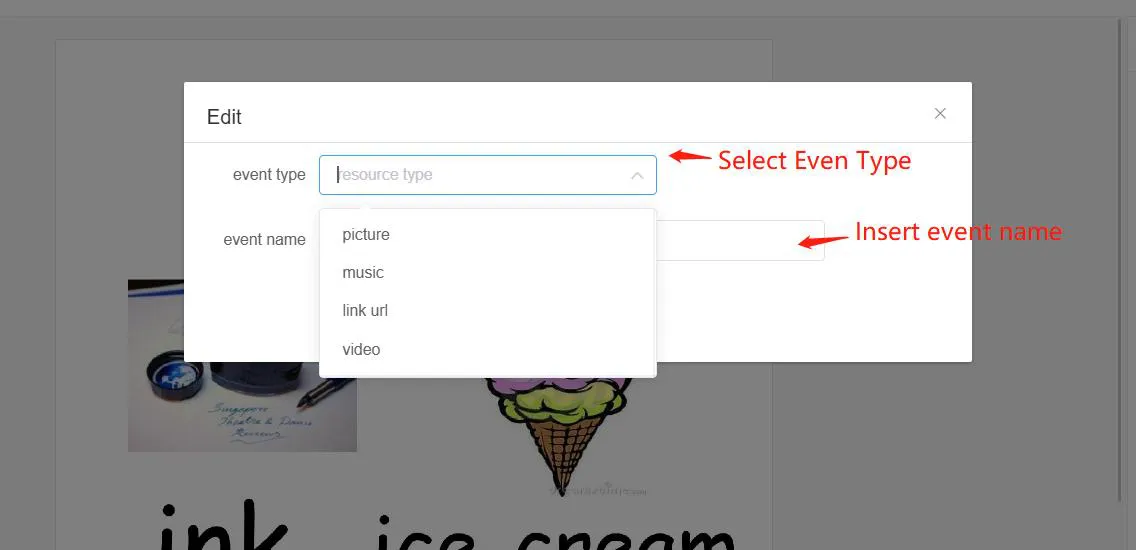
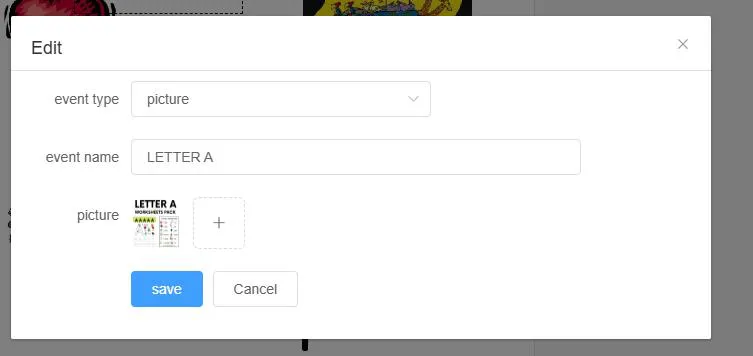
- Click "Add Event", then choose the event type: picture, music, video, or link.
- Insert the event name and save.
Add Tests and Quizzes
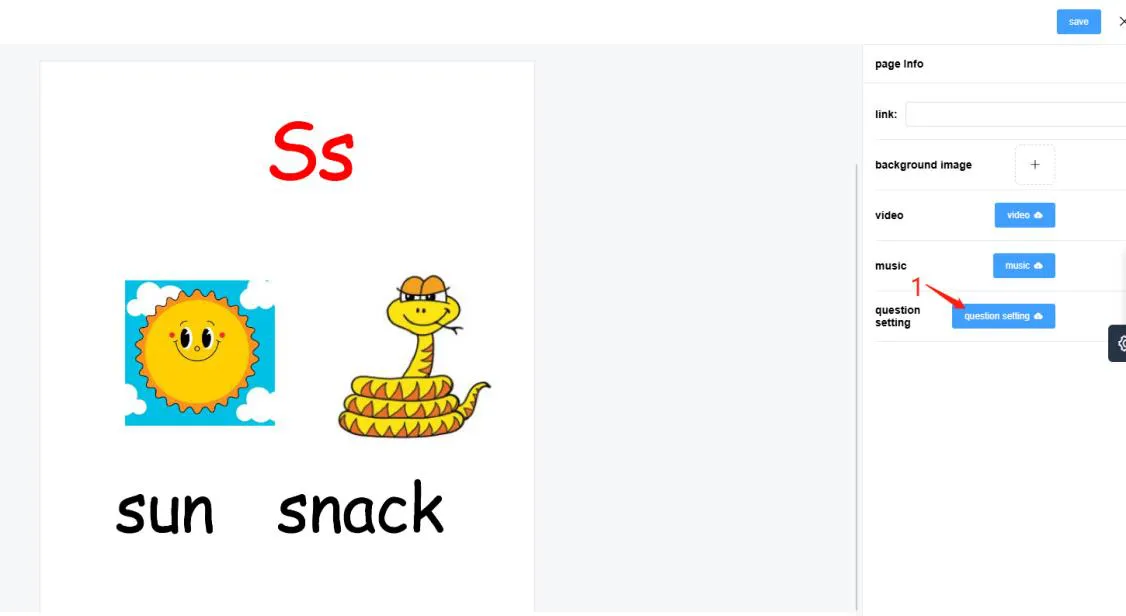
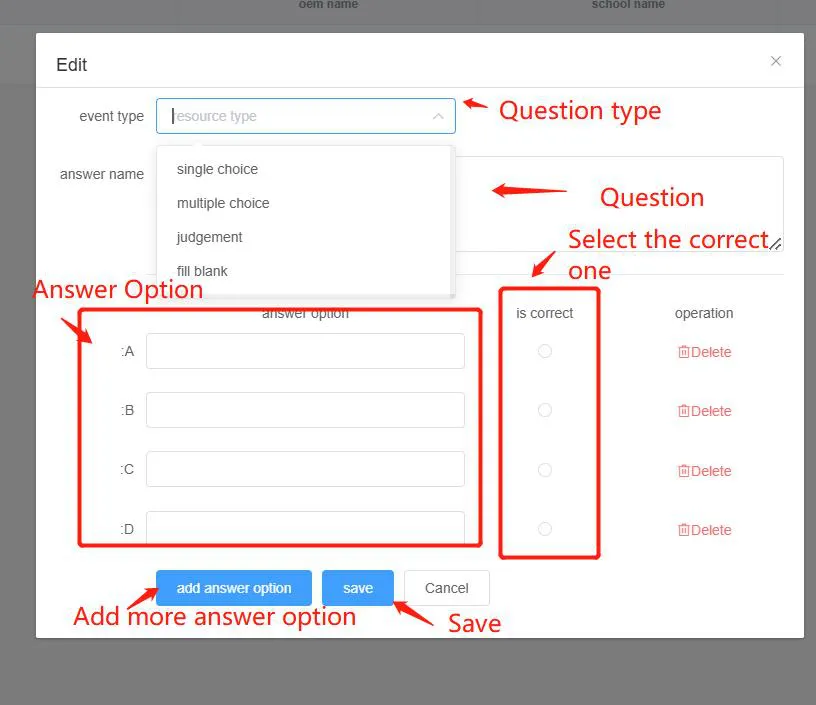
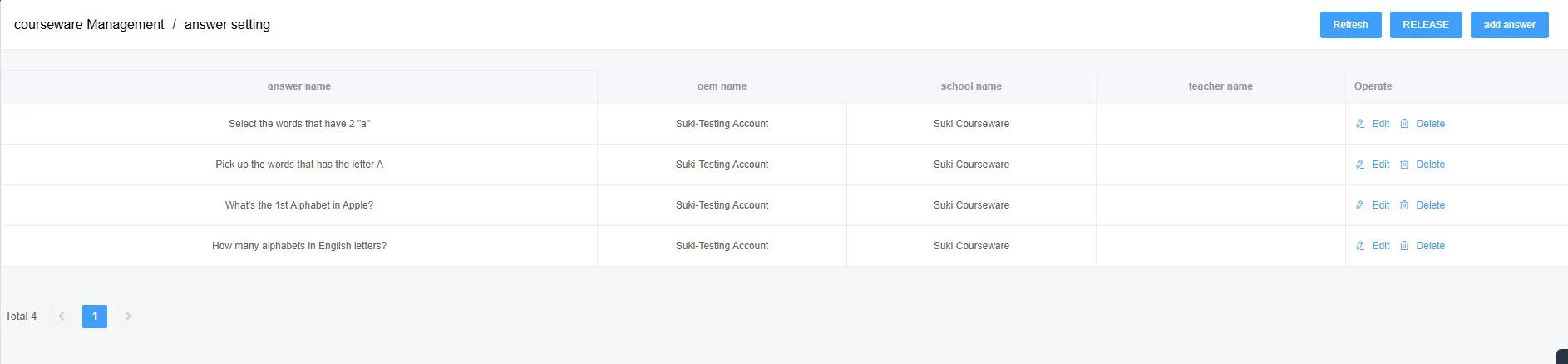
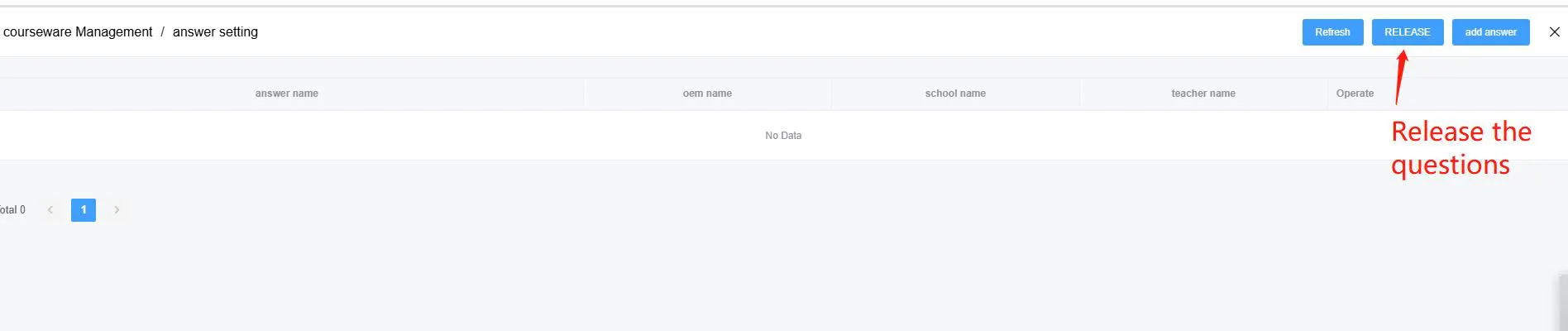
To create an assessment: click "Question Setting", then click "Add Answer" and fill in the questions and answers as shown in the editor. Finally, click the "Release" button — only after releasing will the test become visible in the Umind app for students and teachers.
How Courseware Appears in Umind
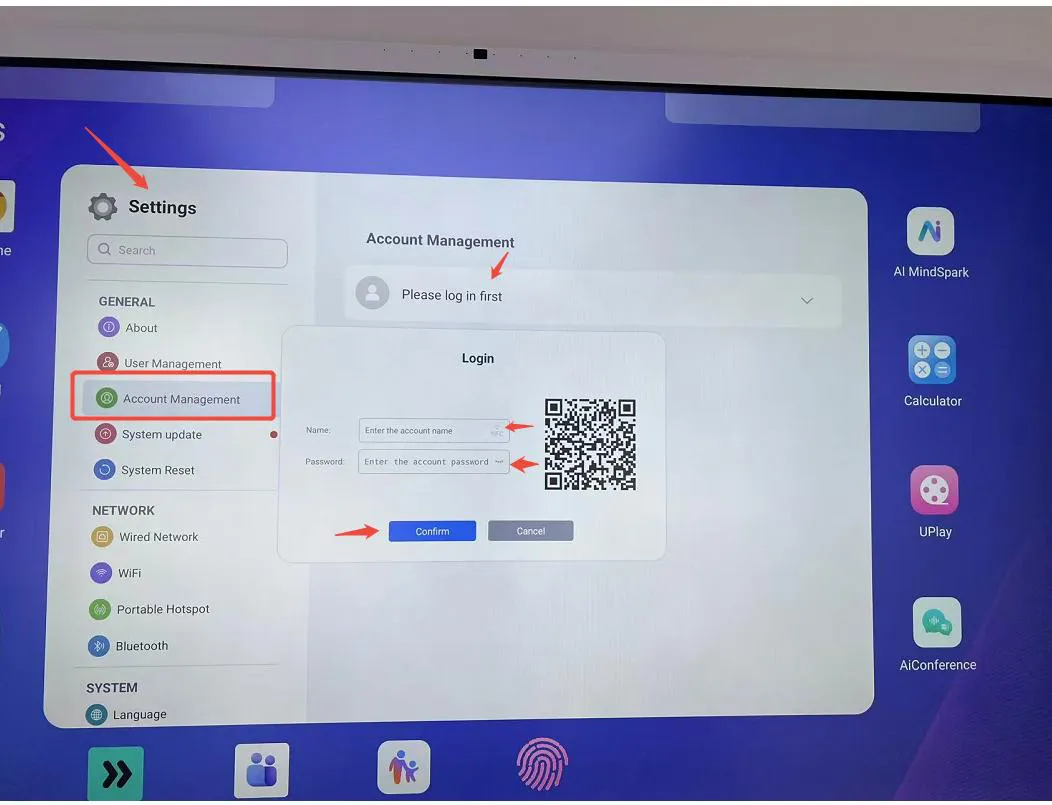
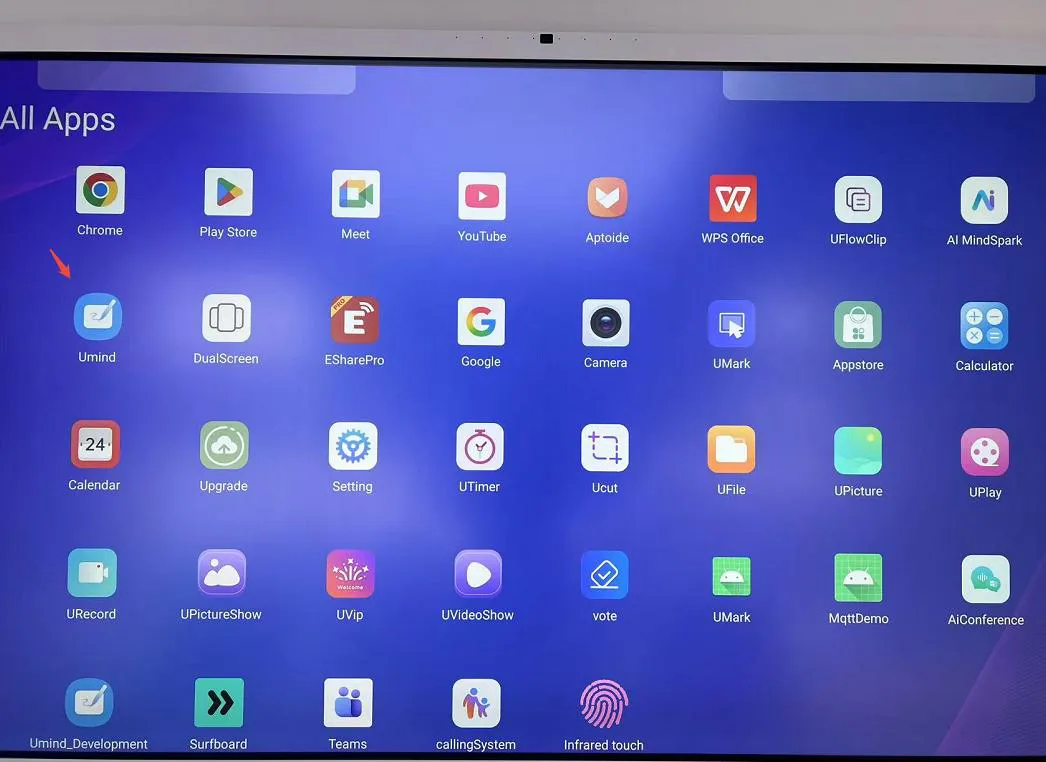
After all courseware is added, log in with your teacher account: go to Setting → Account Management → Please Login First, then enter the teacher username and password. Open the Umind app, click Resources, find the subject (e.g., English), select the grade, and you will see all the courseware you have uploaded — ready for the classroom.
Tips for a Smooth Experience
- Always use file names without spaces for PDF courseware (use hyphens instead).
- Add a cover image so courseware is easy to recognize at a glance.
- Use Public visible for content you want to share across accounts; keep drafts as Private visible.
- Remember to click "Release" after creating a quiz — otherwise students won't see it in Umind.
Related Product


Related Articles
WhatsApp: +86 137 1299 3879
Sales Team · Riotouch Technology