Interactive Touch Table Buying Guide: U-Shape vs Lift
An interactive touch table turns a display into a shared surface — the place where children gather around a story, where pupils work through a problem together, and where residents in a care home take part in an activity side by side. Instead of everyone looking up at a wall panel, people sit around the screen and interact with it together.
Because the audience is different, the design requirements are different too: the table has to be safe, reachable from a seated or wheelchair position, easy to clean, and simple enough that a four-year-old or an elderly resident can use it without instruction. This guide walks through the Riotouch touch table range and the decisions that matter when you specify one for a school, a kindergarten or a care setting.
What Is an Interactive Touch Table?
An interactive touch table is a display built into a table form factor, with a capacitive multi-touch screen mounted horizontally or in an adjustable frame. One unit combines display, touch surface and computer, so there is no external box to install.
- Display — 43″ or 55″ 4K UHD class panel, with wide viewing angles for group use.
- Touch surface — hardened capacitive touch glass, resistant to daily cleaning and repeated use by children.
- Compute — an embedded Android mainboard, either MT9679 4+32G or RK3576, depending on the project.
1. Two Form Factors: U-Shape or Electric Lift
The first decision is not the screen size or the processor — it is how people will physically sit at the table. Riotouch builds the same 43″ and 55″ touch table in two mechanical designs, and choosing between them is what most often determines whether a project succeeds in daily use.
U-Shape Design
The U-shape table wraps the touch surface around the seated user, giving a natural position for hands and arms — comfortable for long sessions, and easy for several children to share. It is the form factor most often chosen for classrooms, play corners and activity rooms.
Electric Lift (Height-Adjustable) Design
With an electric lift, the surface moves up and down at the touch of a button, so the same table serves a seated child, a standing teacher and a wheelchair user. The electric lift is optional — projects that only need a fixed seated height can specify the standard version and reduce cost.
For care homes and assisted living, the lift is close to mandatory rather than optional: it is what makes the table reachable from a wheelchair without staff intervention.
2. Capacitive Touch, Built for Public Use
All models use capacitive multi-touch. Compared with other touch technologies, capacitive glass is smoother to write on, unaffected by ambient light, and far easier to wipe clean — important in kindergartens and care homes where the surface is disinfected regularly.
Combined with hardened glass and a sealed enclosure, this is what allows the same table to survive years of daily group use rather than a few months of careful handling.
3. Two Mainboards, One Table: MT9679 4+32G or RK3576
The same table body can be built on two Android platforms, so you can quote one enclosure and match the compute to the project budget and software.
| MT9679 · 4GB+32GB | RK3576 | |
|---|---|---|
| Android version | Android 14 | Android 14 / 15 class build |
| Memory / storage | 4GB RAM + 32GB | Higher memory options (e.g. 8+128G) available |
| Typical use | Standard content playback, interactive apps, CMS-driven signage | Heavier apps, AI features, multi-app use, longer product life cycle |
| Positioning | Cost-efficient volume model for classrooms and activity rooms | Higher performance option for projects with software demands |
If the customer’s software is already fixed, tell us which apps and content formats will run — we will recommend the platform that keeps the project stable and within budget.
4. Which Form Factor Fits Which Setting?
Use the table below as a starting point. It reflects the configurations we most often quote for each type of project.
| Setting | Recommended configuration | Why |
|---|---|---|
| Kindergarten / preschool | U-shape or standard table, 43″ capacitive, MT9679 4+32G | Child-height seating, shared story and activity time, robust and simple |
| Primary school classroom | U-shape 43″/55″, RK3576 for richer software | Group problem-solving, coding and STEM activities, teacher demo position |
| Care home / assisted living | Electric lift table, 43″/55″, capacitive glass | Wheelchair reach, seated comfort, group activities and video visiting |
| Training & activity rooms | Electric lift 55″ | One unit serves seated workshops and standing presentations |
| Showroom / lobby | Standard 55″, capacitive touch | Catalogue browsing, product configurators, guest engagement |
| KTV / hospitality | Standard 55″, sealed commercial build | 24/7 use, spill-resistant surface, simple operation |
5. What to Check Before You Specify
Five questions cover most of the risk in a touch table project. Answering them before quotation avoids the two most common mistakes: ordering a table that is the wrong height, and ordering a table that cannot run the software.
- Who sits at it? Children need a lower fixed height or an electric lift; care homes almost always need the lift.
- How many users at once? 43″ suits one to two; 55″ gives room for three to four.
- Which software? Decide the mainboard (MT9679 4+32G or RK3576) from the apps, not the other way round.
- What content management? If screens will be updated centrally, ask about CMS options at quotation stage.
- What documentation does the tender need? Ask us early for datasheets, compliance files and packing data.
6. OEM / ODM and Customization
Riotouch manufactures these tables in its own factory, so customization goes beyond relabelling:
- Branding — logo on the housing, boot logo, wallpaper, labels and packaging
- Form — U-shape, standard or electric-lift versions; housing colour and finish
- Platform — MT9679 4+32G or RK3576, with memory options per project
- Software — preloaded CMS client, kiosk mode, or open Android for your own app
- Documentation — user manuals, datasheets and compliance packs prepared for your market
Summary
Specify a touch table in this order: decide the form factor from the users, then the screen size from the group size, then the mainboard — MT9679 4+32G for cost-efficient volume projects or RK3576 where the software demands more headroom. Get those three right and the rest — branding, packaging, documentation — is straightforward.
If you are working on a tender or a multi-unit rollout, send us the requirement and the target market and we will come back with a configuration, a datasheet pack and packing data.
Related Product
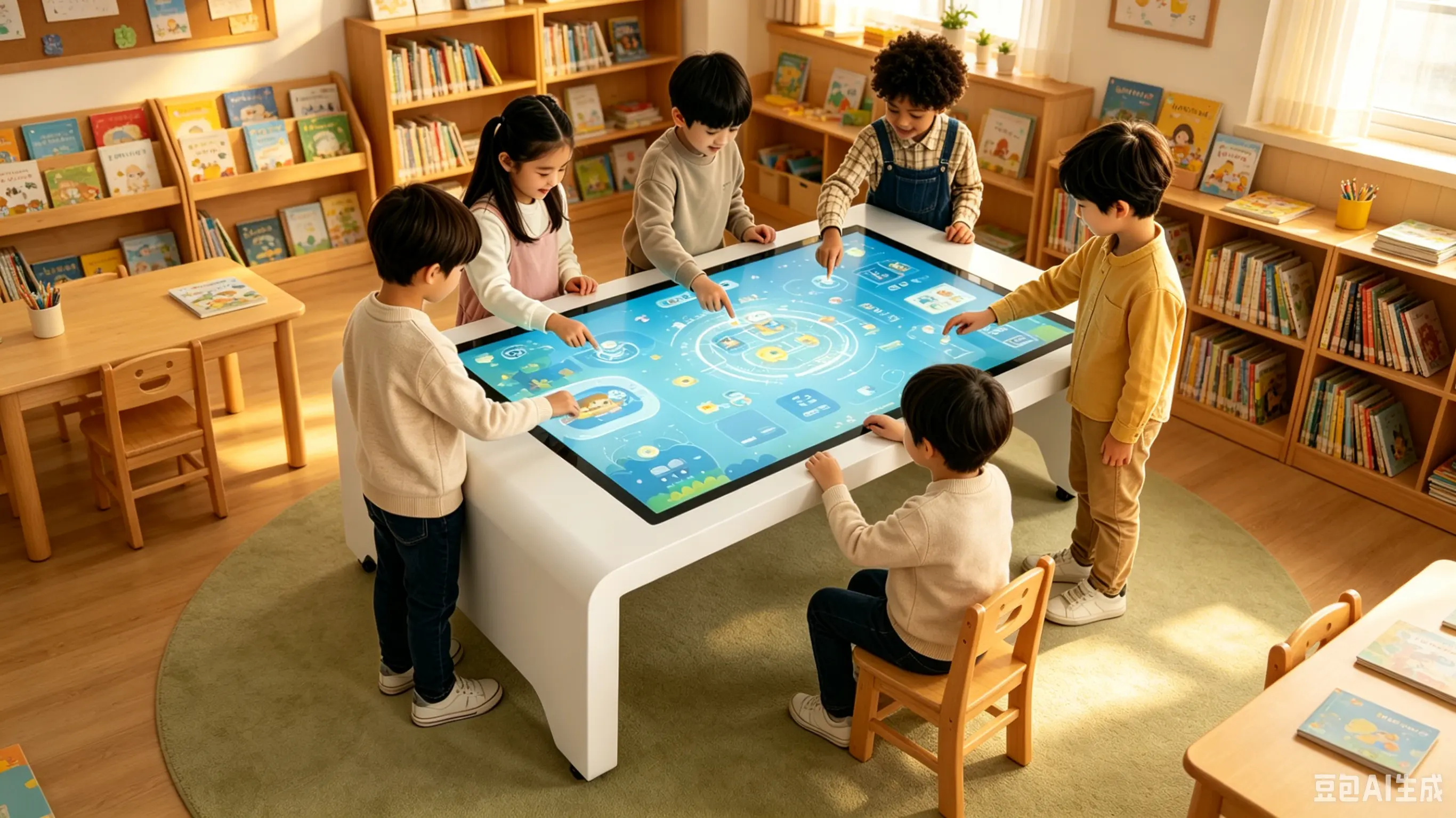
Riotouch Interactive Touch Table
43″ and 55″ capacitive touch tables in U-shape and electric-lift versions, built for schools, kindergartens and care settings.
View Product →Related Articles
Choosing a Touch Table for Your Project?
Tell us the setting, who sits at it, and the software you plan to run — we will recommend the configuration that fits.
Email: hello@riotouch.com
WhatsApp: +86 158 1773 7671
Sales Team · Riotouch Technology