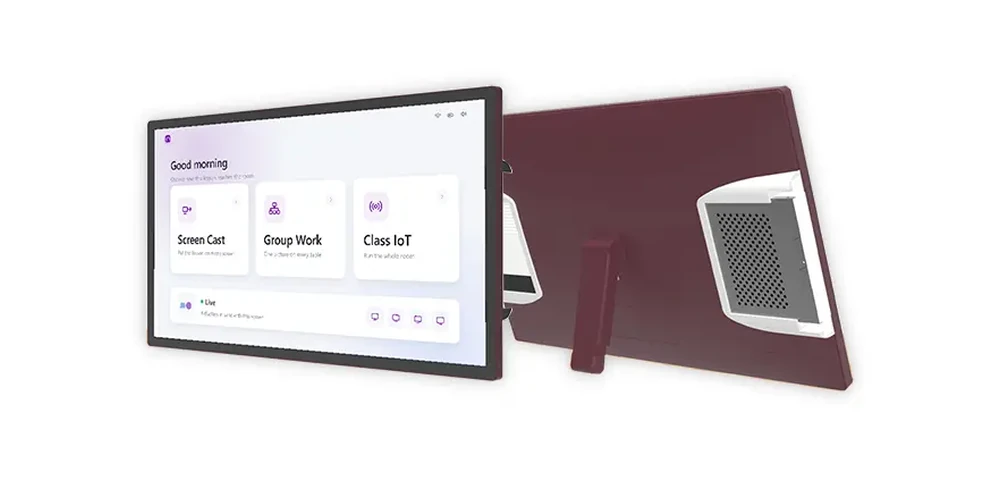
Almost every classroom device assumes it will be installed once and stay there. TeacherDock starts from the opposite assumption: it is a 27-inch or 32-inch 4K podium display that a salesperson or integrator can put in a car, carry into a school, switch on in front of the head teacher, and then do the same in the next school the same afternoon. Two things follow from that. It has to be genuinely portable, and it has to justify the trip by covering more than one job.
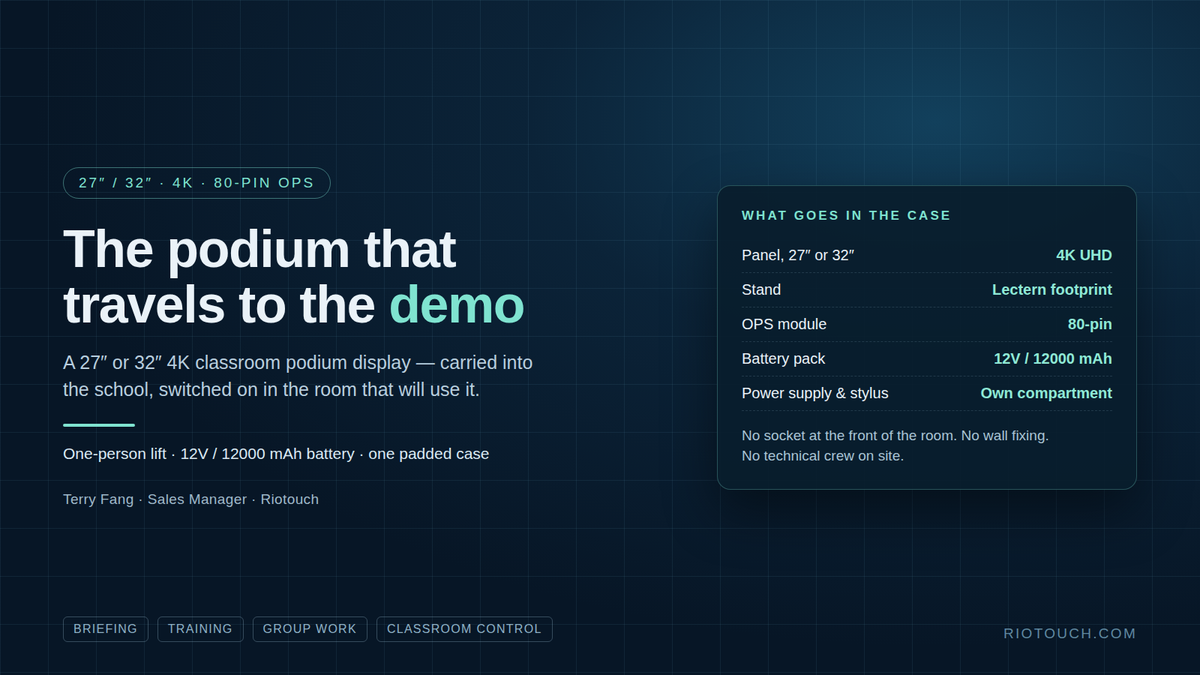
Figure 1 - What the demonstration actually needs: one person, one case, no socket at the front of the room.
1. What the format actually is
TeacherDock is a desktop screen on a stand that occupies the footprint of the lectern it replaces. Both sizes are 4K UHD at 3840 × 2160, with 10-point multi-touch and stylus support — so a teacher annotates with a pen in the same place the paper notes used to sit.
- 27″ or 32″ on the same OPS platform; 27″ suits one-to-one and small groups, 32″ suits a full class.
- 80-pin OPS slot on the machine: a Windows module, an Android module, or our AetherOrb AI Box running DaisyOS.
- I/O for the desk, not the wall: HDMI in and out, USB touch, USB 3.0, RJ45, audio out and the OPS slot.
- Five stocked finishes — black, burgundy, mint, white and grey — or custom RAL / Pantone to match a campus.
2. The part that changes how you demonstrate
Most demonstrations die in logistics. A wall panel needs a wall, a socket and a technician; a panel on a trolley needs a van, two people and twenty minutes of set-up, and after all that the head teacher is looking at a screen that will not fit in their room anyway.
TeacherDock is built to be carried into a customer meeting. One person lifts it. Panel, stand, OPS module, power supply and stylus each have their own compartment in one padded case that fits in the boot of a car. The optional 12V / 12000 mAh battery pack keeps the screen live where there is no socket at the front of the room, so the demonstration happens in the room that would actually use it. No wall fixing, no installation, no technical crew on site — and the same machine goes to the next school the same day. A flight case and a trolley are available for regular road work.
| Bringing a demo to a school | Fixed IFPD on a trolley | TeacherDock |
|---|---|---|
| Socket at the front of the room | Required | Not required with the optional battery pack |
| People and vehicle | Two people, van or estate car | One person, padded case in a car boot |
| Set-up before the meeting | Trolley assembled, panel mounted | Stand, panel and module out of one case |
| Schools per day | Usually one | School after school, same machine |
| Leaves the room as it was | Yes | Yes |
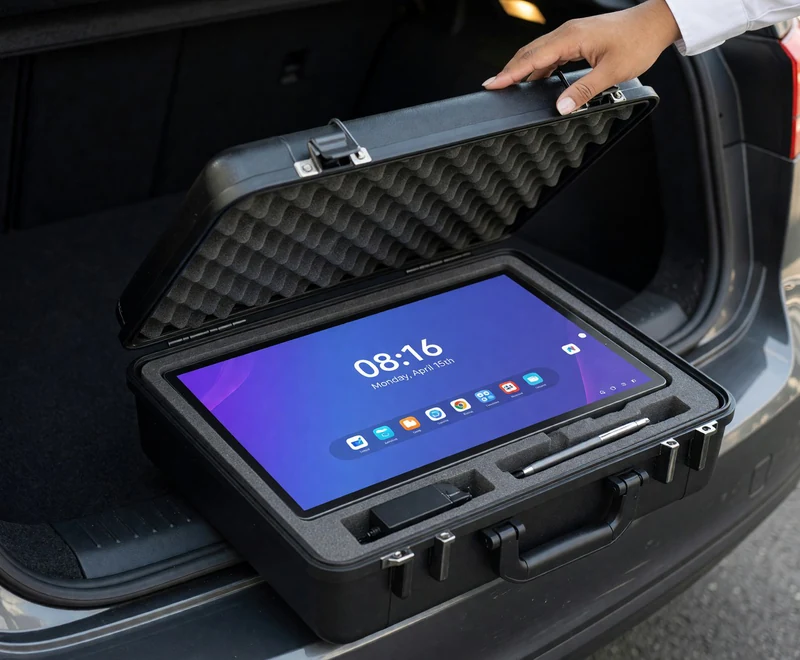
Figure 2 - Panel, stand, OPS module, power supply and stylus travel in one padded case that fits a car boot.
3. One podium, four jobs
The second half of the argument is that the trip is worth it because this is not a single-function device. The same screen does the four things a classroom actually asks for.
| Job | What the room normally uses | On TeacherDock |
|---|---|---|
| Briefing and presentation | Paper notes and a laptop behind the presenter | Content on the podium, annotated live and shared to the main display |
| Teaching and training | A separate instructor station | Lesson material at lectern height; hand the pen to a trainee; record or stream with the room camera |
| Small-group work | Printouts and the whiteboard | Panel lies back as a shared desk surface; annotate over drawings, save the marked-up copy |
| Classroom operations | Wall panel, remotes, a walk to the cabinet | Display and projector, lighting, curtains, air conditioning, PTZ camera, bell and announcements |
4. Control is our software, not a bolt-on
Classroom control here is part of our own software stack on the podium rather than a third-party system added later. Scenes for teaching, presenting and dismissal; a one-touch lesson start that brings the room up or shuts it down; scheduled automation so classrooms are ready before the first lesson and off after the last; and remote management of device status, firmware and settings from the school network.
5. The 80-pin OPS slot is the budget argument
A lectern lasts ten years. Computing does not. Because the screen, stand and furniture stay in service when the module changes, the school replaces a module instead of a podium — which is the difference between a capital purchase and a rolling cost, and the argument that usually decides a budget meeting. The Android module we ship in the slot is an RK3576 (quad-core Cortex-A72 plus quad-core Cortex-A53) with 4 GB / 64 GB, optionally 8 GB / 128 GB; Windows and the AetherOrb AI Box with DaisyOS run in the same slot. The module is specified at order, and because the slot is the standard 80-pin OPS, a module of the same standard can replace it later.
6. Before the order
- Pick the size by room, not by budget: 27″ for one-to-one and small groups, 32″ for a full class.
- Decide on the battery pack if rooms are re-arranged, shared, or have no socket at the front.
- Choose the case: padded case is standard; flight case and trolley are optional for regular road work.
- Specify the module: Android module, Windows module, or AetherOrb AI Box with DaisyOS.
- Settle the finish: one of five stocked colours, or a custom RAL / Pantone matched to the campus.
- Check the lectern footprint and the I/O against the room you will install into: HDMI in and out, USB touch, USB 3.0, RJ45, audio out.
Frequently Asked Questions
Is TeacherDock a replacement for the classroom whiteboard?
No. TeacherDock replaces the lectern, not the whiteboard. It stands where the teacher already stands and works alongside the classroom's main display, which the audience watches.
Can TeacherDock run without a power socket in the room?
Yes, with the optional 12V / 12000 mAh battery pack the panel stays live while it is moved between classrooms or demonstrated in a room with no socket at the front.
Can the computing module be upgraded later?
The TeacherDock carries a standard 80-pin OPS slot, so the module is chosen at order and can be replaced by a module of the same standard without changing the screen, the stand or the furniture.
How is TeacherDock different from an interactive panel on a trolley?
A panel on a trolley is still a display on wheels. TeacherDock stands in the footprint of a lectern, lifts by one person, and travels in one padded case with its stand, OPS module, power supply and stylus.
Does TeacherDock control the projector, lights and air conditioning?
Yes. Classroom control is our own software on the podium: displays and projection, lighting and curtains, air conditioning, PTZ camera, bell and announcements, with scheduled automation and remote management.
The full specification for both sizes is on the TeacherDock product page. If you are deciding between the 27″ and the 32″ for a tender, tell us the room and the seating and we will send the configuration and price.
Terry Fang | Sales Manager
Riotouch Technology Co., Ltd
Email: terry@riotouch.com | WhatsApp: +86 186 6403 3548
Tel: +86 769 8258 3996 | www.riotouch.com