Most buyers ask one question about educational software and get an unclear answer: is this included, or is it a subscription? This article draws the line for Riotouch's DaisyOS, module by module — what ships with the panel, which AI modules depend on camera and microphone hardware, and the two cloud platforms that are licensed — except on project deployments and volume tenders. It is written for people who have to put the answer into a tender.
1. One operating system, three commercial layers
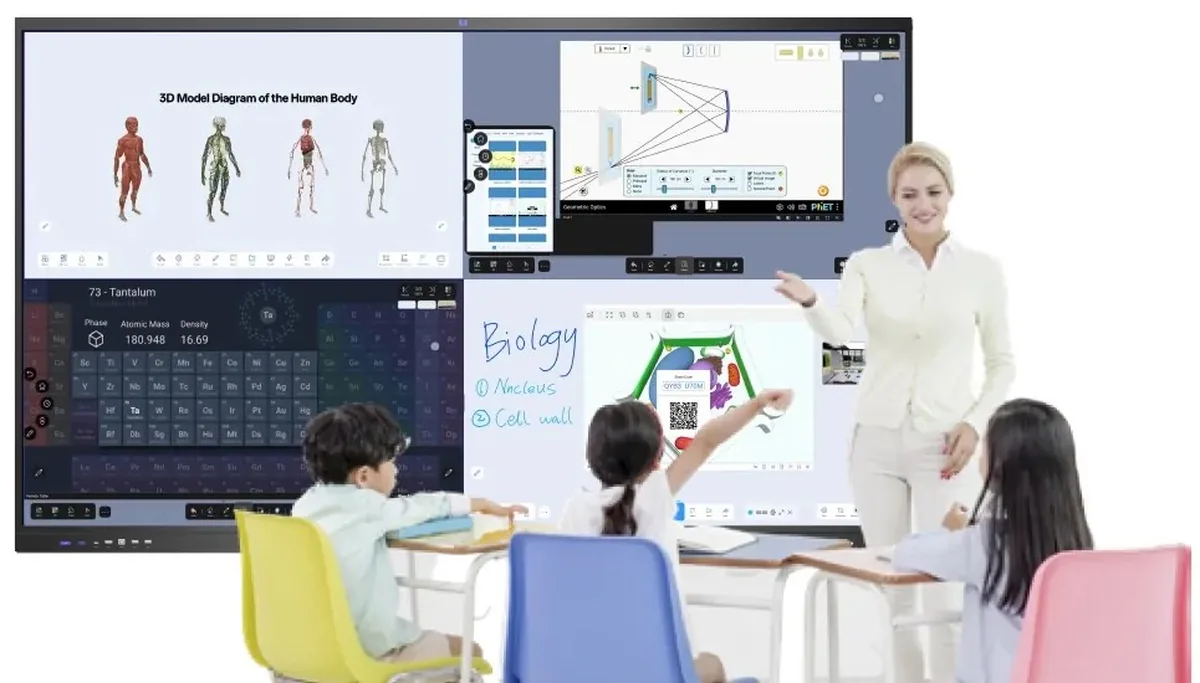
DaisyOS is Riotouch's own interactive display system, available on Google EDLA certified models. Every application below runs from the same interface, but they are not sold the same way:
| Layer | Modules | Commercial terms |
|---|---|---|
| Included with the panel | UMind smart whiteboard, Classroom Toolkit (9 tools), UFile | Built into DaisyOS, no separate licence or annual fee |
| Included, hardware dependent | AI Assistant, PolyVoice, VisionRoll | Built into the system, but need a front camera and/or the 8-microphone array; internet required |
| Licensed, included on projects | DMS cloud platform, CMS content platform | Cloud SaaS, licensed per device or per project on standard terms; supplied at no additional charge on project deployments and volume tenders; white-label deployment available |
2. What “included” really covers
Three applications are in the price of the panel.
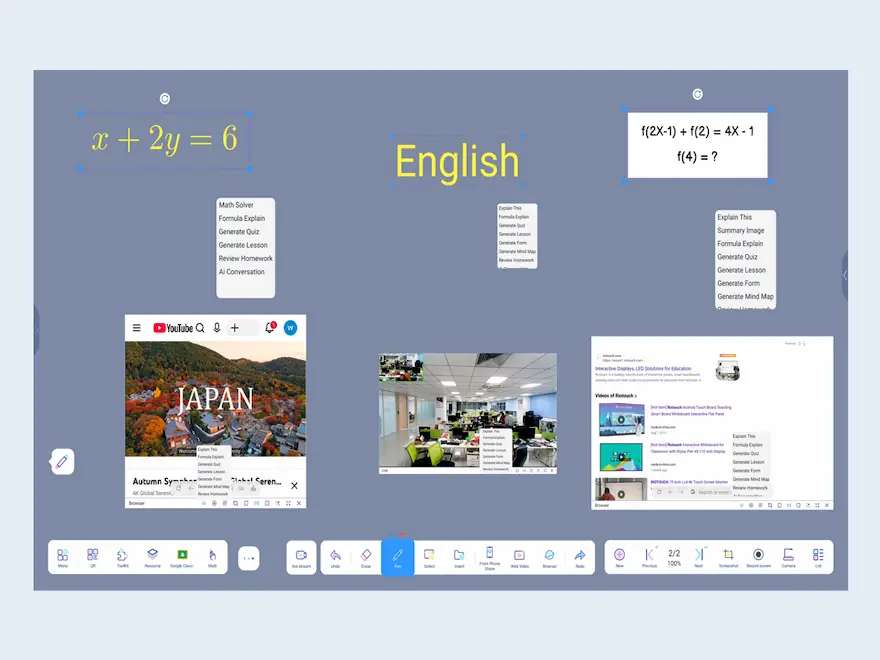
UMind is the teaching hub: simultaneous multi-point writing, handwriting recognition to text, shapes and maths formulas, Ucourse plug-ins with PhET simulations, 3D courseware and a periodic table, one-click live streaming, WPS Drive and Google Classroom collaboration (5 GB free), and export to DZD, PNG or PDF.
Classroom Toolkit adds the nine utilities teachers use daily: URecord, UCut screenshot annotation, UMark markup, Utime, Uvote live polling, UFreeze, UPlay, UPicture and UCalculator.
UFile handles content: native preview of more than 20 formats including MP4, HEVC, Office files, XMind, 3D models, CAD and PSD, plus Google Drive, OneDrive and Yandex Disk access and QR transfer up to 50 MB.
The practical consequence: a school that only wants the panel to teach with needs no software subscription at all. Nothing in this layer expires.
3. The AI modules, and the hardware they assume
This is the part of a proposal that has to be checked against the exact model, because the same software behaves differently on a panel without a camera.
- AI Assistant runs two engines, DeepSeek and OpenAI, switchable per task. It generates slide decks from voice or text (text-to-image about one minute, text-to-video two to five minutes), offers eight extensions from formulas to mind maps, and answers questions from the customer's own uploaded documents — TXT, DOCX, PDF, XLSX, EPUB, MOBI, MD, CSV or images, up to 150 MB per file. Auto framing, voice tracking and split view need the 48 MP camera and the 8-microphone array.
- PolyVoice captures four languages at once with live subtitles pushed to every screen in the room; remote participants join a translation room by QR code without installing anything. Minutes are generated automatically and shared by QR code. Speaker identification requires a camera; four-language capture requires the microphone array.
- VisionRoll runs face-recognition attendance during the lesson, with a cloud face library, a live video mode and an offline photo mode that works without a network and is processed later. It needs a front camera; 13 MP is the minimum and 48 MP is recommended.
The panel matters too: infrared panels support 20 touch points under Android and 40 under Windows, some models 30 to 50. A tender that specifies simultaneous touch points has to match the model, not the software version.
4. The two platforms are integrated — and free of charge on projects and volume tenders
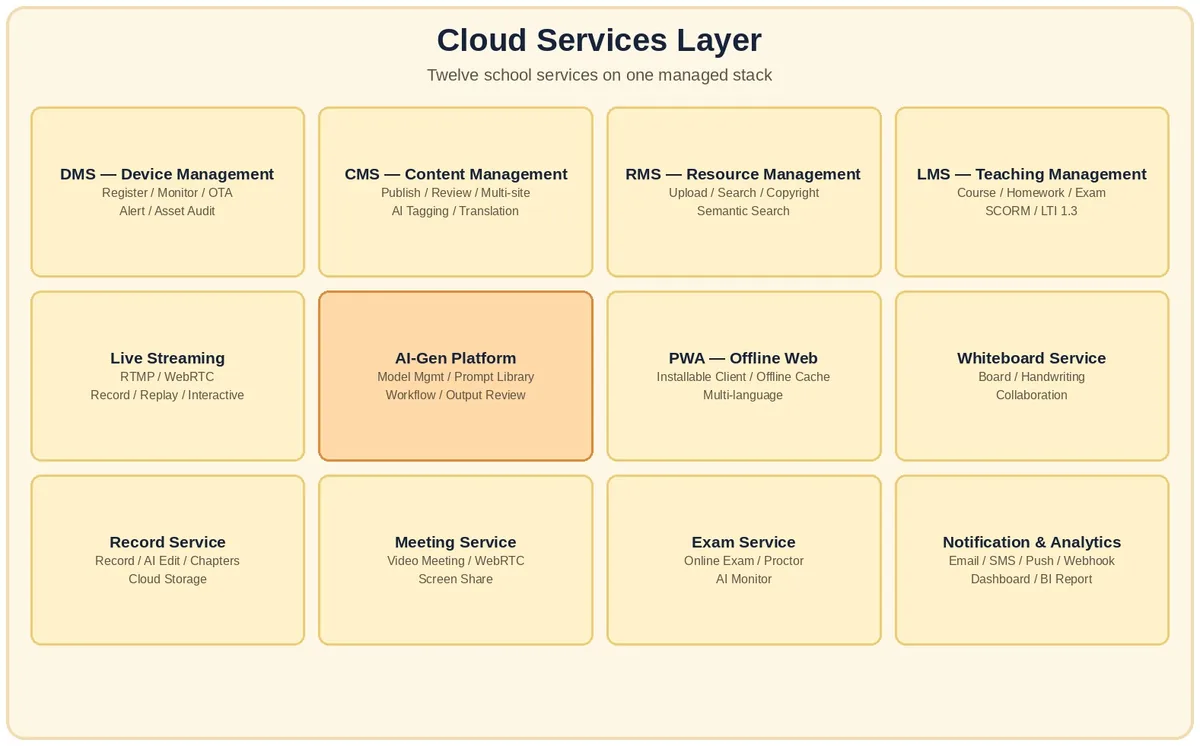
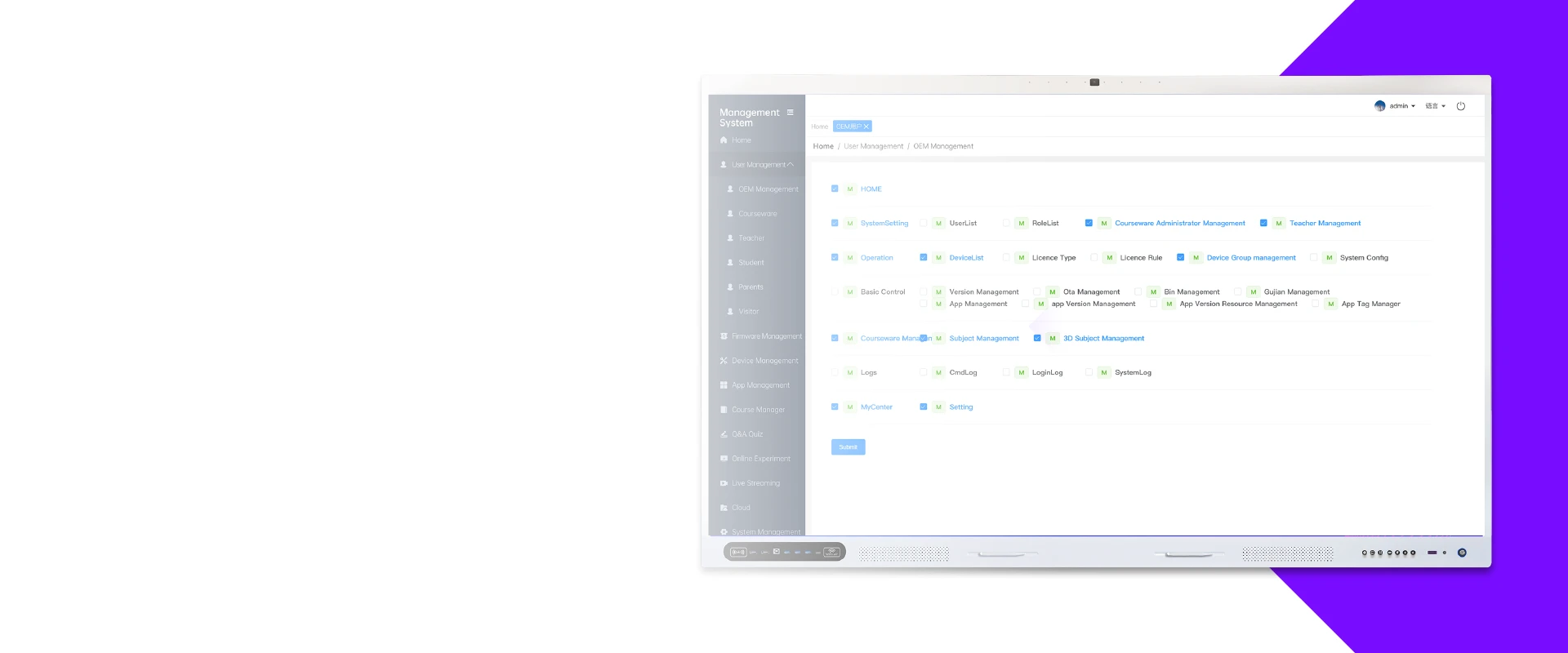
DMS is the device management cloud: remote power and screen lock, casting, grouping by city or school, live monitoring, OTA firmware and APK distribution, five permission levels down to individual buttons, and usage analytics. It can be fully white-labelled — custom domain, localised database, own OSS storage, branded UI — and deployed on AWS, Azure, Alibaba Cloud, Huawei Cloud, Tencent Cloud or on-premise when data must stay in-country.
CMS is the content platform: multi-format publishing, scheduling by time and event across time zones and device groups, three RBAC roles with an edit-review-publish approval flow, audit logs, one-click emergency stop, playback reporting and batch OTA. In a school, panels, LED walls and lobby signage then share one back office instead of two systems.
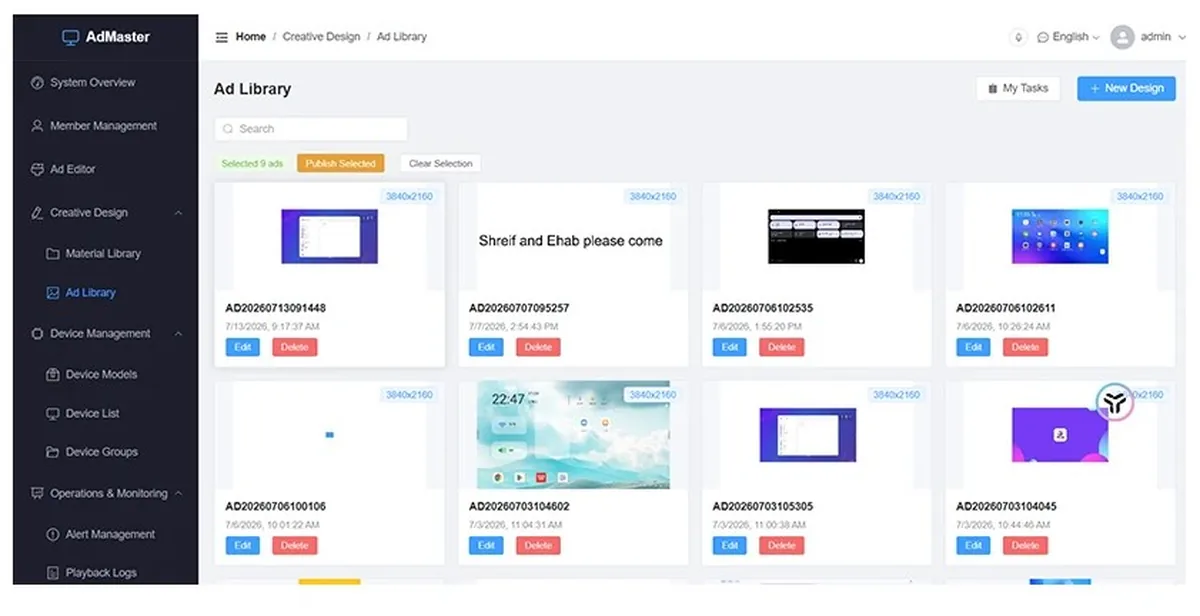
Both are cloud SaaS: on standard terms they are licensed per device or per project, and on project deployments and volume tenders they are included at no additional charge. The inclusion is a commercial term confirmed on the quotation: a quote that silently leaves the platform out looks cheaper until the school publishes to a second campus.
5. What this changes in a quotation
| Job | Without a platform | With DaisyOS as specified |
|---|---|---|
| Distributing new firmware to 200 panels | An engineer visits each campus | One batch OTA push by group |
| Changing content on lobby and corridor screens | A second signage system and a second login | The same CMS dashboard as the panels |
| Proving who published a screen message | A chat record and a name | Reviewer step plus a full audit log |
| Keeping data inside the country | Public cloud only | On-premise or white-label deployment |
| Running a bilingual class | An interpreter, or nothing | Four-language live subtitles on every screen |
For a tender, three sentences are enough: what is included, what requires a camera and microphone array, and whether DMS or CMS is in scope. Put the model number next to each claim — availability follows the configuration, not the brand.
Frequently Asked Questions
Is the teaching software really free, or is there a renewal?
UMind, Classroom Toolkit and UFile are built into DaisyOS and included with the panel, with no separate licence or renewal. AI modules are built in too, but need internet and the matching camera or microphone hardware. DMS and CMS are licensed per device or per project on standard terms, and are supplied free of charge on project deployments and volume tenders.
Do we need DMS to use the panels?
No. The panels teach normally without any cloud platform. DMS is for organisations that manage many devices across sites and want remote control, OTA distribution, permission levels and monitoring.
Can CMS manage both interactive panels and advertising screens?
Yes. CMS covers interactive flat panels, COB LED video walls, digital signage and OPS devices from one back office, avoiding two systems for teaching and for signage.
Does the AI answer from public web content?
The AI Knowledge Base answers from the documents the customer uploads, so answers reflect the school's own materials. DeepSeek and OpenAI can be switched per task.
What happens on a campus with an unstable network?
VisionRoll's offline photo mode records attendance without a connection and processes the photos later. Content distribution and AI generation do require internet access.
Where to read next
For the module-by-module feature list, see What software does the Riotouch interactive flat panel have? Platform pages: riotouch.com/en/software for the DaisyOS ecosystem and the CMS solution page.
Suki Wang
Sales Manager · Dong Guan RioTouch Technology Co.,Ltd.
Email: sukiwang@riotouch.com | WhatsApp: +86 137 1299 3879