When the Screen Gets “Too Smart”: Which AI Features on Interactive Panels Actually Matter?
Over the past two years, nearly every interactive flat panel manufacturer has been promoting its “AI capabilities.” Spec sheets list “6 TOPS NPU,” “AI camera,” and “GPT integration.” Marketing pages feature robot icons and the word “intelligent.” But buyers quickly discover a problem: how many of these AI features are actually used in real classrooms and meeting rooms?
Riotouch’s DaisyOS ecosystem offers a rich set of AI tools — from AI lesson preparation to real-time translation, from facial recognition attendance to automatic meeting minutes. This article doesn’t list features. Instead, it examines which AI functions genuinely change how work gets done, and which ones merely look good in a demo.
AI Features That Are Actually Used Every Day
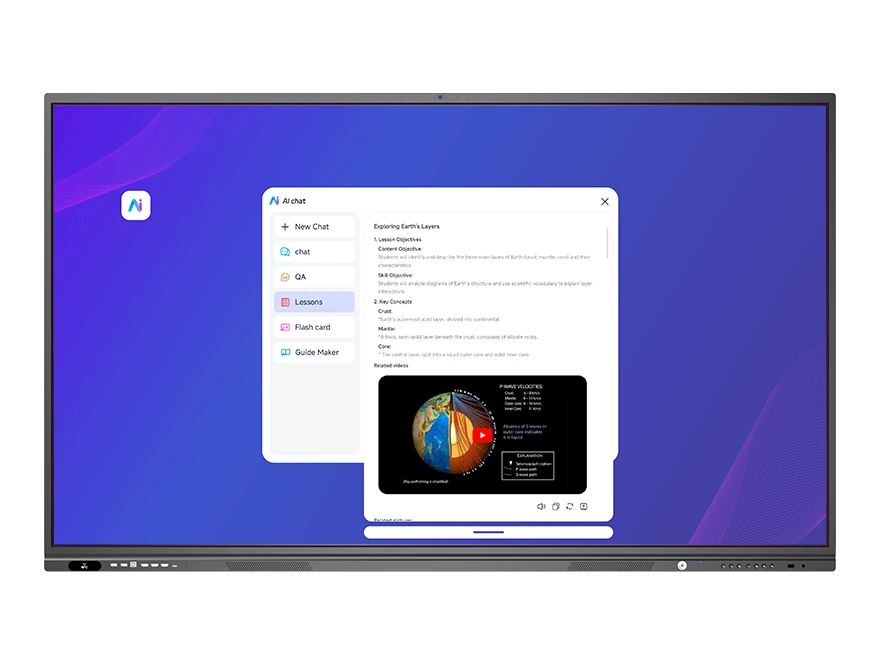
1. AI Lesson Preparation & Courseware Generation: Saving Teachers’ Scarcest Resource — Time
A teacher’s preparation time is the most rigid and least compressible cost in education. Creating a lesson’s courseware — from gathering materials and designing structure to formatting — often takes one to two hours.
Riotouch UMind’s AI lesson assistant, powered by GPT integration, can rapidly generate courseware frameworks and material suggestions based on subject, grade level, and knowledge points. Teachers then localize and refine the draft, shifting their time from “starting from a blank page” to “editing and improving.”
This feature is genuinely useful because it solves a high-frequency, repetitive, time-consuming pain point. Every teacher prepares lessons every week. Every preparation takes time. AI moves the starting point from a blank page to a half-finished draft.
The test: if an AI feature doesn’t save time that’s spent daily or weekly, its real value should be questioned.
2. Real-Time Translation: Breaking Down a Barrier That Actually Exists
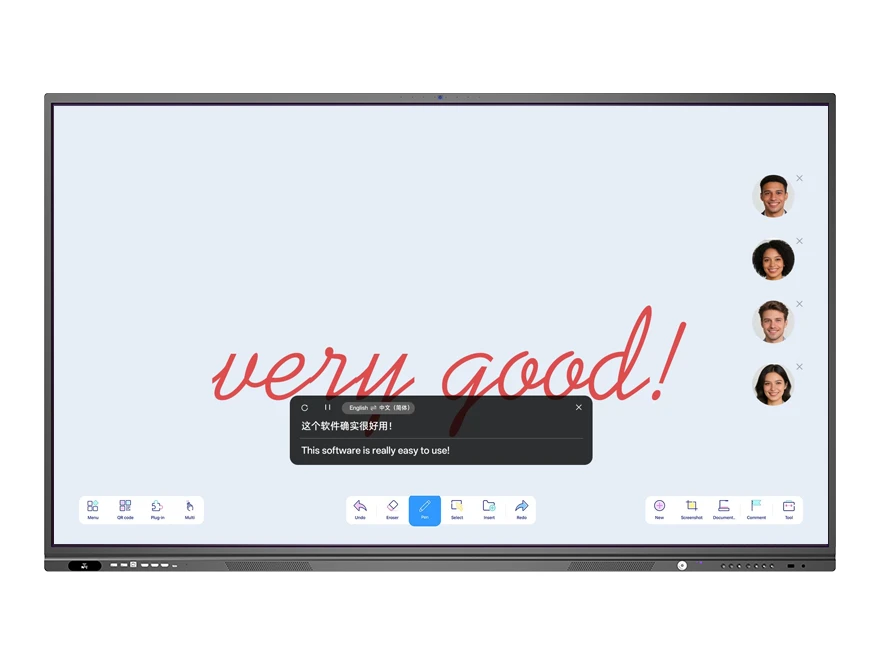
In international schools, multinational enterprises, or cross-border meetings, language barriers are real. Riotouch’s PolyVoice provides real-time speech-to-text and translation, with multiple language windows displayed side by side.
The value here is that it solves a problem where communication is impossible without it — not merely “more convenient with it.” In a meeting room where a Chinese team and a foreign team sit together, real-time translation lets the meeting proceed, rather than depending on an interpreter to relay every sentence.
3. Facial Recognition Attendance: Replacing Mechanical, Repetitive Manual Work
VisionRoll’s facial recognition attendance solves the repetitive labor of roll call before class and attendance statistics after class. The camera automatically identifies students present, records attendance status, and generates statistical reports afterward.
This feature is useful for a simple reason: roll call happens every day and has no teaching value. Automating it frees teachers’ time for instructional design or individual tutoring.
4. Automatic Meeting Minutes: A Usable Record Five Minutes After the Meeting
Organizing meeting minutes after a meeting ends is another high-frequency, low-value repetitive task. PolyVoice’s speech-to-text combined with AI summarization can quickly generate structured discussion points after a meeting concludes.
For teams that need to keep meeting records, the value isn’t “saving half an hour” — it’s the completeness and immediacy of the record. Manual organization tends to miss details and is often postponed to the next day.
AI Features That Look Good in Demos but Rarely Get Used
1. Voice Control: Insufficient Reliability in Noisy Environments
“Open the whiteboard.” “Search for this concept.” Voice control looks impressive in demo videos. But in a real classroom — with noise from dozens of students, distance between teacher and screen, and recognition accuracy across different accents — voice control becomes unreliable. After a few attempts, teachers typically return to direct touch operation.
2. Overly Complex “Smart Recommendations”
If AI recommendations aren’t accurate enough, users must spend time filtering them — increasing workload rather than reducing it. An AI assistant with poor recommendations is worse than a clean blank page.
3. Decorative Features That Exist “for AI’s Sake”
Some features exist because “we have AI,” not because “users need this.” The test is simple: ask “if this feature were removed, what would users lose?” If the answer is “nothing much,” it’s not a necessity.
What Matters Isn’t AI Itself — It’s Where AI Runs
The same AI feature delivers vastly different experiences depending on how it runs.
- Cloud AI: powerful, but dependent on network connectivity. When the network is unstable, response slows or fails. Sensitive data uploaded to the cloud raises privacy concerns. Long-term use may require subscription fees.
- On-Device AI (Edge AI): runs on the device’s built-in NPU. Both the RK3588 and RK3576 provide 6 TOPS of NPU compute, sufficient to run facial recognition, speech-to-text, and real-time translation locally. The advantages: fast response, no network dependency, and data never leaves the device.
For real-world school and enterprise use, on-device AI is typically the more pragmatic choice — classroom networks aren’t always stable, meeting content may be sensitive, and local operation doesn’t require paying for each AI invocation.
The Software Ecosystem Matters More Than Individual Features
An isolated AI feature has limited value. What truly determines the experience is whether these features connect into a workflow.
In Riotouch’s DaisyOS ecosystem, AI features aren’t scattered standalone tools — they’re embedded in a complete chain covering lesson preparation, teaching, post-class review, and meeting collaboration: AI lesson preparation generates courseware → UMind whiteboard teaches and records → UFile stores and shares in the cloud → students access content after class via QR code. VisionRoll attendance and PolyVoice translation run throughout daily use.
The value of this integration is that users don’t need to switch between multiple applications. If every AI feature were a separate app, teachers would need to remember which function lives in which application — and the barrier to use would rise sharply.
How to Judge Whether AI Features Are Worth Paying For
Before a tender or a purchase order, put every claimed AI feature through the same five questions:
- Frequency: is it used daily or weekly, or once a semester for a demo?
- Time saved: does it remove a task that currently takes 30 minutes or more?
- Where it runs: on-device NPU, or cloud only? What happens when the campus network drops?
- Recurring cost: is there a per-seat, per-invocation or annual subscription behind it?
- Removal test: if the feature disappeared tomorrow, would anyone notice?
A feature that passes all five earns budget. A feature that fails two or more is decoration, and the money is better spent on panel brightness, glass quality or after-sales parts.
A Pragmatic Conclusion
AI isn’t a gimmick — but not every AI feature is worth paying for. Valuable AI is embedded in high-frequency workflows, solves real pain points, runs reliably on-device, and doesn’t require ongoing subscriptions.
When procuring, rather than comparing “whose feature list is longer,” ask a more practical question: can the AI on this screen save teachers hours every week, stop meeting minutes from being delayed, and keep language barriers from interrupting discussions? Features that can answer “yes” deserve a place in the budget.
Frequently Asked Questions
Which AI features on an interactive panel are actually used every day?
AI lesson preparation, real-time translation, facial recognition attendance and automatic meeting minutes. Each of them removes a task that teachers or staff repeat daily or weekly.
Which AI features usually end up unused?
Voice control in noisy classrooms, complex recommendations that users must filter, and decorative features that exist only for the spec sheet. If removing the feature changes nothing, it is not a necessity.
Should AI on a school panel run on-device or in the cloud?
On-device is usually more practical: the RK3588 and RK3576 both provide 6 TOPS of NPU compute for attendance, speech-to-text and translation, with no network dependency, no data leaving the device and no per-use fee.
Is the AI software an extra licence or subscription?
No. DaisyOS is pre-installed on Riotouch panels with no licence fee and no per-user subscription; the same software can also be white-labelled for resellers.
Related Product

UMind Whiteboard
AI lesson preparation, 30-point writing, handwriting recognition and PhET simulations, built into the panel.
View Product →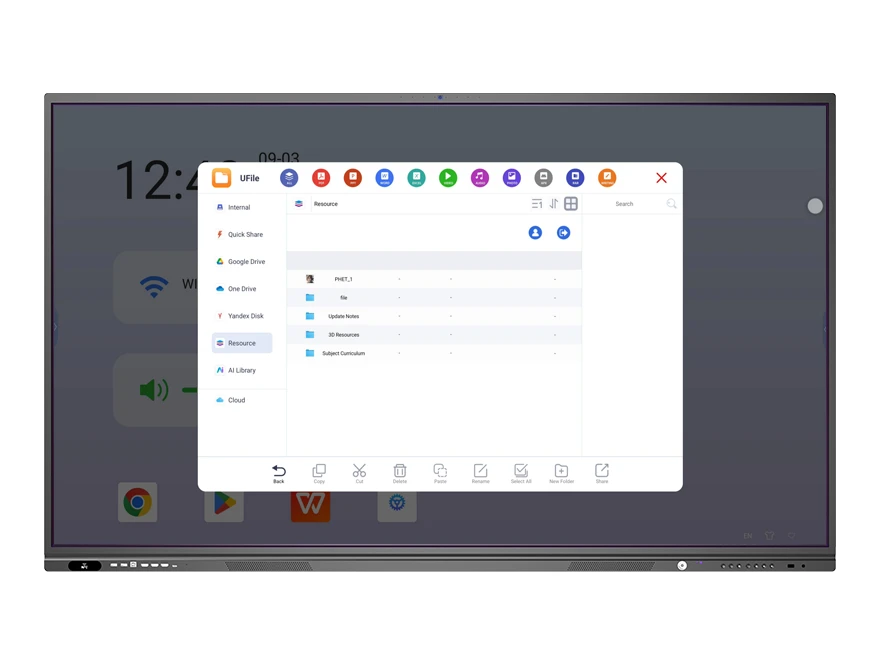
DaisyOS Software Suite
AI Assistant, PolyVoice, VisionRoll, UFile, DMS and CMS — pre-installed, no licence fee.
View Software →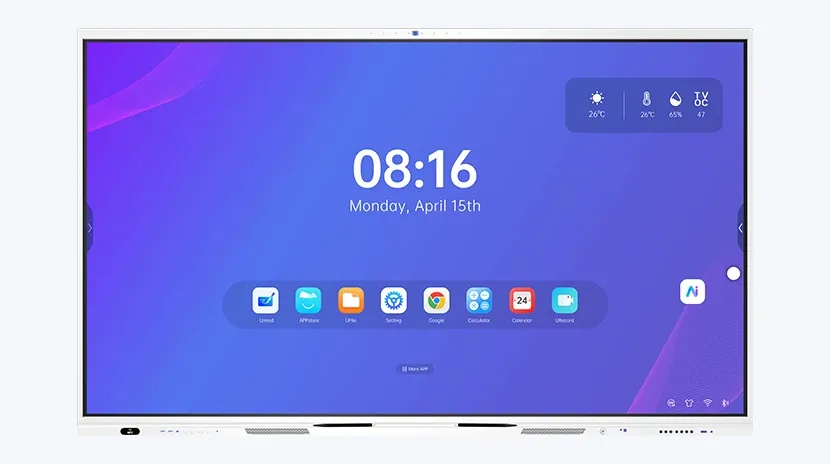
RK3588 Interactive Flat Panel
65″ to 110″, 6 TOPS NPU, on-device AI for attendance, translation and minutes.
View Product →Related Articles
Want to See How These AI Features Perform in Real Scenarios?
We can arrange an online demo or sample evaluation so your teachers or team can experience AI lesson preparation, real-time translation, facial recognition attendance, and meeting minutes firsthand — and judge in a real environment which ones are useful to you.
Contact Sina: WhatsApp +86 188 0256 1599 | Email sina@riotouch.com | www.riotouch.com
Sina Zhang — Sales Manager
Dong Guan RioTouch Technology Co.,Ltd.
Email: sina@riotouch.com
WhatsApp: +86 188 0256 1599