Interactive Flat Panel Troubleshooting Guide: Fix the 8 Most Common Issues
Interactive flat panels run for years in classrooms, meeting rooms, and control centers — and like any hardware, they occasionally run into problems. This guide walks through the eight most frequent problems dealers, IT staff, and end users report with interactive flat panels, based on Riotouch's real support cases.
1. The Panel Won't Turn On
Check the basics first:
- Confirm the power cable is firmly connected at both ends
- Verify the wall outlet / power strip is live
- Try a different power cable — this is a low-probability cause, but easy to rule out
If the light doesn't turn on at all:
- The power board (PSU) may be faulty — check for a blown fuse or swollen capacitors
- If the panel has a separate power switch, confirm it's in the ON position
2. Black Screen (Panel Powers On, No Image)
- Check the input source — the panel may be on the wrong HDMI/DP input
- Test with a different source device and cable
- If the backlight is on but no image, the mainboard or TCON board may be at fault
- If the TCON board has its own 12V supply line, confirm it's properly connected
3. Touch Screen Not Working or Inaccurate
No touch response at all:
- Check the touch USB cable connection between the panel and the internal PC/board
- Restart the panel and the connected computer
- Verify the touch driver is installed and up to date
Touch is inaccurate or not calibrated:
Most panels support three calibration methods:
- If whiteboard software is installed, use the built-in calibration icon
- Use the Android/iOS calibration tool in system settings
- Use a touch diagnostic tool to test the raw touch signal, then recalibrate
Touch cuts out or jumps points intermittently:
- This usually points to a loose touch frame connection or interference — reseat the touch frame cable
- Check for debris or screen protectors interfering with the touch layer
4. Display Problems: Lines, Flickering, or Color Issues
- Vertical lines on screen → usually points to the OC (source driver/COF) component
- Flickering → check the power supply stability and signal cable quality
- Color distortion → verify the color mode settings and test with a different source
5. No Sound
- Check the volume level and mute state in the panel's audio settings
- Confirm the audio output device is set to the panel's speakers
- Test external speakers/headphones to isolate the issue
- If Android-side playback has no audio at all, this typically indicates a mainboard fault
6. OPS / Built-in PC Won't Boot or Shows "No Signal"
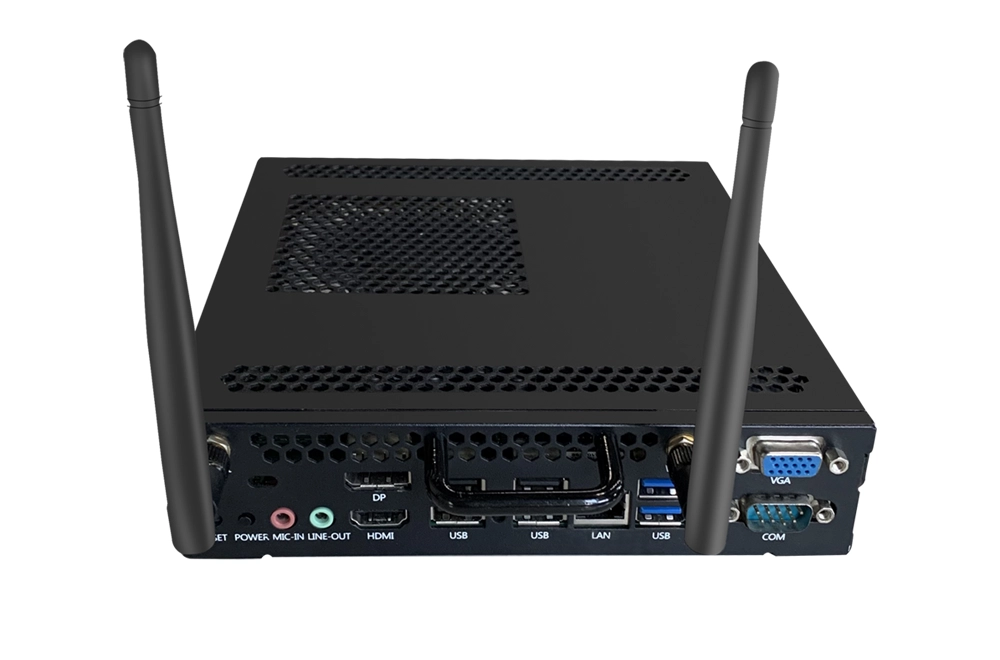
- Reseat the OPS module in its slot — remove and re-insert firmly until it clicks
- Confirm the panel input is switched to the OPS/HDMI channel
- Check the OPS module's power LED
- If the OPS shows no signal after reseating, test the module in another OPS-compatible panel to isolate the fault
7. WiFi / Network Won't Connect
- Power-cycle the panel and reconnect to WiFi
- Verify the network name and password
- Check that the panel's date and time are correct (wrong time breaks HTTPS/cloud connections)
- Test the wired LAN port as a fallback
8. Screen Mirroring / Casting Won't Connect
- Confirm both devices are on the same network/VLAN
- Disable VPN or firewall rules that block local casting traffic
- Update the casting app or the panel's firmware
- Restart the panel and try again
When It's Time to Contact Support
If the steps above don't resolve the issue, the problem may require parts replacement or board-level repair. Riotouch supports our dealers and end users with direct technical troubleshooting, spare parts, and — for OEM/ODM partners — full service documentation.
Need help with a specific unit, or want our full internal service manual for your technical team? We typically respond within a few hours and can walk through diagnostics with you directly, or arrange parts/replacement where needed.
Related Product
Need a Solution That
Fits Your Project?
Tell us what you're looking for and we'll tailor a quote to your requirements — with pricing, lead time, and expert advice.