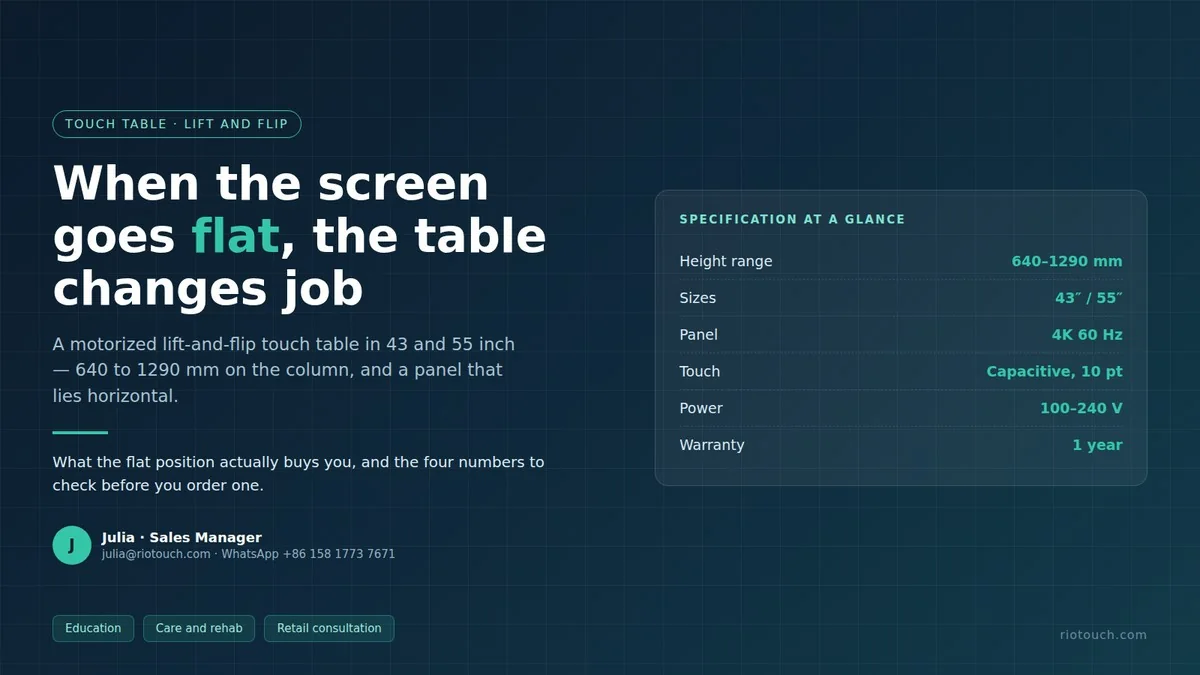
Most touch tables lift. A few also flip. The difference looks small in a brochure and matters on site: a height-only table keeps the screen facing you, while a lift-and-flip model lets the panel lie horizontal, so the glass becomes a surface you work on rather than look at. This article covers the two lift-and-flip sizes we build, 43 and 55 inch, and the numbers that decide whether one belongs in your room. It does not cover the height-only frames or the U-shape lift series.
1. The format: two sizes, one column, one hinge
- 43 and 55 inch, nothing between and nothing above. 55-inch is the ceiling for a table format: a 65-inch panel on a table column is not a product we build, whatever an early drawing may suggest.
- The lift is motorized, from 640 mm at the low stop to 1290 mm at the high stop, so one unit serves a seated child, a standing adult and a wheelchair user.
- The panel flips from upright to horizontal, and the touch glass is the same 4K capacitive panel in both positions, not a second surface added underneath. Frames are white aluminum; the front glass is anti-glare with zero bonding and Mohs 7 hardness, which matters more flat than upright, because a horizontal surface takes hands, styluses and the occasional object placed on it.
2. What the flat position changes
| Question | Height-only table | Lift-and-flip table |
|---|---|---|
| Can a wheelchair user reach it? | Only if the frame goes low enough, and the screen still faces away from the seated user | The screen lies flat at 640 mm, so the reach is downward rather than forward |
| What is the surface for? | Looking at content at eye level | Writing, tracing, sorting and small-group work on a horizontal plane |
| Two people at once? | Side by side in front of a vertical screen | Opposite each other across a horizontal one |
| Room footprint | Depth for the panel plus viewer distance | Depth for the table plus chair clearance along the long side |
| Mechanism to maintain | One lift column | A lift column plus a flip hinge, one more joint carrying the panel weight |
The last row is the honest cost of the format: a hinge is a moving part under load, and it is the first thing to inspect on a used unit.
3. Where the flat position earns its price
Care and rehabilitation rooms are the clearest case: a resident in a wheelchair cannot work on a vertical screen at arm's length, and the 640 mm stop plus the flat position turns the panel into a worktop. Classrooms use it for group stations, where two children face each other across the same surface, and teachers tend to buy one table per station rather than one per room, which makes the lift the design question rather than the panel. Retail and banking counters lay it flat for a consultation and raise it back for a presentation.
4. Three configurations, fixed at order
The board and memory are chosen when the order is placed and cannot be upgraded in the field. Pick by what runs on the table, not by what sounds larger.
| Configuration | Board and system | Memory | Fits when |
|---|---|---|---|
| Android, standard | MT9679, Android 14 | 4 GB + 32 GB | Content apps, kiosk-style deployment, remote management |
| Android, large storage | RK3576 | 8 GB + 128 GB | Heavier local content and longer on-device caching |
| Windows | Intel i5-1145G7 | 16 GB + 256 GB | Software that only exists on Windows: assessment tools, CAD viewers, imaging |
Two notes. Windows units need the licence position confirmed before you quote, because the operating system is not part of the panel price. And an Android table is not a Windows table with a different launcher: if three of your applications are Windows-only, order the Windows configuration rather than planning to add a PC later.
5. The mechanism, not the software
Almost every support question on a lift-and-flip table turns out to be mechanical. The column carries the panel, the hinge carries it at an angle, and both are rated for a load you should ask about for your size and configuration rather than assume.
Three things decide whether the unit survives a school year. Cable routing inside the column, because a cable that runs outside will be caught by the hinge within weeks. Pinch points at the hinge line, so ask where the control sits and whether it can be locked. And the floor, since castors roll freely on tile and fight every carpet. It is an indoor product, rated 0 to 38 °C at 10 to 90 percent humidity, non-condensing.
6. Before the order
- Measure the seat height you actually have, not the one in the catalogue.
- Check the long side of the flat panel against the room: 984 by 578 mm at 43 inch, 1253 by 725 mm at 55 inch.
- Decide who operates the flip; an adult-only room and a room of six-year-olds need different control answers.
- Confirm the outlet position, because a table that has to be unplugged to move stops moving.
- Ask for the load rating of the horizontal position if the surface will be leaned on hard.
- Warranty is one year on the whole product; ask about the local service route before you sign, because the hinge is the part most likely to need it.
7. Frequently asked questions
Is 55 inch the largest lift-and-flip table?
Yes. Above 55 inch we build interactive panels and LED walls, not tables.
Does the screen stop at any angle?
The lift travels continuously between 640 and 1290 mm. The flip has defined positions rather than free travel; confirm the exact angles for the model you order.
Can it run Windows software?
Yes, in the Windows configuration with an Intel i5-1145G7, 16 GB RAM and 256 GB storage. Android configurations cannot run Windows applications.
Can children operate the flip?
That depends on where the control sits and whether it can be locked. Ask before ordering if the table goes into a primary classroom.
How much power does it draw?
Under 100 W at 43 inch and under 120 W at 55 inch, standby at or below 0.5 W, on 100 to 240 V at 50 or 60 Hz.
Height-only and U-shape lift frames are on the lifting touch table page; the interactive touch table guide covers sizes and budget.
Julia
Julia · Sales Manager
julia@riotouch.com · WhatsApp +86 158 1773 7671